


As crypto adoption continues to grow, more investors are looking beyond exchanges and taking control of their own assets. That’s where self-custody wallets come in. Instead of leaving your crypto on an exchange, a wallet gives you direct ownership of your funds and access to the wider Web3 ecosystem.
Kraken is already one of the best-known names in crypto trading, but many users are surprised to learn that it also offers a separate self-custody wallet. In this Kraken wallet review, we’ll take a closer look at its features, security, ease of use, and how it stacks up against competing options.
Whether you’re new to crypto or already familiar with self-custody, this guide will help you decide whether Kraken Wallet deserves a place in your portfolio.
What Is Kraken Wallet?
Kraken Wallet is a non-custodial crypto wallet created by Kraken. Unlike a standard exchange account, where the platform holds your assets on your behalf, Kraken Wallet puts you in control of your private keys.
That means you can:
- Store crypto independently
- Send and receive digital assets
- Connect to decentralized applications (dApps)
- Interact with Web3 ecosystems
- Maintain full ownership of your funds
The wallet operates separately from the Kraken exchange, although the two products naturally complement each other.
For users who want more control without diving into overly complicated tools, Kraken Wallet aims to provide a middle ground between convenience and self-custody.
Kraken Wallet Review: Key Features
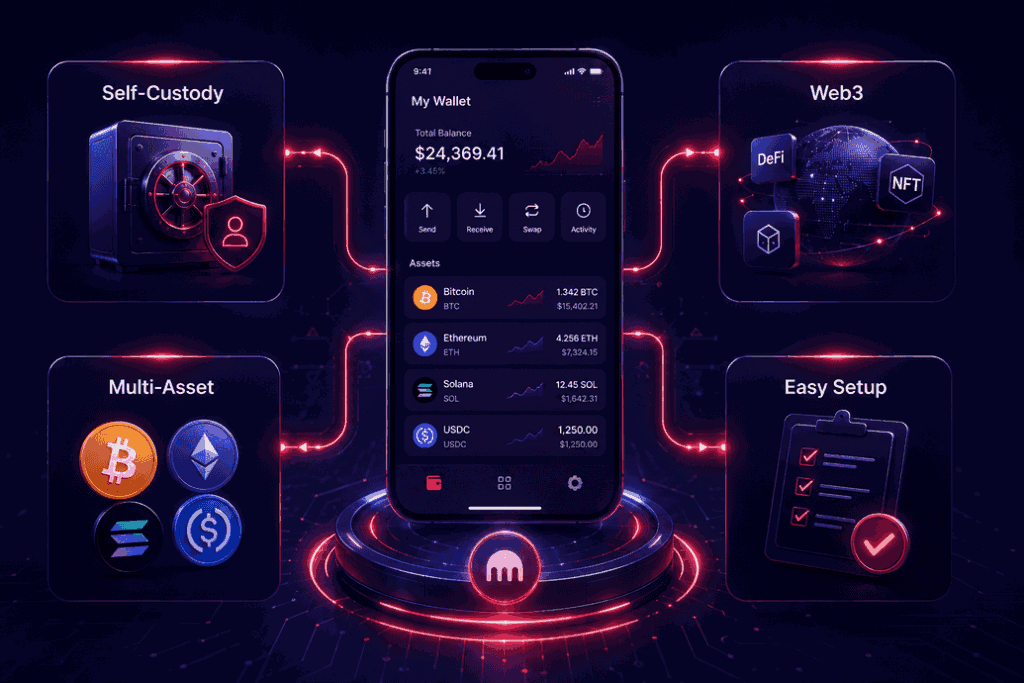
Before deciding whether a wallet is right for you, it’s worth understanding what it actually offers.
Kraken Wallet focuses on simplicity while still providing access to the features many crypto users expect in 2026.
Self-Custody Ownership
The biggest advantage is that you control your own private keys. Kraken cannot freeze, recover, or access your assets.
This gives users greater independence but also comes with additional responsibility.
Web3 Connectivity
The wallet is designed for Web3 use, allowing users to connect with decentralized applications and blockchain-based services directly from the wallet interface.
Whether you’re exploring DeFi platforms, NFT marketplaces, or other blockchain applications, Kraken Wallet is built with these use cases in mind.
Multi-Asset Support
Users can manage multiple cryptocurrencies from a single interface, making portfolio management more convenient than juggling separate wallets.
Beginner-Friendly Design
Many self-custody wallets can feel intimidating when you’re getting started. Kraken Wallet keeps the setup process relatively straightforward, making it approachable even for first-time users.
How to Set Up a Kraken Wallet
If you’re wondering how to set up a Kraken wallet, the process only takes a few minutes.
Step 1: Download the Wallet
Install Kraken Wallet on your preferred device through the official app source and create an account using your email address.
Then verify your email address by entering the verification code sent to your inbox.
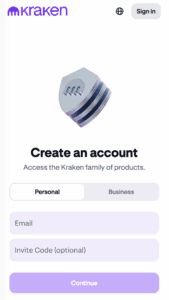
Then choose a password and confirm your phone number.
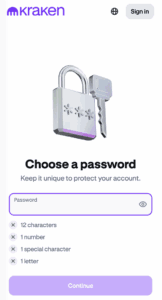
Step 2: Create a New Wallet
Follow the prompts to generate a new wallet.
Step 3: Back Up Your Recovery Phrase
This is the most important step.
The wallet will generate a recovery phrase, sometimes called a seed phrase. Write it down and store it somewhere secure offline.
Do not:
- Save it in screenshots
- Send it through email
- Share it with anyone
Anyone with access to your recovery phrase can access your funds.
Step 4: Start Using the Wallet
Once your backup is complete, you can receive crypto, send assets, and connect to Web3 applications.
How to Send Crypto from Kraken to Another Wallet
One of the most common questions new users ask is how to send crypto from Kraken to another wallet.
Fortunately, the process is fairly simple.
- Sign in to your Kraken account
- Open the withdrawal section
- Choose the cryptocurrency you want to send
- Enter the recipient wallet address
- Select the correct blockchain network
- Enter the amount
- Confirm the transaction
Before sending funds, always verify the wallet address carefully. Blockchain transactions are generally irreversible.
Even a small mistake can result in lost funds.
How to Send Bitcoin from Kraken to Another Wallet
If you’re specifically wondering how to send Bitcoin from Kraken to another crypto wallet, the steps are almost identical.
The main difference is ensuring that you’re sending BTC to a valid Bitcoin address and using the correct Bitcoin network.
Many experienced crypto users send a small test transaction first before transferring larger amounts.
Is Kraken Wallet Safe?
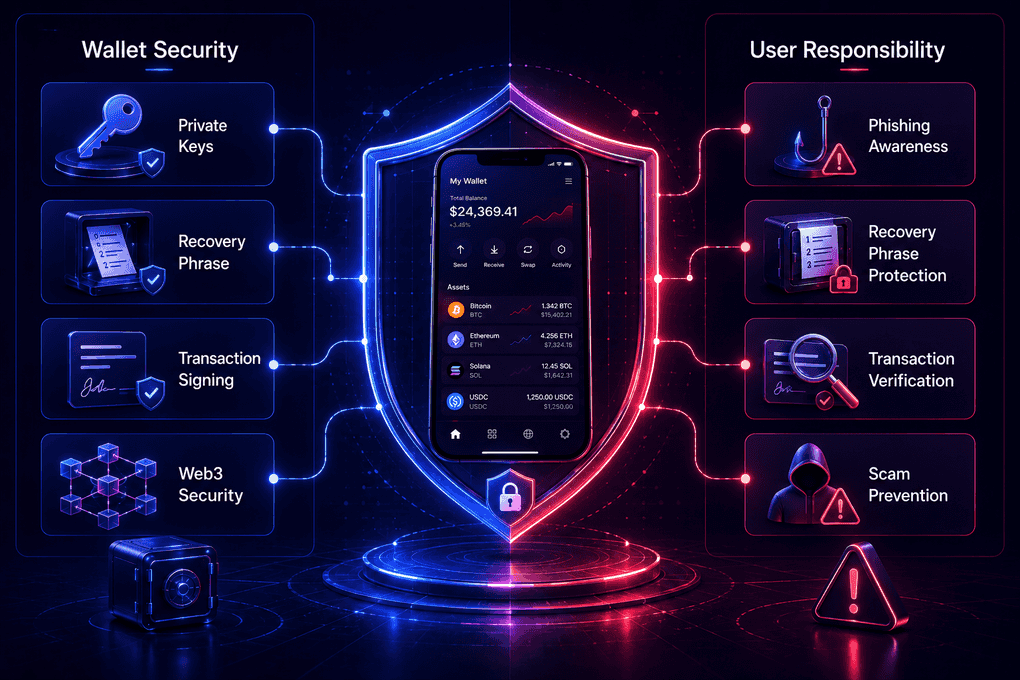
Security is often the deciding factor when choosing a wallet, which naturally leads many people to ask: is Kraken wallet safe?
Overall, Kraken Wallet offers a strong security foundation.
Because it’s non-custodial, your private keys remain under your control rather than being stored by a third party. This reduces the risk associated with exchange hacks or custodial failures.
Key security advantages include:
- User-controlled private keys
- Recovery phrase protection
- Secure transaction signing
- Web3-focused security architecture
That said, self-custody comes with trade-offs.
If you lose your recovery phrase, Kraken cannot restore access to your wallet. Likewise, if you fall victim to a phishing scam or approve a malicious transaction, there is usually no way to reverse it.
In other words, Kraken Wallet can be very secure, but a large part of that security depends on the user.
Is Kraken a Cold Wallet or a Web3 Wallet?
This is one of the most misunderstood topics among newer crypto investors.
Is Kraken a Cold Wallet?
No. If you’re asking is Kraken a cold wallet, the answer is no.
Kraken Wallet is a software wallet connected to the internet, which means it falls into the category of a hot wallet.
While Kraken’s exchange stores a significant portion of customer funds in cold storage infrastructure, Kraken Wallet itself is not an offline storage solution.
If maximum security is your priority, a dedicated hardware wallet remains the gold standard.
Is Kraken a Web3 Wallet?
Yes.
If you’re wondering is Kraken a Web3 wallet, the answer is absolutely.
The wallet is specifically designed to interact with decentralized applications and blockchain ecosystems beyond simple crypto storage.
This makes it suitable for users who want to explore DeFi, NFTs, and other Web3 services.
Is Kraken Wallet Decentralized?
Another common question is Is Kraken a decentralized wallet?
The answer depends on how you define decentralization.
Kraken Wallet is non-custodial, which means you control your own private keys and assets.
However, the wallet itself is not a decentralized protocol or blockchain network.
A simple way to think about it is:
Feature
Kraken Wallet
User controls private keys
Yes
Self-custody
Yes
Centralized exchange account required
No
Decentralized blockchain protocol
No
For most users, the important takeaway is that Kraken Wallet gives you direct ownership of your assets.
Is Kraken Wallet Open to Americans?
Yes.
For users asking “Is Kraken wallet open to Americans”, Kraken Wallet is generally available in the United States.
However, availability of certain exchange-related services may vary depending on local regulations and state-specific requirements.
The wallet itself is typically more broadly accessible than some regulated exchange features.
Kraken Wallet vs Coinbase Wallet
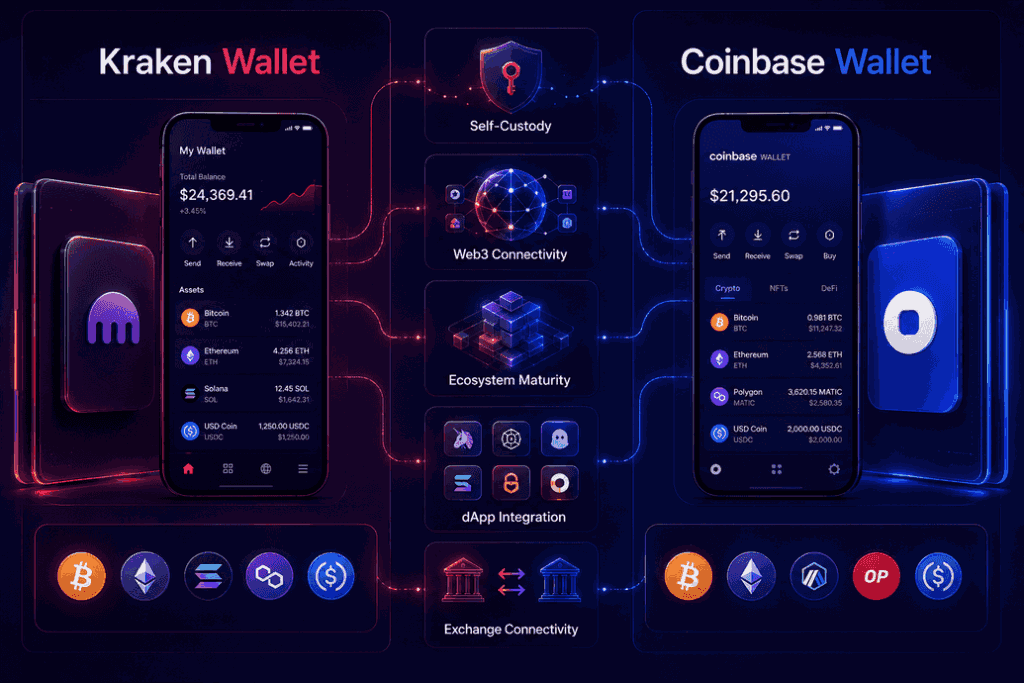
When comparing Kraken wallet vs Coinbase wallet, both options have a lot in common.
They are both:
- Non-custodial wallets
- Web3-compatible
- Designed for mainstream crypto users
- Available on mobile devices
However, there are some notable differences.
Feature
Kraken Wallet
Coinbase Wallet
Self-custody
Yes
Yes
Web3 Support
Yes
Yes
Ecosystem Maturity
Growing
More established
dApp Integration
Good
Extensive
Exchange Integration
Strong with Kraken
Strong with Coinbase
Beginner Experience
Simple
Very beginner-friendly
For users already active on Kraken, Kraken Wallet feels like a natural extension of the platform.
For users who prioritize a larger Web3 ecosystem and broader adoption, Coinbase Wallet may have a slight advantage.
Ultimately, neither choice is wrong. The better option depends on your personal preferences and how you plan to use your crypto.
Final Verdict
After completing this Kraken wallet review, it’s clear that the wallet is designed for users who want greater control over their crypto without dealing with an overly complex interface.
It offers the core benefits of self-custody, supports Web3 functionality, and integrates naturally with one of the industry’s most established exchanges. While it won’t replace a hardware wallet for maximum security, it strikes a practical balance between convenience and control.
For beginners entering self-custody and existing Kraken users looking for a dedicated Web3 wallet, Kraken Wallet is a strong option worth considering in 2026.
Frequently Asked Questions
Kraken Wallet is considered safe when used properly. It uses a self-custody model that gives users full control of their private keys, but protecting the recovery phrase remains the user’s responsibility.
No. Kraken Wallet is a software wallet connected to the internet. While Kraken’s exchange uses cold storage behind the scenes, Kraken Wallet itself is not a cold wallet.
Kraken Wallet is non-custodial because users control their private keys. However, it is not itself a decentralized protocol or blockchain.
Log into Kraken, navigate to the withdrawal section, select the asset you want to transfer, enter the destination wallet address, choose the correct network, and confirm the transaction. Always double-check the address before sending funds.
Yes. Kraken Wallet supports Web3 functionality, allowing users to connect with decentralized applications and blockchain-based services.
Select Bitcoin (BTC) in the withdrawal section, enter a valid Bitcoin address, review the transaction details, and confirm the transfer. Because Bitcoin transactions cannot be reversed, verifying the address is essential.
Download Kraken Wallet, create a wallet, securely back up your recovery phrase, and complete the setup process. Once finished, you can receive, send, and manage crypto assets directly from the wallet.
Yes. Kraken Wallet is generally available to users in the United States, although some exchange-related features may vary by location.
Coinbase Wallet offers a larger and more mature Web3 ecosystem, while Kraken Wallet provides a clean experience and strong integration with Kraken’s exchange services. The best choice depends on your needs and preferences.