



This Uniswap Wallet Review explores one of the newest self-custody wallets designed to simplify access to cryptocurrency, decentralized finance (DeFi), and on-chain trading. Finding the right crypto wallet can be challenging, especially with so many options available today. While some wallets focus primarily on security and others prioritize convenience, Uniswap Wallet aims to combine both in a single, user-friendly platform.
In this review, we’ll take a closer look at how the wallet works, along with its key features, security measures, fees, and overall user experience. Whether you’re new to crypto or already active in DeFi, this guide will help you understand what Uniswap Wallet offers and, ultimately, decide whether it’s worth using.
What Is Uniswap Wallet?
Uniswap Wallet is a self-custody crypto wallet created by the team behind Uniswap, one of the most popular decentralized exchanges in the crypto industry.
The wallet allows users to store, send, receive, and swap cryptocurrencies while maintaining full control of their assets. Unlike wallets provided by centralized exchanges, Uniswap Wallet gives users ownership of their private keys and recovery phrase.
It’s designed to make interacting with crypto, DeFi platforms, and Web3 applications easier without requiring users to give up control of their funds.
Key Features
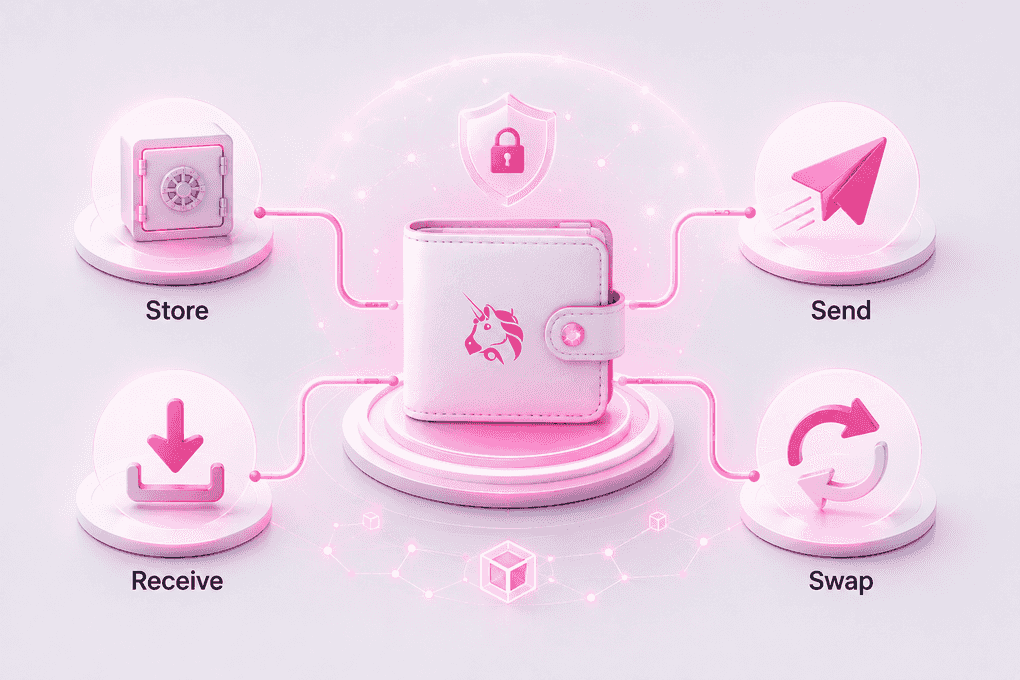
What makes Uniswap stand out is its focus on simplicity. It offers many of the tools crypto users need while keeping the interface approachable for beginners.
Self-Custody and Full Control
One of the biggest advantages of Uniswap Wallet is its self-custody design. When you create a wallet, you’re given a recovery phrase that provides full ownership and control of your assets. As a result, no company, exchange, or third party can access your funds on your behalf.
However, this level of control also comes with added responsibility. Since only you have access to your recovery phrase, it’s essential to store it securely. Otherwise, losing it could mean permanently losing access to your crypto assets.
Built-In Token Swaps
Uniswap Wallet makes it easy to exchange supported tokens directly within the wallet.
Instead of transferring assets to an exchange first, users can complete swaps without leaving the app, creating a smoother experience for those who frequently trade or manage multiple tokens.
Easy Access to Web3
Many crypto users eventually explore decentralized applications, commonly known as dApps.
Uniswap Wallet allows users to connect with Web3 services such as:
- DeFi platforms
- NFT marketplaces
- Blockchain games
- Decentralized governance tools
This makes it a convenient wallet for users who want more than simple storage.
User-Friendly Design
Crypto wallets can sometimes feel intimidating, especially for beginners. To address this, Uniswap Wallet uses a clean and intuitive interface that makes common tasks easier to navigate. As a result, actions such as sending funds, receiving tokens, and checking balances can be completed with less confusion and a shorter learning curve.
Uniswap Wallet App vs Uniswap Wallet Extension
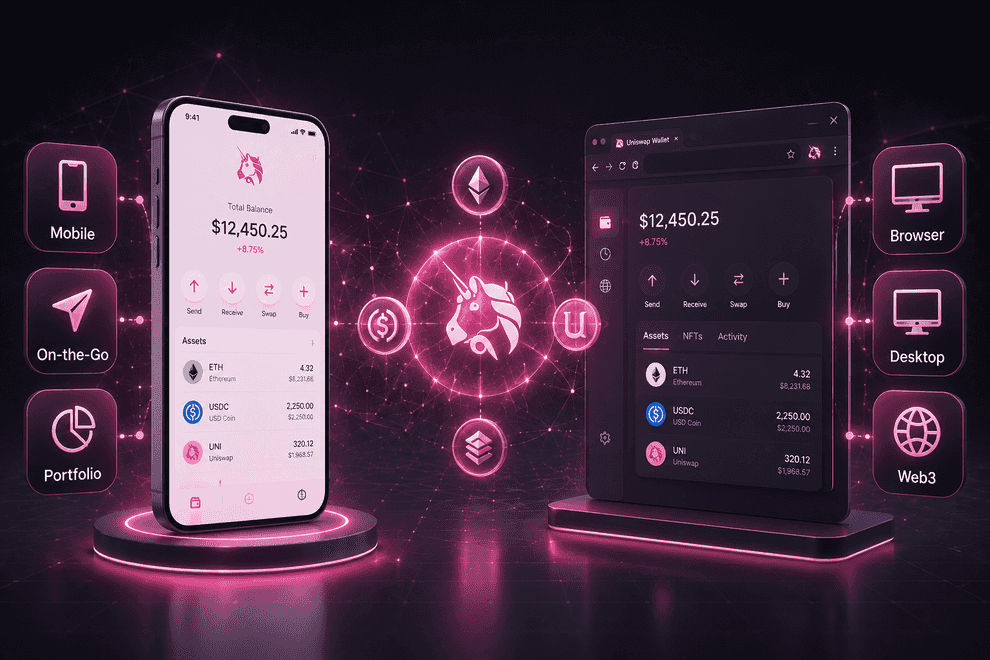
Uniswap Wallet is available on mobile devices and can also be used through a browser-based experience.
| Feature | Uniswap Wallet App | Uniswap Wallet Extension |
|---|---|---|
| Mobile access | Yes | No |
| Desktop browser use | Limited | Yes |
| Token management | Yes | Yes |
| Web3 connectivity | Yes | Yes |
| Built-in swaps | Yes | Yes |
>
The Uniswap wallet app is ideal for users who manage their crypto on the go, while the Uniswap wallet extension may be more convenient for users who frequently access Web3 applications from a desktop browser.
Is Uniswap Wallet Non Custodial?
A common question among new users is: Is Uniswap Wallet non-custodial?
The short answer is yes. Uniswap Wallet is a non-custodial wallet, which means you retain full control of your private keys and recovery phrase. Consequently, your assets remain under your ownership at all times, and Uniswap cannot access, hold, or manage your funds on your behalf.
As a result, this setup provides greater control, privacy, and independence than custodial alternatives. However, that added freedom also comes with responsibility. If you lose your recovery phrase and do not have a backup, you may permanently lose access to your wallet and the assets stored within it.
How to Set Up Uniswap Wallet
Getting started with Uniswap Wallet is relatively simple.
How to Create a New Uniswap Wallet
1. Launch the Uniswap Wallet app and tap “Create a Wallet.”
2. Choose a username and select “Continue.” If you prefer, you can skip this step and set it up later.
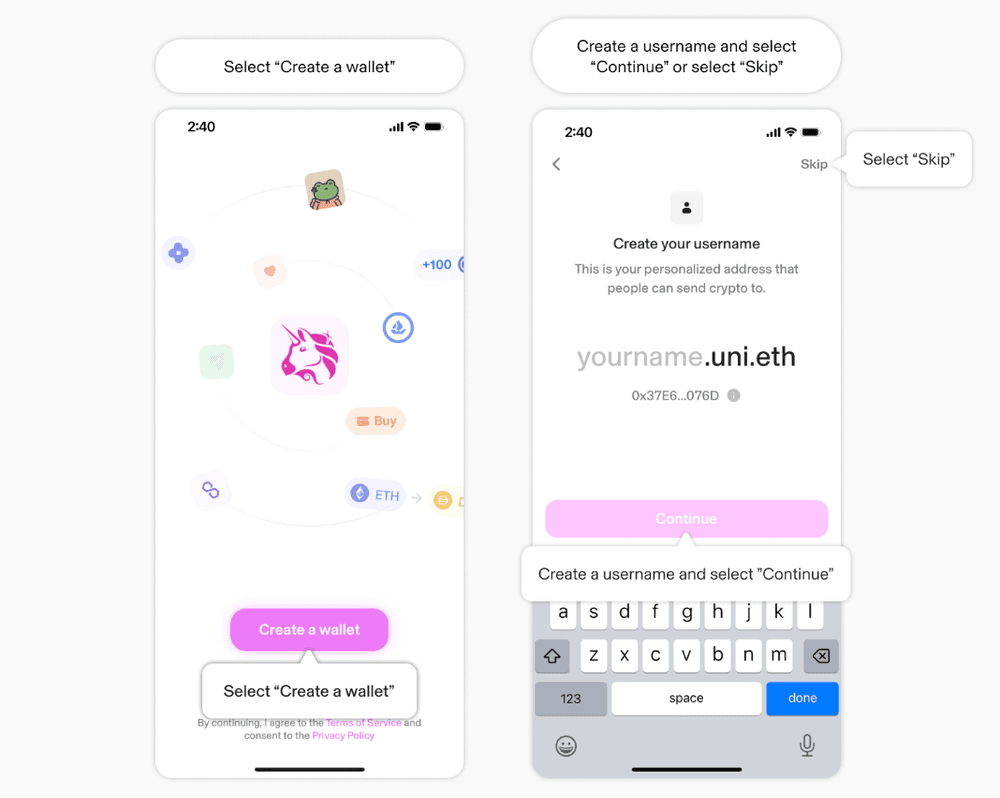
3. Enable push notifications to receive wallet updates and alerts.
4. Set up biometric security using Face ID, Touch ID, or your device’s fingerprint authentication.
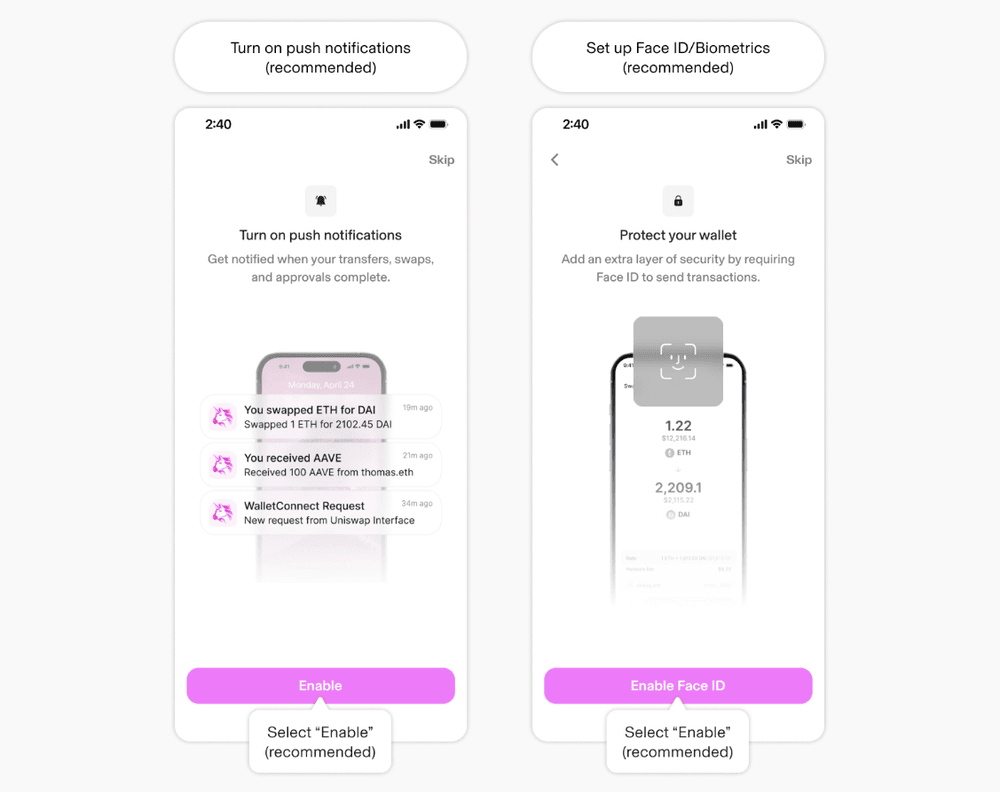
5. Once the setup is complete, your new wallet will be ready to use. You can fund the wallet to receive your first crypto assets.
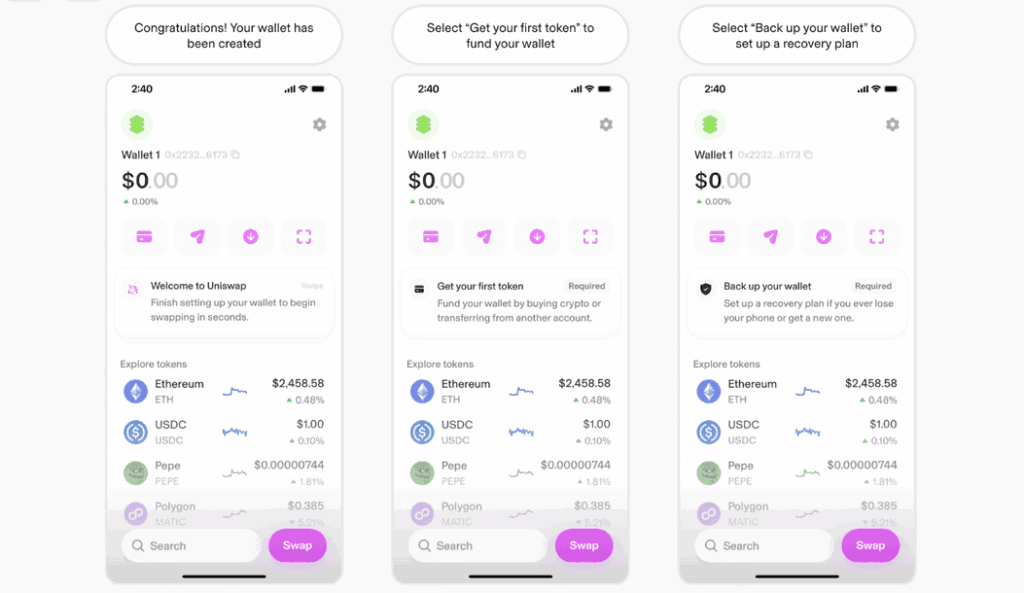
6. You’ll also be prompted to back up your wallet. This is a crucial step that helps protect your funds and ensures you can regain access if you ever lose your device.
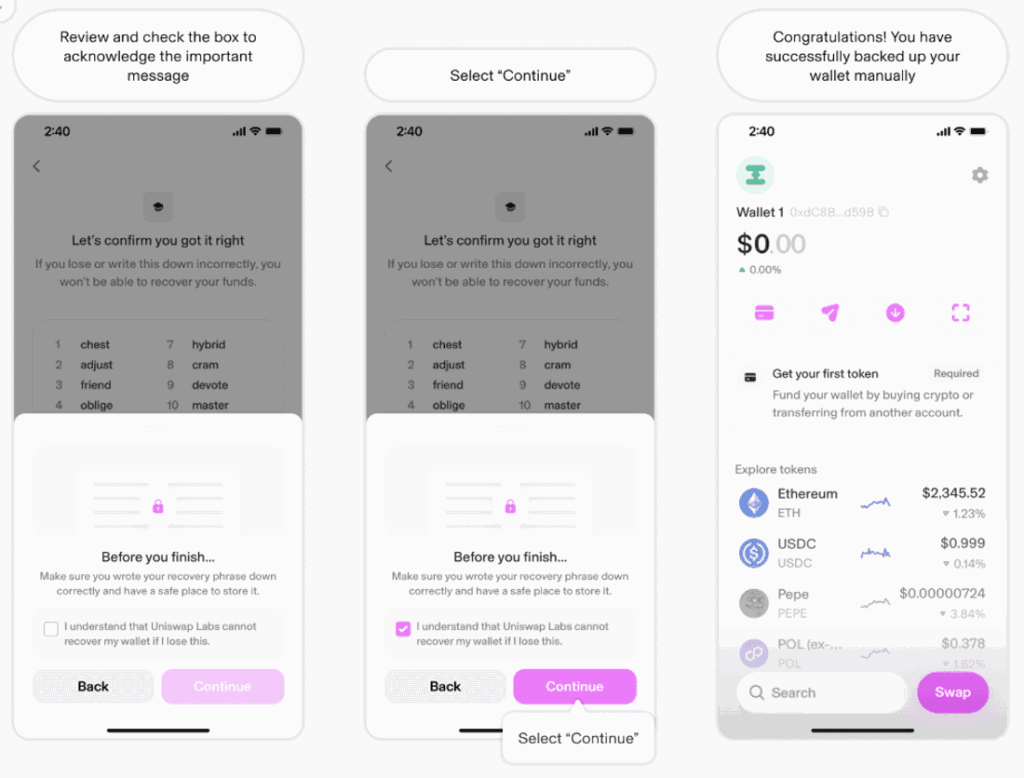
How to Manually Back Up Your Recovery Phrase in Uniswap Wallet
1. Tap “Back Up Your Wallet.”
2. Select “Write Down Recovery Phrase.”
3. Read the important information provided and tap “Continue.”
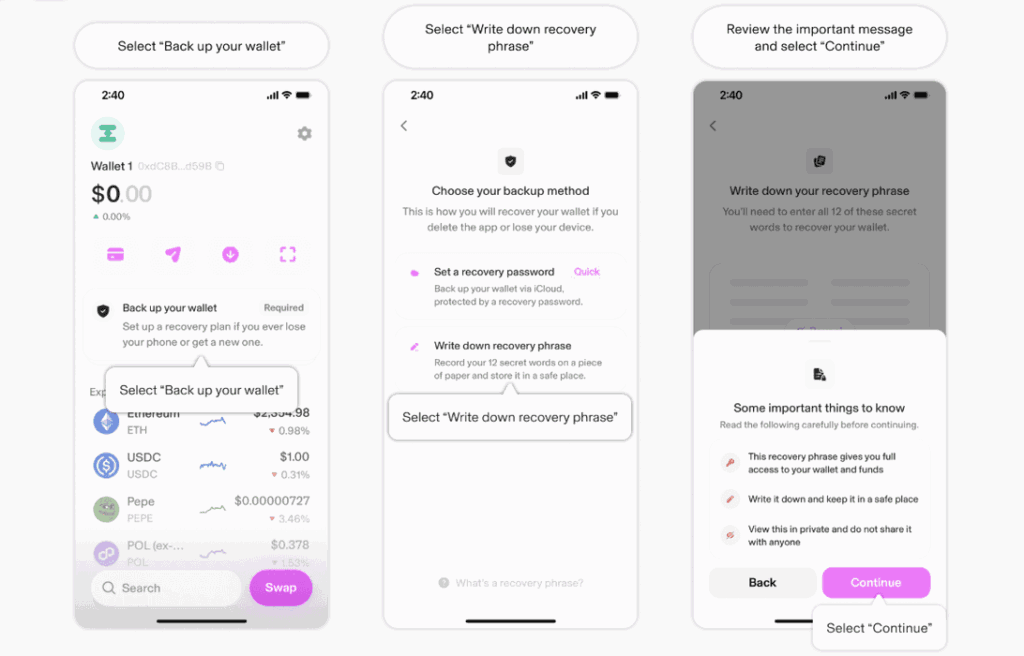
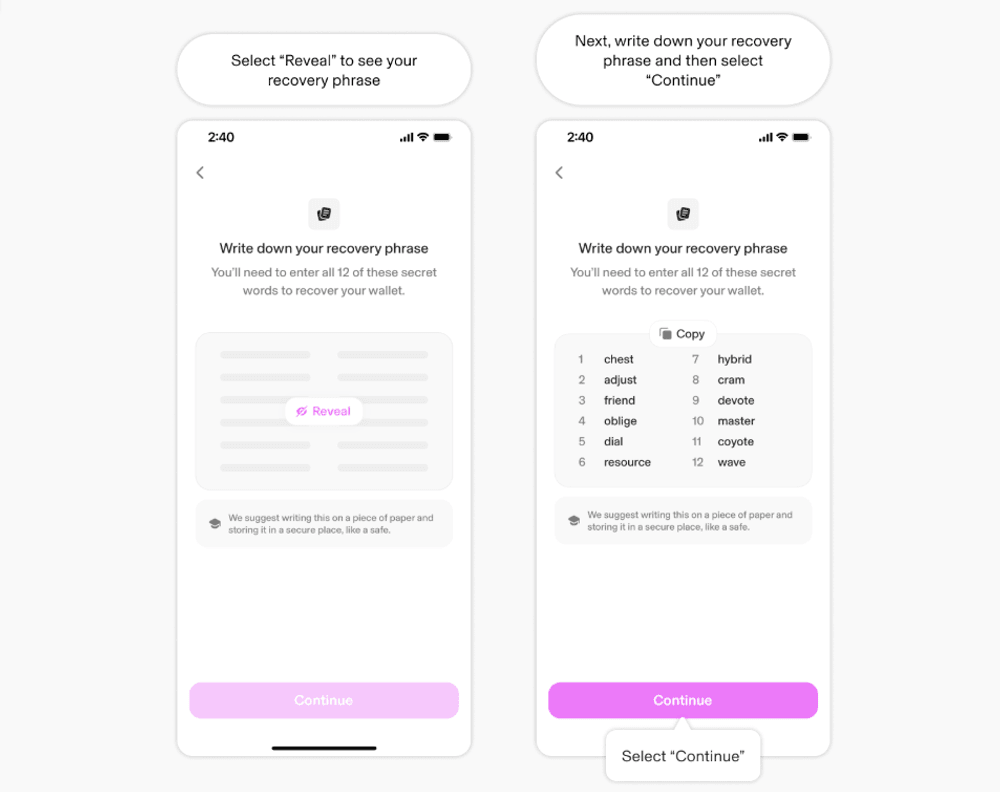
4. Select “Reveal” to display your recovery phrase.
5. Carefully write down the recovery phrase and store it in a secure location, then tap “Continue.”
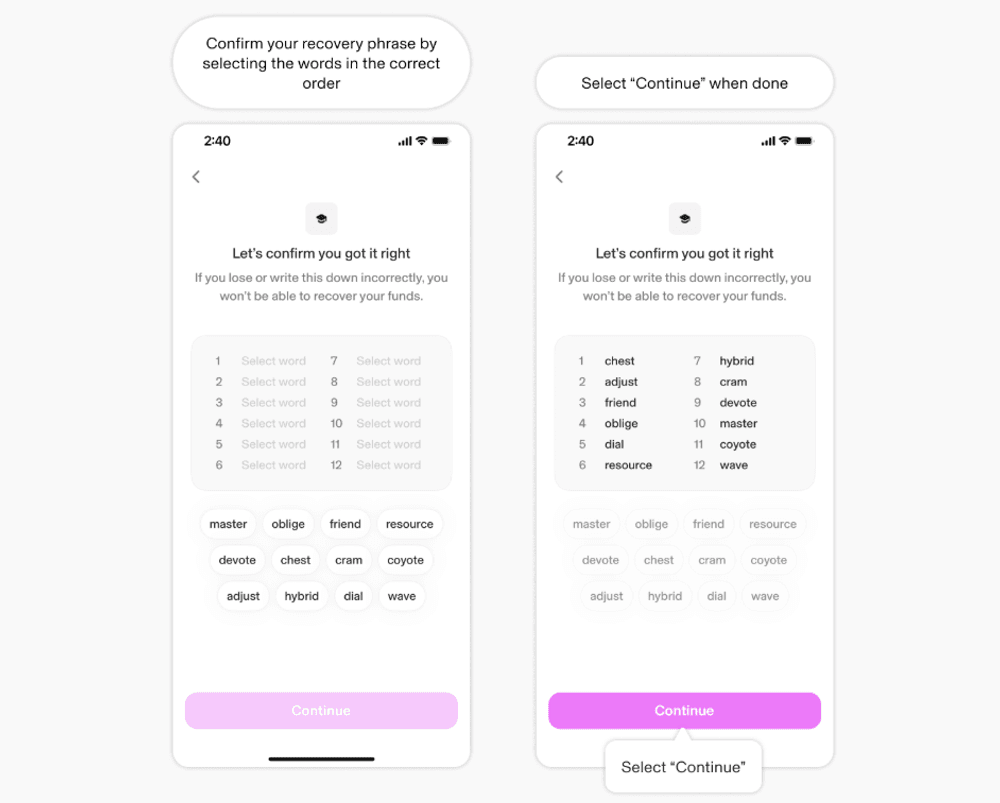
6. Verify the phrase by selecting the words in the correct order.
7. Once you’ve completed the verification process, tap “Continue.”
8. Review the final security notice, check the confirmation box, and select “Continue.”
9. Your wallet backup is now complete. Make sure to keep your recovery phrase somewhere safe and private, as it is the only way to restore access to your wallet if needed.
Is Uniswap Wallet Safe?
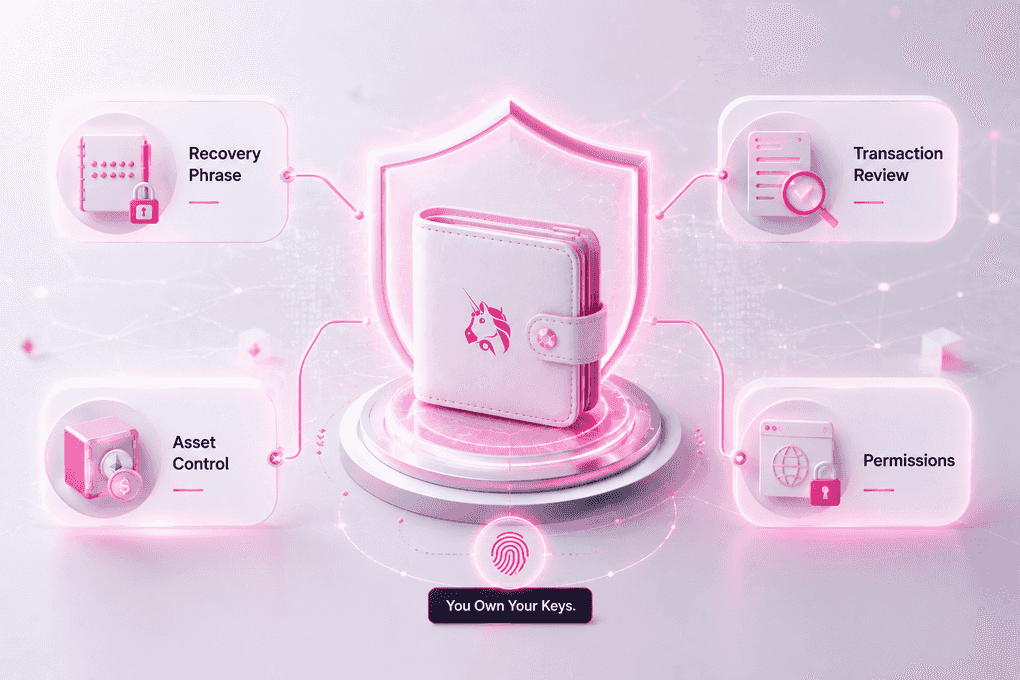
Security is often the deciding factor when choosing a crypto wallet. So, is Uniswap wallet safe?
For most users, Uniswap provides a strong level of security as long as basic safety practices are followed.
Security Features
Some of the wallet’s security benefits include:
- Self-custody ownership
- Recovery phrase protection
- Transparent transaction approvals
- Direct control over assets
- Secure connection to Web3 applications
Because users control their own keys, funds are not dependent on a centralized custodian.
Risks to Consider
Even the most secure wallet cannot protect users from every threat.
Common risks include:
- Phishing websites
- Fake wallet applications
- Malicious smart contracts
- Scam tokens
- Sharing a recovery phrase with others
Most wallet-related losses occur because users unknowingly approve harmful transactions or expose their recovery phrase.
Supported Assets
Uniswap Wallet supports a wide range of crypto assets.
Depending on current compatibility, users may be able to manage:
- Popular cryptocurrencies
- Stablecoins
- ERC-20 tokens
- Digital collectibles and NFTs
Because supported assets can change over time, it’s always a good idea to check the latest compatibility information before transferring funds.
Uniswap Wallet Fees Explained
The wallet itself is free to download and use.
However, users may encounter fees when performing certain actions.
| Fee Type | Description |
|---|---|
| Network fees | Paid to the blockchain network for processing transactions |
| Swap fees | May apply when exchanging tokens |
| Third-party service fees | May apply when using external services connected to the wallet |
The exact amount depends on network conditions and the type of transaction being performed.
Pros and Cons
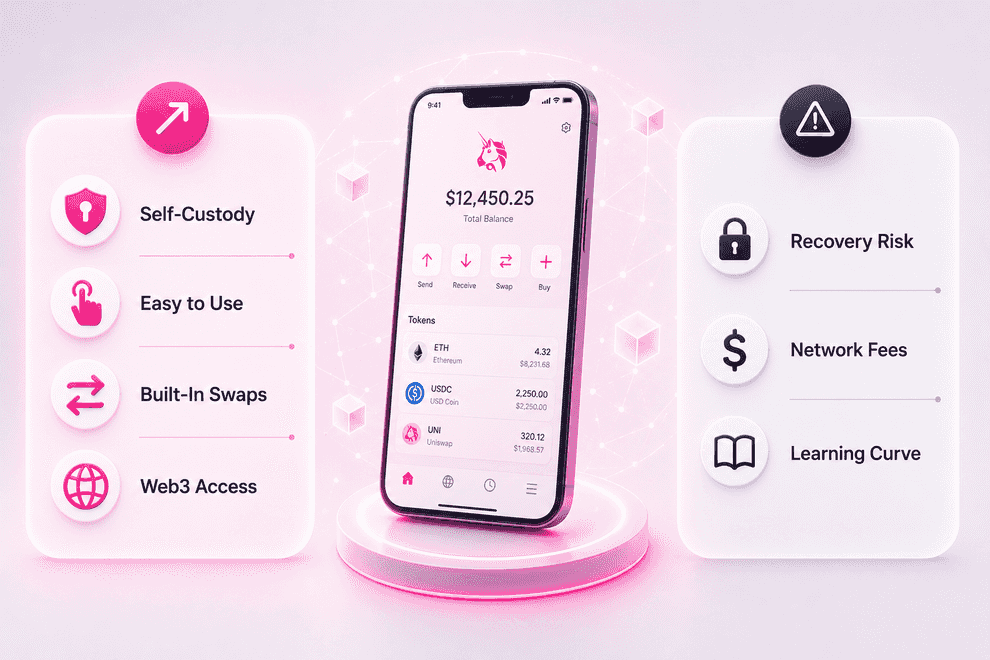
Every crypto wallet has strengths and weaknesses. Here’s a quick overview.
Pros
- Non-custodial ownership
- User-friendly interface
- Built-in token swaps
- Web3 compatibility
- Created by the Uniswap team
- Suitable for beginners and experienced users
Cons
- Users are fully responsible for wallet recovery
- Network fees can be unpredictable
- Some Web3 features may be confusing for complete beginners
- Recovery phrases must be stored securely
Who Should Use Uniswap Wallet?
Uniswap Wallet is a good choice for:
- Crypto beginners looking for a simple wallet
- Users interested in self-custody
- DeFi participants
- NFT collectors
- Web3 users
If you want full control over your crypto without relying on a centralized company to hold your funds, Uniswap Wallet is worth considering.
Uniswap Wallet Review: Final Verdict
After reviewing its features, security, and ease of use, Uniswap stands out as a solid option for anyone looking for a non-custodial crypto wallet.
Its biggest strengths are its straightforward design, built-in token swapping capabilities, and seamless access to the wider Web3 ecosystem. While users must take responsibility for protecting their recovery phrase, that’s a standard trade-off that comes with true self-custody.
Overall, Uniswap offers a balanced combination of security, convenience, and control, making it a strong choice for both new and experienced crypto users.
Frequently Asked Questions
Uniswap Wallet is a self-custody crypto wallet that allows users to store, send, receive, and swap cryptocurrencies while maintaining full control of their private keys and digital assets.
Yes. Uniswap Wallet is a non-custodial wallet, which means users control their own private keys and recovery phrase. Uniswap does not have access to user funds.
Uniswap Wallet includes security features that help users manage their assets safely. However, users must protect their recovery phrase and remain cautious of phishing scams and malicious websites.
Yes. Uniswap Wallet allows users to swap supported tokens directly within the wallet without needing to transfer funds to a centralized exchange first.
Yes. Users can access Uniswap Wallet through its mobile app and browser extension, depending on their preferred device and workflow.