


ERC20 wallet is a term you’ll come across sooner or later if you’re buying, trading, or holding cryptocurrencies on the Ethereum network. Whether you’re storing USDT, USDC, or thousands of other Ethereum-based tokens, the wallet you choose plays a big role in keeping your assets secure.
If you’re new to crypto, all the different wallet types can feel overwhelming. Some are designed for everyday use, while others focus on long-term security. Add terms like private keys, recovery phrases, and wallet addresses into the mix, and it’s easy to feel lost.
The good news is that once you understand the basics, choosing the right wallet isn’t nearly as complicated as it seems.
In this guide, we’ll explain what an ERC20 wallet is, how it works, what an ERC20 wallet address looks like, and how it compares with Ethereum itself. We’ll also compare some of the most popular wallets on the market, including Izaka-Ya, so you can decide which one fits your needs.
What Is an ERC20 Wallet?
Before looking at different crypto wallets, it’s worth understanding what “ERC20” actually means.
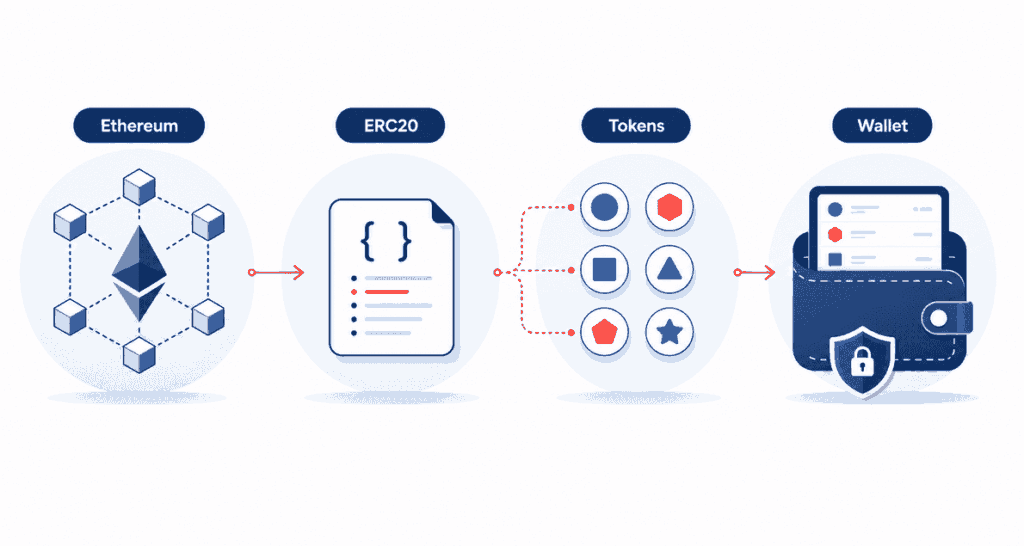
ERC20 is a technical standard used to create tokens on the Ethereum blockchain. Instead of building a brand-new blockchain from scratch, developers can launch tokens that follow the same set of rules. Because they all use the ERC20 standard, they’re compatible with the same wallets, exchanges, and decentralized applications.
An ERC20 wallet is simply a wallet that lets you store, send, and receive these Ethereum-based tokens.
Some of the most popular ERC20 tokens include:
- USDT (Ethereum version)
- USDC
- Chainlink (LINK)
- Uniswap (UNI)
- Shiba Inu (SHIB)
- Aave (AAVE)
- Maker (MKR)
There are thousands of ERC20 tokens available today, so having a crypto wallet that supports the standard gives you access to a huge part of the Ethereum ecosystem.
A simple way to think about it is this: Ethereum is the network, while ERC20 is the rulebook that many tokens follow. Your wallet understands those rules, allowing it to manage all of those tokens in one place.
While ERC-20 wallets are the standard for Ethereum-based tokens, many traders also utilize TRC-20 wallets on the Tron network to take advantage of significantly lower gas fees and faster transaction speeds
How Does an ERC20 Wallet Work?
One of the biggest misconceptions in crypto is that your coins are stored inside your wallet.
They’re not.
Your assets always stay on the blockchain. Even the best crypto wallet simply gives you access to them by managing two important pieces of information:
- Your public wallet address, which other people use to send you crypto.
- Your private key (or recovery phrase), which proves that you own the wallet.
Whenever you send ERC20 tokens, your wallet uses your private key to sign the transaction. The Ethereum network then verifies it and updates the blockchain.
Here’s what happens when someone sends you USDC, for example:
- They enter your ERC20 wallet address.
- The transaction is processed on Ethereum.
- The blockchain records the transfer.
- Your wallet updates the balance automatically.
So while the wallet feels like a digital bank account, it’s really more like a secure key that unlocks your assets on the blockchain.
What Is an ERC20 Wallet Address?
Every ERC20 wallet comes with its own wallet address. Think of it as your account number in the crypto world.
Whenever someone wants to send you Ethereum or ERC20 tokens, this is the address they’ll need.
A typical ERC20 wallet address looks something like this:
0x8F2Cxxxxxxxxxxxxxxxxxxxxxxxxxxxxxxxxxxxx
You’ll notice every Ethereum address starts with 0x. That’s because ERC20 tokens run on Ethereum, so they use the same address format.
The same address can receive:
- Ethereum (ETH)
- USDT (ERC20)
- USDC
- SHIB
- LINK
- Most other ERC20 tokens
That said, always pay attention to the network you’re using.
For example, USDT is available on multiple blockchains.
| Token Network | Can an ERC20 Wallet Receive It? |
| Ethereum (ERC20) | ✅ Yes |
| Tron (TRC20) | ❌ No |
| BNB Smart Chain (BEP20) | ❌ Not by default |
| Solana | ❌ No |
Sending tokens through the wrong network is one of the easiest ways to lose crypto. Before confirming any transfer, double-check both the wallet address and the blockchain you’ve selected.
Is ERC20 Ethereum?
Not quite. The two are closely connected, but they’re not the same thing.
Ethereum is the blockchain.
ERC20 is a standard developers use when creating tokens on that blockchain.
A simple analogy is to think of Ethereum as the highway and ERC20 as the traffic rules. Thousands of different tokens travel on the same highway because they all follow the same rules.
Here’s a quick comparison.
| Ethereum | ERC20 |
| A blockchain | A token standard |
| Uses ETH as its native coin | Used by thousands of tokens |
| Runs smart contracts | Defines how Ethereum tokens behave |
| Processes transactions | Depends on Ethereum to operate |
This also explains why you’ll need a little ETH even if you’re only sending USDT or USDC.
Every ERC20 transaction requires gas fees, and those fees are always paid in ETH.
Types of ERC20 Wallets
Not every wallet is built for the same purpose.
Some focus on convenience, making it easy to trade or connect with decentralized apps. Others prioritize security, even if that means sacrificing a little convenience.
Software wallets are often popular among users who want quick access to their assets and greater control over their funds. Many self-custody wallets allow users to create and manage wallets with No KYC requirements, meaning they do not require identity verification to get started.
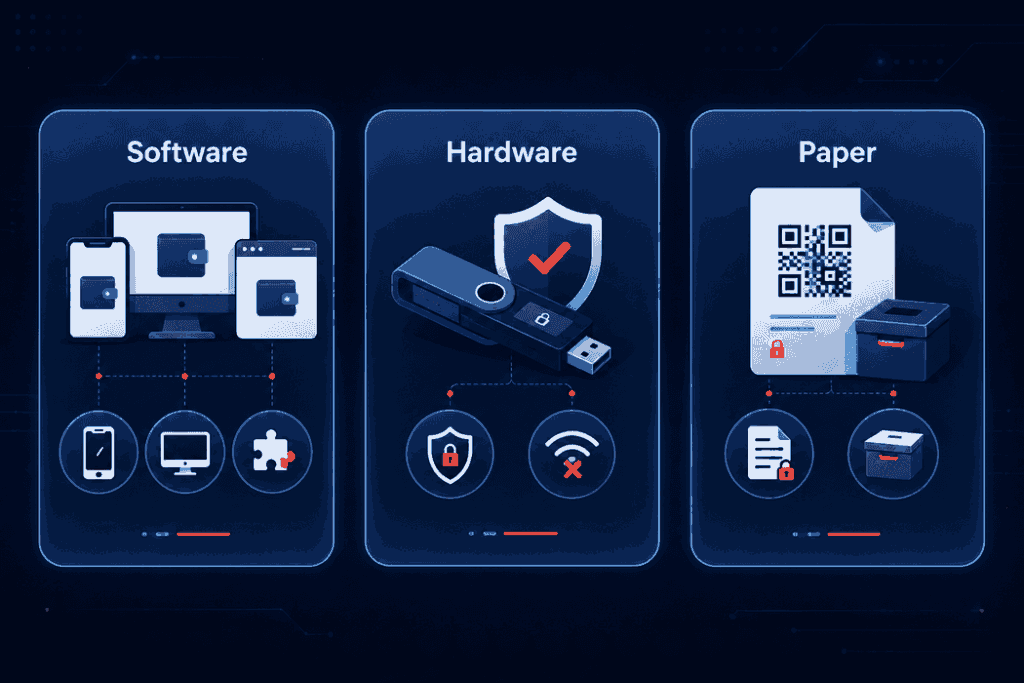
The three main types of wallets are software wallets, hardware wallets, and offline wallets.
Software Wallets
Most people start here, and for good reason.
Software wallets or hot wallets are easy to set up, free to use, and usually available as mobile apps, desktop programs, or browser extensions. Within a few minutes, you can create a wallet, back up your recovery phrase, and start receiving ERC20 tokens.
They’re especially useful if you regularly trade crypto, swap tokens, or use DeFi platforms.
Pros
- Free to use
- Beginner-friendly
- Quick access to your assets
- Supports DeFi, NFTs, and Web3 apps
Cons
- Always connected to the internet
- More vulnerable to phishing attacks if you’re not careful
For everyday crypto activity, software wallets are usually the most practical option.
Hardware Wallets
If you’re planning to hold crypto for years rather than trade every day, a hardware wallet is worth considering.
Unlike software wallets, hardware wallets keep your private keys offline. Even if your computer gets infected with malware, hackers still can’t access your funds without the physical device.
That extra security is why many long-term investors rely on hardware wallets.
Pros
- Excellent protection against online attacks
- Keeps private keys offline
- Supports thousands of cryptocurrencies
Cons
- Costs more than software wallets
- Slightly less convenient for frequent transactions
Paper Wallets
Paper wallets were much more popular in the early days of crypto.
The idea is simple: instead of storing your private key digitally, you print it on paper and keep it somewhere safe.
While that removes the risk of online attacks, it introduces new ones. Paper can fade, get damaged, or simply go missing.
For most people today, a hardware wallet offers the same offline protection without the drawbacks of relying on a piece of paper.
Best ERC20 Wallets
Now that you know how ERC20 wallets work, the next question is obvious: which one should you choose?
The answer depends on how you use crypto. Some wallets are built for active traders, while others are better suited for long-term investors.
Here are some of the most popular options worth considering.
| Wallet | Best For | Wallet Type |
| Izaka-Ya | Everyday ERC20 management | Software Wallet |
| MetaMask | DeFi and Web3 | Software Wallet |
| Trust Wallet | Mobile users | Software Wallet |
| Coinbase Wallet | Beginners | Software Wallet |
| Ledger | Long-term storage | Hardware Wallet |
| Trezor | Maximum security | Hardware Wallet |
Let’s take a closer look at what each wallet offers and who it’s best suited for.
Izaka-Ya
If you’re looking for a wallet that’s easy to use without giving up control of your assets, Izaka-Ya is a solid place to start.
It supports ERC20 tokens, making it suitable for storing popular assets like USDT, USDC, SHIB, and thousands of other Ethereum-based tokens. The interface is clean and straightforward, so even if you’re new to crypto, you won’t have to spend hours figuring out where everything is.
Another advantage is that it brings together the features most users need in one place. Instead of jumping between different apps, you can manage your ERC20 tokens, monitor your portfolio, and interact with the Ethereum ecosystem from a single wallet.
If your goal is to find a wallet that’s simple enough for everyday use while still supporting a wide range of ERC20 assets, Izaka-Ya is well worth considering.
Pros
- Supports ERC20 tokens and Ethereum assets
- Beginner-friendly interface
- Easy portfolio management
- Suitable for everyday crypto use
Cons
- May not offer as many advanced features as wallets designed specifically for experienced DeFi users
Register IZAKA-YAkeyboard_arrow_right
MetaMask
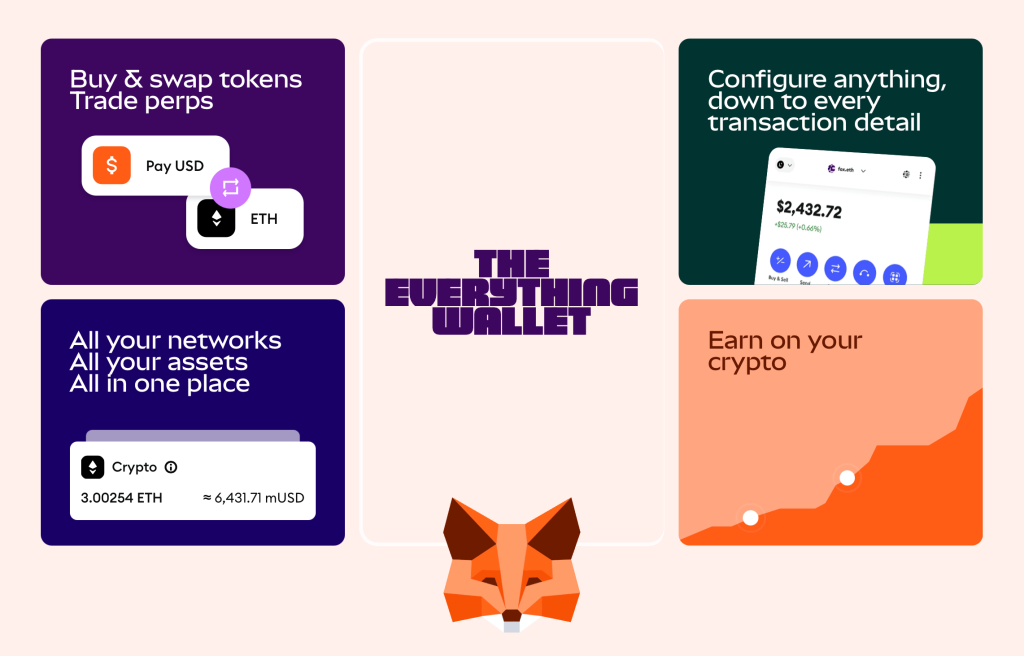
If you’ve spent any time exploring Ethereum, you’ve probably heard of MetaMask.
It’s become the go-to wallet for millions of users because it connects easily to decentralized exchanges, NFT marketplaces, and thousands of Web3 applications. Whether you’re swapping tokens, minting NFTs, or using DeFi protocols, chances are MetaMask will work with it.
The trade-off is that it comes with a bit of a learning curve. New users may need some time to get comfortable with browser extensions, network settings, and wallet permissions.
Pros
- Excellent for DeFi and Web3
- Supports thousands of ERC20 tokens
- Available on desktop and mobile
- Huge ecosystem and community support
Cons
- Can feel overwhelming for beginners
- Popular target for phishing scams
Trust Wallet
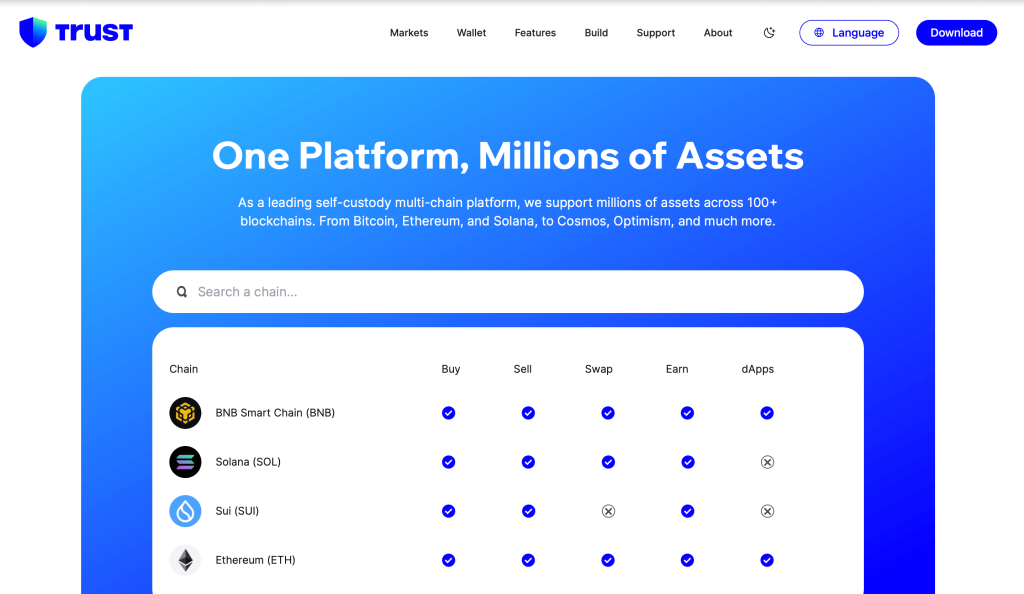
If you mostly manage crypto from your phone, Trust Wallet is one of the easiest options available.
The app supports multiple blockchains, so you can keep Bitcoin, Ethereum, ERC20 tokens, and many other assets together without switching between different wallets.
Its simple design is one of its biggest strengths. Even first-time users can usually find their way around within minutes.
Pros
- Clean and beginner-friendly interface
- Supports multiple blockchains
- Built-in staking for selected assets
- NFT support
Cons
- Fewer advanced tools than some desktop wallets
Coinbase Wallet
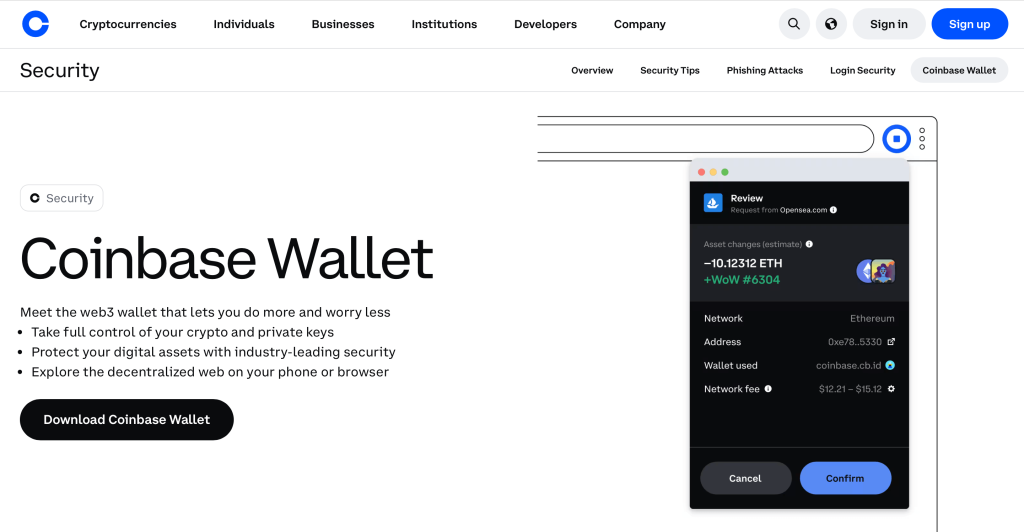
Coinbase Wallet is a good middle ground between simplicity and self-custody.
Although it’s developed by Coinbase, it’s separate from the exchange. You control your own private keys, which means your assets stay under your ownership rather than being held by a centralized platform.
If you’re moving beyond keeping crypto on an exchange for the first time, Coinbase Wallet offers a smooth transition.
Pros
- Easy to set up
- Supports ERC20 tokens and NFTs
- Self-custody by default
Cons
- Experienced users may want more customization options
Ledger
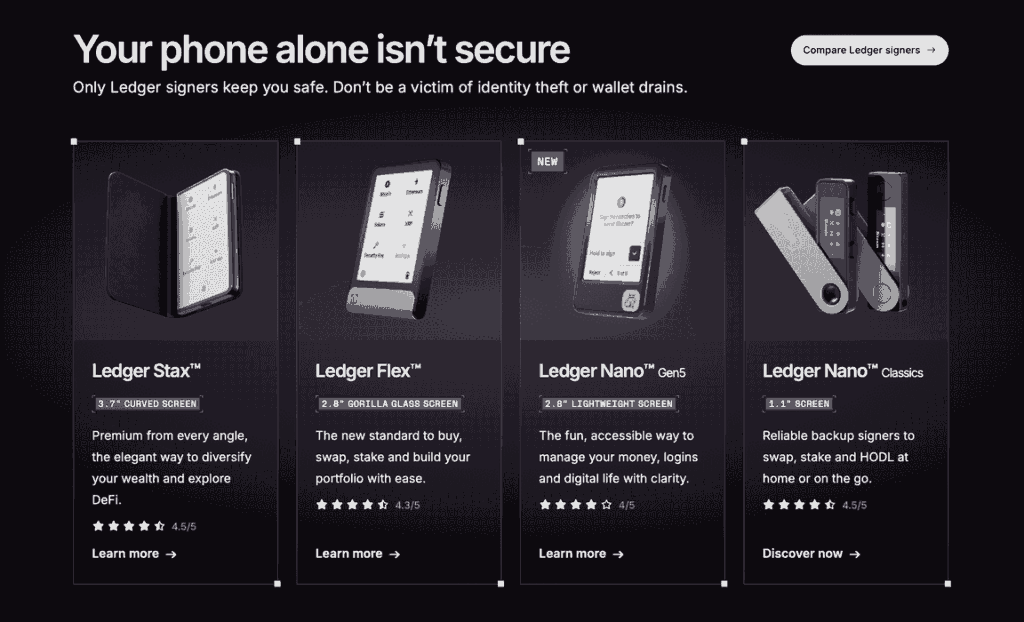
When security comes first, Ledger is hard to ignore.
Instead of storing your private keys on your computer or phone, Ledger keeps them on a physical device that stays offline. Even if someone compromises your computer, they can’t approve transactions without the device in hand.
That’s why many investors move to a Ledger once their portfolio starts growing.
Pros
- Industry-leading security
- Offline storage
- Supports thousands of cryptocurrencies
- Works with many popular wallet apps
Cons
- Requires buying a hardware wallet
Trezor
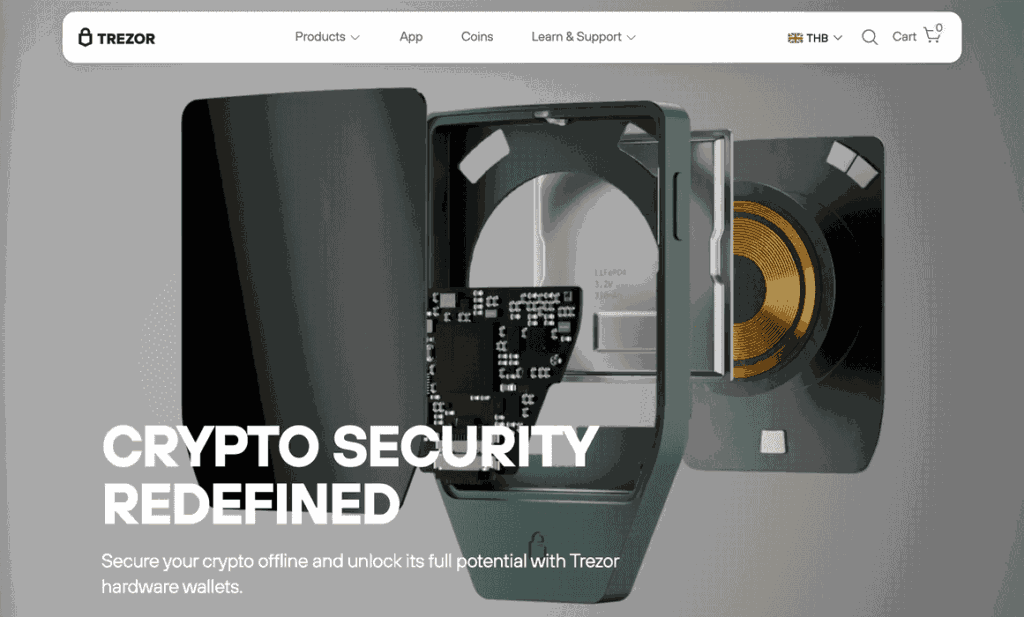
Trezor follows the same idea as Ledger: keep your private keys offline and away from potential online threats.
It’s trusted by many long-term crypto holders and has built a strong reputation over the years. If security matters more to you than convenience, it’s another excellent option.
How to Choose the Best ERC20 Wallet
There’s no single wallet that’s perfect for everyone.
Instead of asking which wallet is the best overall, ask which one fits the way you use crypto.
| If you… | Consider… |
| Want a simple everyday wallet | Izaka-Ya |
| Regularly use DeFi | MetaMask |
| Prefer using your phone | Trust Wallet |
| Are new to crypto | Coinbase Wallet |
| Hold crypto for the long term | Ledger or Trezor |
Many experienced investors don’t rely on just one wallet. They keep a software wallet for day-to-day transactions and a hardware wallet for long-term storage. It’s a simple approach that balances convenience with security.
Using a USDT ERC20 Wallet
Not all USDT is the same.
Tether is available on several blockchains, including Ethereum, Tron, and Solana. If you own the Ethereum version, you’ll need a USDT ERC20 wallet to store and send it.
Whenever you withdraw USDT from an exchange, check that you’ve selected the Ethereum (ERC20) network. If you accidentally choose another network, your wallet may not recognize the funds.
Another thing to remember is gas fees. Since ERC20 transactions run on Ethereum, you’ll need a small amount of ETH in your wallet before you can send USDT.
Using a USDC ERC20 Wallet
USDC works much the same way.
Although it’s available on multiple blockchains, many investors use the Ethereum version because it’s widely supported across DeFi platforms.
A USDC ERC20 wallet lets you store, receive, and send ERC20 USDC while also giving you access to lending platforms, decentralized exchanges, and other Ethereum-based applications.
Before making a transfer, take a few seconds to confirm you’re using the ERC20 network. That simple check can save you from an expensive mistake.
How to Use Izaka-Ya as an Easy ERC20 Wallet Example
To make the comparison more practical, it helps to see how a simple ERC20 wallet works in real use. Izaka-Ya is a good example of a beginner-friendly software wallet that focuses on everyday usability while still supporting ERC20 tokens.
Instead of dealing with complex settings or technical steps, the basic flow is designed to be straightforward:
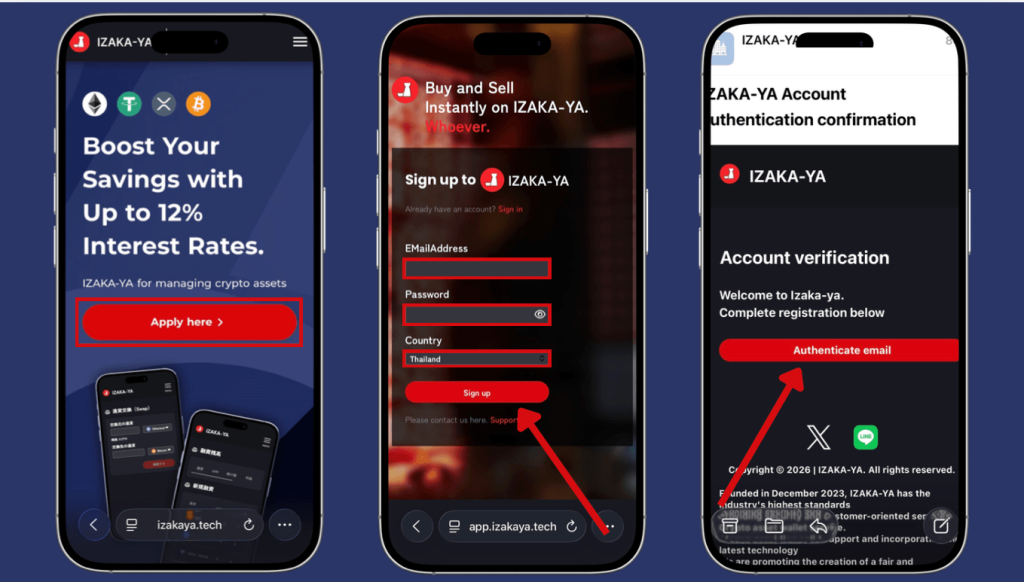
1. Sign Up for IZAKA-YA
First, you’ll need to create a wallet to store and manage ERC20 tokens like USDT, USDC, and other Ethereum-based assets on IZAKA-YA.
Registration Steps:
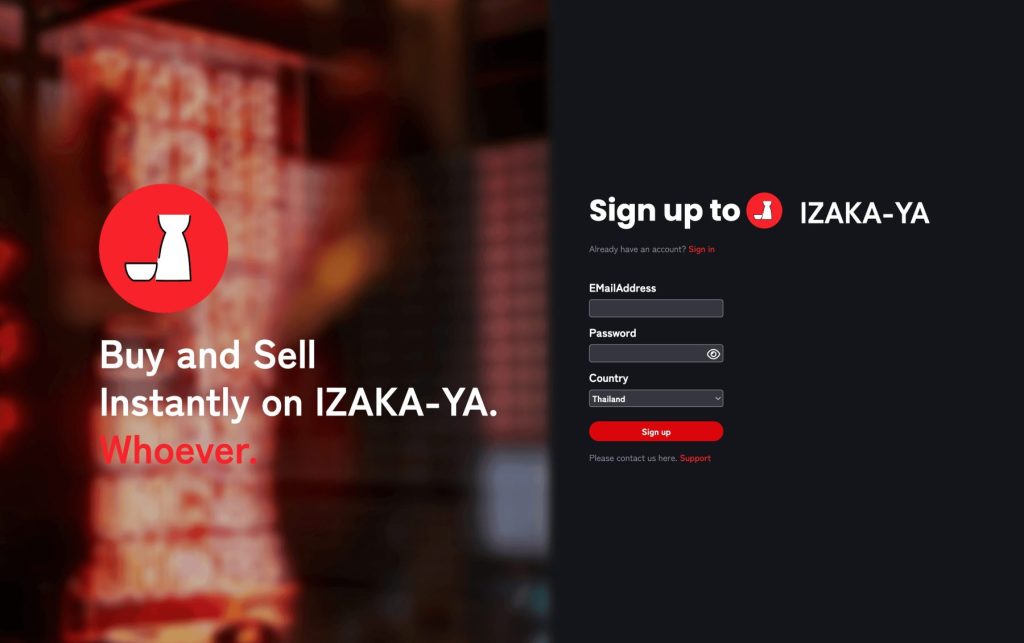
Visit the IZAKA-YA registration page and tap “Start” on the verification screen labeled “Confirm you are human.” Follow the on-screen instructions to complete the verification process.
Enter your email address, password, and country of residence, then tap “Sign Up.”
Check your email inbox for a message from IZAKA-YA and tap “Verify.”
The entire registration process takes about 3 minutes to complete.
2. Get Your ERC20 Wallet Address and Fund Your Wallet
Once your wallet is ready, you can transfer ERC20 tokens like USDT or USDC into it.
Deposit ERC20 Tokens:
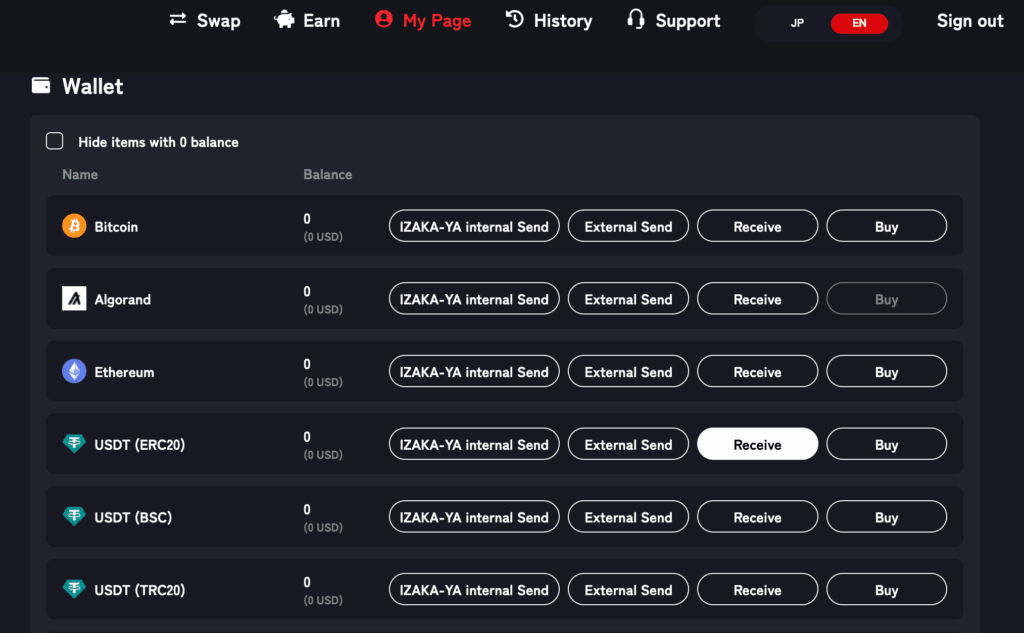
On the main Wallet screen, you’ll see a list of supported cryptocurrencies.
Find USDT (ERC20), USDC (ERC20), or another Ethereum-based token and click the “Receive” button.
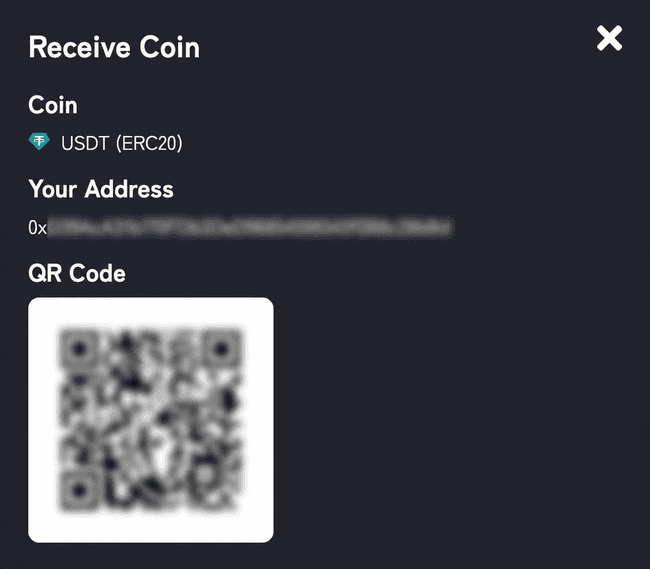
A QR code and your ERC20 wallet address (starting with “0x”) will be displayed. Copy the deposit address.
Open the exchange or wallet where your crypto is currently stored.
Paste the copied address as the withdrawal destination and send your tokens using the Ethereum (ERC20) network.
3. Start Using Your ERC20 Tokens
After depositing ERC20 tokens, you can manage them directly inside IZAKA-YA and use them for transfers or DeFi activities.
Send Tokens:
Tap the token (for example USDT or USDC), select “Send,” enter the recipient’s wallet address, and confirm the transaction.
The system will automatically calculate the required Ethereum gas fee before you approve the transfer.
Receive Tokens:
To receive crypto, simply share your ERC20 wallet address with the sender.
The same address can be used for multiple ERC20 tokens on the Ethereum network.
4. Manage Your ERC20 Portfolio
After setup, you can track all supported ERC20 assets in one dashboard.
From USDT and USDC to other Ethereum-based tokens, everything is displayed in a single interface, making it easier to monitor balances and manage your portfolio without switching between apps.
Register IZAKA-YAkeyboard_arrow_right
What Is an Offline ERC20 Wallet?
If you’ve heard people talk about an offline ERC20 wallet, they’re usually referring to a wallet that keeps your private keys disconnected from the internet.
These wallets are also known as cold wallets.
The most common examples include:
- Hardware wallets
- Paper wallets
- Air-gapped storage devices
Keeping your keys offline dramatically reduces the risk of online attacks. That’s why many investors move their long-term holdings into cold storage instead of leaving everything in a software wallet.
For smaller balances that you use regularly, though, a software wallet is usually more practical.
Tips to Keep Your ERC20 Wallet Safe
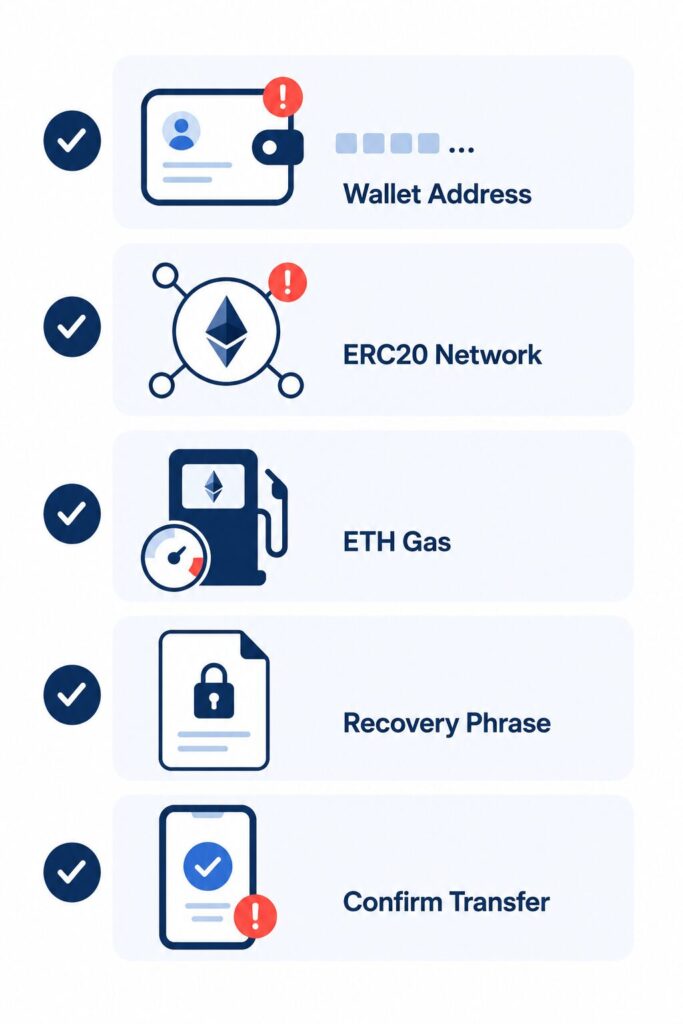
Choosing a good wallet is only the first step. How you use it matters just as much.
Here are a few habits that can help protect your crypto.
- Write down your recovery phrase and store it somewhere offline.
- Never share your recovery phrase with anyone.
- Double-check wallet addresses before sending funds.
- Keep a small amount of ETH available for gas fees.
- Download wallets only from official sources.
- Be cautious of phishing emails and fake websites.
- Update your wallet software whenever new security patches become available.
Crypto gives you full control over your assets, but it also means you’re responsible for keeping them safe.
Common Mistakes to Avoid
Most crypto mistakes aren’t complicated. They’re usually small oversights that end up costing a lot.
Using the wrong blockchain
Always check whether you’re sending tokens through ERC20, TRC20, BEP20, or another network.
Forgetting about gas fees
Even if you’re only transferring USDT or USDC, you’ll still need ETH to pay for the transaction.
Skipping your wallet backup
Your recovery phrase is the only way to restore access if your device is lost, stolen, or damaged.
Leaving large balances in a hot wallet
Software wallets are convenient, but if you’re holding a significant amount of crypto, moving most of it to a hardware wallet is generally the safer choice.
Software Wallet vs. Offline ERC20 Wallet
| Feature | Software Wallet | Offline Wallet |
| Internet connection | Yes | No |
| Ease of use | Excellent | Good |
| Security | Good | Excellent |
| Best suited for | Everyday use | Long-term storage |
| Cost | Usually free | Usually requires a hardware device |
Many crypto users combine both. They keep a smaller amount in a software wallet for daily transactions and store the rest offline for extra peace of mind.
Final Thoughts
Choosing the right ERC20 wallet doesn’t have to be complicated.
If you’re just getting started, focus on finding a wallet that’s secure, easy to use, and supports the tokens you plan to hold. For many users, a software wallet like Izaka-Ya, MetaMask, Trust Wallet, or Coinbase Wallet offers everything needed for day-to-day crypto management.
As your portfolio grows, it may be worth adding a hardware wallet like Ledger or Trezor to better protect your long-term holdings.
No matter which wallet you choose, the basics never change. Back up your recovery phrase, double-check every transaction, and always confirm you’re using the correct blockchain before sending funds. Those simple habits can save you from the mistakes that catch many new crypto users.
Frequently Asked Questions
Yes. You can restore most self-custody wallets on another device using your recovery phrase. Just ensure you’re using the official app when importing.
Sometimes the tokens are there, but your wallet hasn’t added them to the token list yet. In many wallets, you can manually import the token using its contract address.
Absolutely. A single Ethereum wallet address can hold thousands of different ERC20 tokens, making it easy to manage multiple assets without creating separate wallets.
No. Since ERC20 tokens run on the Ethereum blockchain, the same compatible wallet can usually store both ETH and ERC20 tokens together.
A custodial wallet means a third party controls your private keys, while a self-custody wallet gives you full control of your keys and responsibility for your recovery phrase.
Yes. Hardware wallets like Trezor and Ledger support many ERC20 tokens by securing your private keys offline. A Trezor vs Ledger comparison can help you choose the right device based on supported assets, features, and security preferences.