


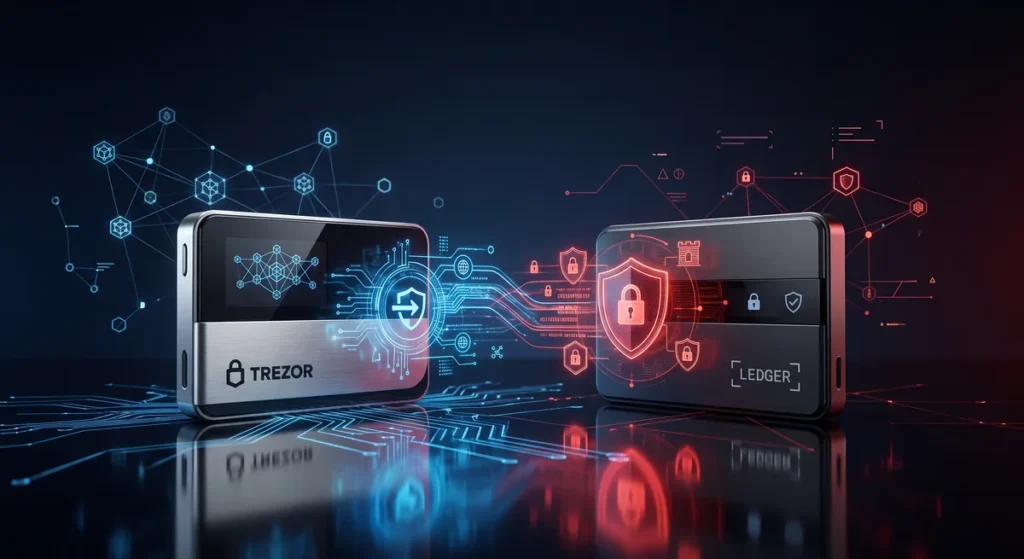
Taking control of your cryptocurrency is a major milestone. When you first enter the market, you might leave your coins on a centralized exchange. However, history has shown that keeping digital assets on an exchange exposes you to unnecessary risks like hacks, bankruptcies, or frozen accounts.
This realization leads most investors to hardware wallets. These devices keep your private keys offline and physically separate from internet connections. In the world of cold storage, Trezor vs Ledger have dominated the conversation for over a decade.
This guide will break down everything you need to know about these two titans. We will explore their hardware lineups, software ecosystems, and security models to help you make an informed decision.
Why Hardware Wallets Matter
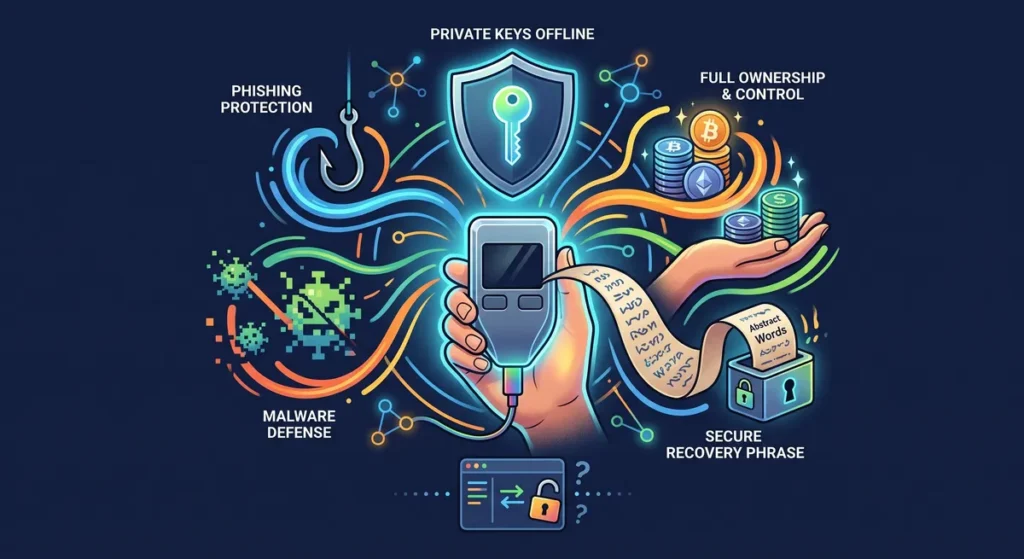
Leaving cryptocurrency on an exchange may be convenient, but it also means trusting someone else to secure your assets. A hardware wallet gives you complete ownership by storing your private keys offline.
The biggest advantages include:
- Protection against phishing attacks
- Better defense against malware
- Full control of your crypto
- Support for long-term investing
- Recovery through a secure backup phrase
For anyone holding a meaningful amount of crypto, a hardware wallet is often considered one of the smartest security investments.
Understanding the Trezor Philosophy
Before looking at specific devices, we need to understand the company behind them. SatoshiLabs created Trezor and launched the first commercial hardware wallet in 2014. Their entire approach revolves around transparency and trust through verification.

The Open Source Advantage
The defining characteristic of a Trezor device is its open-source architecture. SatoshiLabs believes that security software must be fully visible to the public. Anyone with coding knowledge can inspect the Trezor firmware to ensure there are no hidden backdoors or malicious code. This transparent approach builds immense trust within the crypto community.
When you use a Trezor wallet, you are relying on thousands of independent developers who constantly audit the code. If a vulnerability is discovered, the community flags it immediately, and SatoshiLabs patches the issue. This creates a highly resilient security environment built on collective vigilance.
The 2026 Trezor Hardware Lineup
Trezor has revamped its hardware offerings to meet modern demands. The current lineup focuses on accessibility, enhanced security, and user-friendly interfaces.
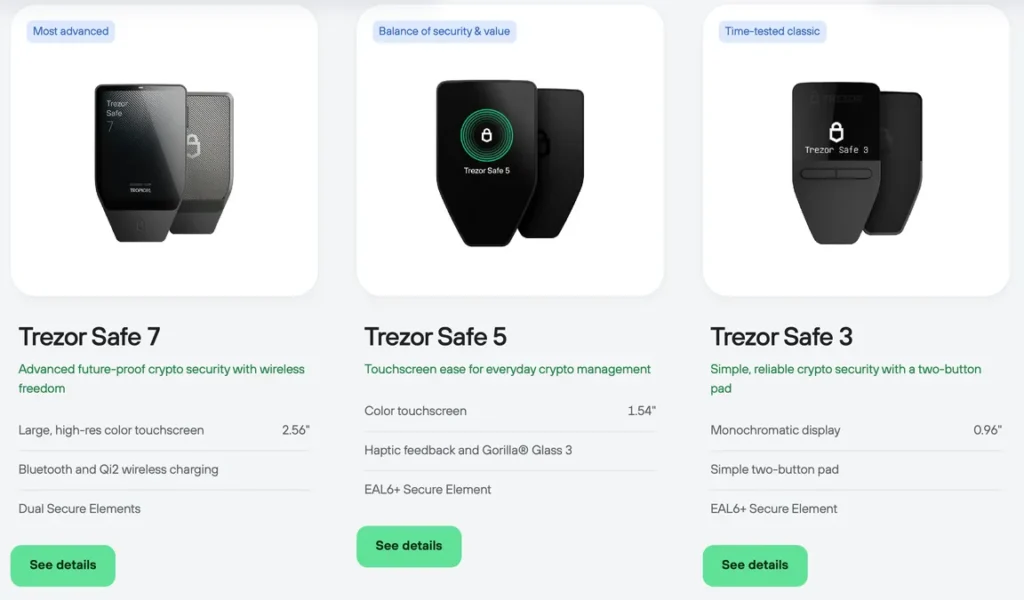
- Trezor Safe 3: This classic device is perfect for beginners. It features a straightforward button interface and a monochromatic OLED screen. Despite its affordable price, it includes a dedicated Secure Element chip to protect against physical tampering.
- Trezor Safe 5: Moving up the tier, the Safe 5 introduces a vibrant color touchscreen. This makes verifying transaction details incredibly intuitive. It also includes haptic feedback, meaning the device physically vibrates to confirm your actions.
- Trezor Safe 7: This is the premium, future-proof model. It offers advanced security features, including quantum-ready cryptography, and provides a massive touchscreen for maximum visibility during complex decentralized finance operations.
⭐️ The Trezor Suite Experience Hardware is only half of the equation. You will spend most of your time interacting with the companion software called Trezor Suite. Available on desktop and mobile devices, Trezor Suite offers a clean and uncluttered environment. The application focuses heavily on privacy. It includes built-in integrations for the Tor network, allowing you to hide your IP address while broadcasting transactions. Furthermore, Trezor Suite provides simple tools for buying, selling, and swapping coins directly within the app without compromising your private keys.
Understanding the Ledger Philosophy
While Trezor champions open-source transparency, Ledger takes a radically different approach inspired by traditional banking security. Founded in France, Ledger is currently the most popular hardware wallet manufacturer in the world by sales volume.

The Secure Element and BOLOS
Ledger wallets utilize a specialized computer chip called a Secure Element. This is the exact same technology used in microchip credit cards and biometric passports. The Secure Element is highly resistant to physical attacks, electromagnetic interference, and unauthorized extraction of data.
To run this chip, Ledger developed a custom, closed-source operating system known as BOLOS. Because BOLOS is proprietary, the general public cannot inspect the code.
Ledger relies on a dedicated team of elite security researchers, known as the Ledger Donjon, to constantly attack their own devices to find and fix vulnerabilities. This “security through obscurity” model is highly effective, though it requires users to place absolute trust in the Ledger corporation.
The 2026 Ledger Hardware Lineup
Ledger offers a diverse range of devices tailored to different budgets and lifestyle needs.
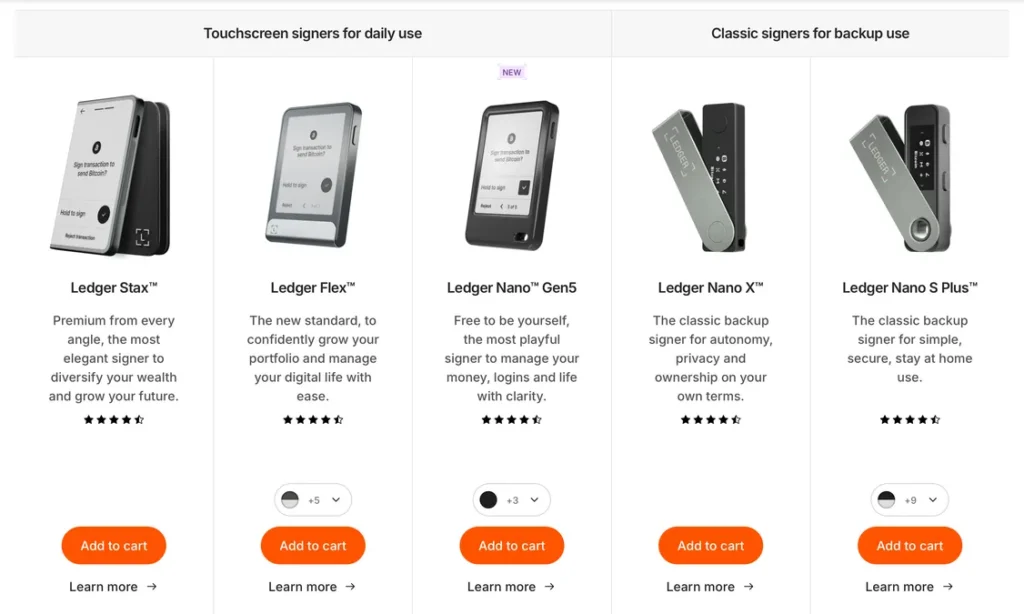
- Ledger Nano S Plus: This is the modern standard for affordable cold storage. It features a bright screen and enough internal memory to hold numerous blockchain applications simultaneously. It requires a wired USB connection to operate.
- Ledger Nano X: Designed for users on the move, the Nano X includes a built-in battery and Bluetooth connectivity. You can manage your portfolio directly from your smartphone while sitting in a coffee shop or traveling.
- Ledger Flex and Stax: These premium devices feature large E-Ink touchscreens. They allow you to view complete transaction details at a glance and even display your favorite NFTs on the lock screen. The larger screens specifically combat “blind signing” risks by making sure you can read complex smart contract data easily.
- Ledger Nano Gen 5: This new advancement provides a significant usability upgrade through a monochrome touchscreen while retaining the same secure architecture that made its predecessors popular. It is designed for multi-currency holders who want Stax-like navigation without the premium Stax price tag.
⭐️ The Ledger Live Experience Ledger Live is the central hub for managing your assets. It acts as a comprehensive portal to the entire Web3 ecosystem. The application feels very much like a modern banking app, complete with detailed portfolio charts and real-time market data. The biggest advantage of Ledger Live is its native integrations. You can access decentralized applications, participate in crypto staking, or manage your NFT collection directly inside the interface. The platform supports an incredible variety of third-party services, making it a one-stop shop for active crypto users.
Ledger vs Trezor: The Ultimate Comparison
Now that we understand the foundations of each brand, we need to compare them directly across the most important metrics. Choosing between a Ledger vs Trezor requires looking at how you actually plan to use the device.
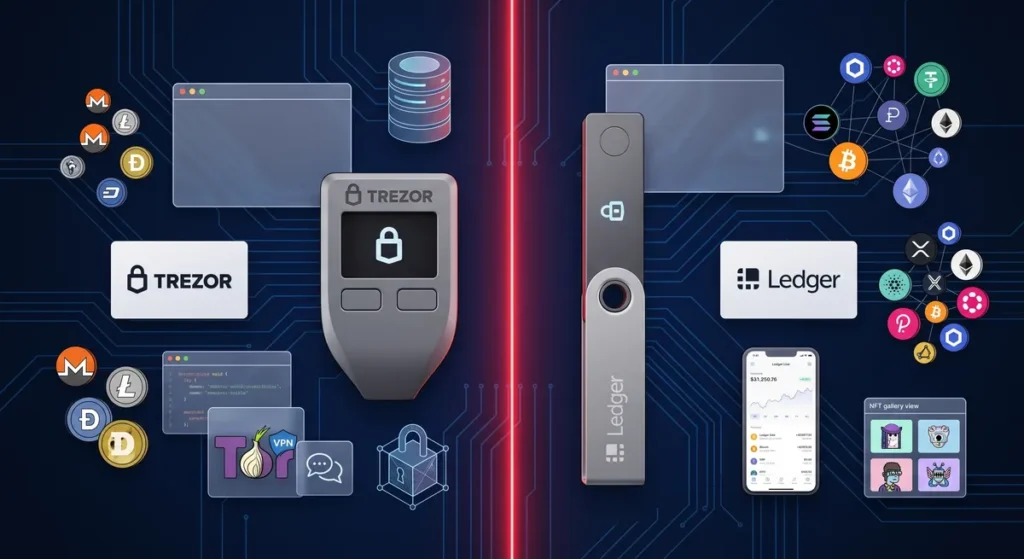
Security Models Head to Head
Both wallets offer exceptional security, but the peace of mind they provide comes from different sources.
Ledger wallet: The Secure Element chip is heavily certified by independent security agencies. If a thief steals your physical Ledger device, they will find it nearly impossible to extract your seed phrase, even with millions of dollars of laboratory equipment. However, you must trust that Ledger has not made any errors in their secret, closed-source code.
Trezor wallet:Because the code is open-source, you do not have to trust the company at all. You can verify the security yourself. Historically, older Trezor models lacked a Secure Element, making them slightly vulnerable to advanced physical attacks if a thief possessed the device and specialized tools.
However, the newer Trezor Safe series includes specialized chips to bridge this gap, offering the best of both open-source transparency and hardware fortification.
Coin Support and Ecosystems
If you enjoy trading a massive variety of small-cap tokens, this category will heavily influence your decision.
Ledger natively supports over 5,500 different coins and tokens directly within the Ledger Live application. You plug in the device, install the app for the specific blockchain, and you are ready to go. It is a frictionless experience for altcoin enthusiasts.
Trezor supports all the major networks like Bitcoin, Ethereum, and Solana perfectly. However, for many obscure tokens, Trezor Suite will not display your balances natively. Instead, you must connect your Trezor device to a third-party wallet extension like MetaMask or Rabby. Your private keys remain safe, but the user experience requires a few extra steps.
Usability and Form Factor
The physical design of the device dictates how enjoyable it is to use on a daily basis.
Feature Category
Ledger Devices
Trezor Devices
Navigation
Two buttons (Nano series) or Touchscreen (Flex/Stax)
Two buttons (Safe 3) or Touchscreen (Safe 5/7)
Mobile Usage
Excellent via Bluetooth (Nano X, Flex, Stax)
Limited to Android via wired connection
Build Quality
Stainless steel and plastic materials
High-grade durable plastics
Display Type
OLED or E-Ink
Monochromatic OLED or Color LCD
Ledger wins the mobility category hands down. The Bluetooth functionality on the Nano X and the new premium models makes interacting with iOS and Android devices seamless. Trezor completely omits Bluetooth from its devices to minimize potential wireless attack vectors, meaning you must always carry a USB cable.
Ledger or Trezor: Which is Right for You?
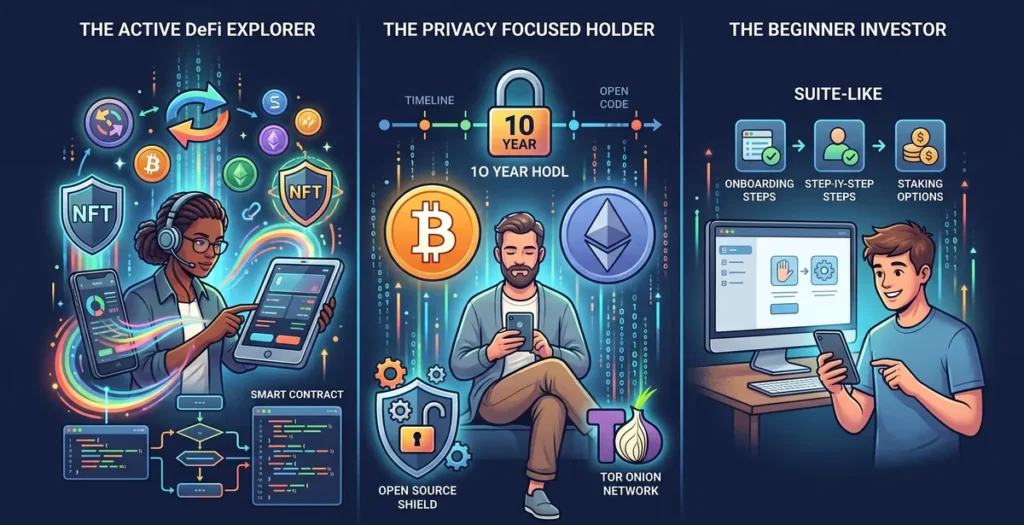
The decision between a Ledger or Trezor ultimately comes down to your personal investment style.
The Active DeFi Explorer
If you frequently interact with decentralized finance protocols, swap tokens daily, or mint NFTs, Ledger is generally the better option. The vast coin support and the smooth integration with mobile devices make fast-paced trading much easier. Furthermore, the large screens on the Ledger Flex provide excellent visibility for verifying complex smart contracts before you sign them.
The Privacy Focused Holder
If your primary goal is to buy Bitcoin or Ethereum and hold it for the next ten years, Trezor is the clear winner. The open-source architecture aligns perfectly with the original ethos of cryptocurrency. You will appreciate the Tor network integration within Trezor Suite and the absolute certainty that comes from verifiable code.
The Beginner Investor
Both companies have made massive strides in user onboarding. However, the Trezor Safe 3 is arguably the most approachable device for someone completely new to cold storage. Trezor Suite is intentionally simple, whereas Ledger Live can sometimes feel overwhelming with its countless decentralized applications and staking options.
Trezor Wallet vs Ledger Wallet: Setup and Recovery
Regardless of which brand you choose, the setup process follows the same critical security principles. Understanding this process is vital to keeping your funds safe.
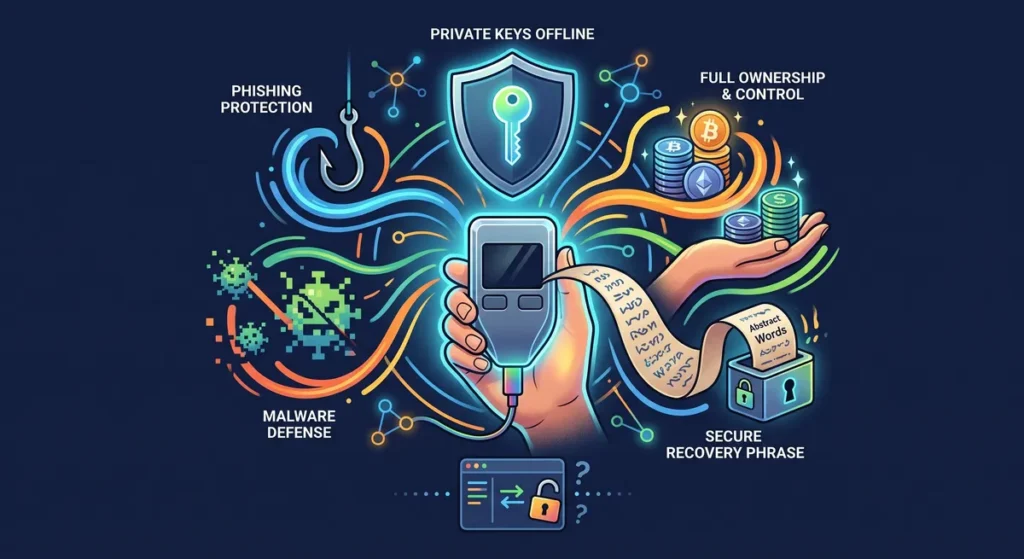
Initializing the Device
When you take your new wallet out of the box, you must connect it to the official desktop software. The device will generate a new set of cryptographic keys entirely offline. During this process, you will be forced to create a PIN code. This PIN protects the device from casual snooping if your roommate or a house guest picks it up off your desk.
The Master Recovery Phrase
The most important part of the setup is the recovery phrase. The device will display 12 or 24 random English words on its tiny screen. You must write these words down on the paper cards provided in the box.
This phrase is the master key to your entire portfolio. If you lose the physical hardware wallet, or if it breaks in the washing machine, your crypto is perfectly safe. You simply buy a new device, type those exact words into the new wallet, and all your balances will magically appear.
🔐 You must never type this phrase into a computer keyboard, take a photo of it with your phone, or store it in a cloud drive. If a hacker gains access to those words, they will drain your funds instantly, and neither Trezor nor Ledger can reverse the transaction.
Exploring Alternative Wallets
While the main debate revolves around Ledger and Trezor, the market offers several compelling alternatives that cater to highly specific needs.
- Coldcard: Built exclusively for Bitcoin, this device looks like a miniature calculator. It offers completely air-gapped operations, meaning you can sign transactions using a MicroSD card without ever connecting the wallet to a computer.
- SafePal: Backed by major industry players, the SafePal S1 Pro utilizes a built-in camera to scan QR codes for signing transactions. This completely removes the need for USB cables or Bluetooth connections, providing excellent security for mobile users.
- Tangem takes a different approach by using NFC-enabled smart cards instead of traditional hardware wallet devices. Setup is quick, making it appealing to beginners.
If you’re looking for a software wallet instead of a hardware device, Phantom wallet is an excellent option for Solana users, while MetaMask remains one of the most widely used wallets for Ethereum-compatible networks. Software wallets are convenient for everyday transactions but generally don’t offer the same level of offline protection as hardware wallets.
If you’d like to put your crypto to work instead of simply holding it, IZAKA-YA offers a convenient way to earn passive income while maintaining a user-friendly experience. The interface is clean and straightforward. Even if you are brand new to crypto, you will not have to spend hours figuring out where to find your balances or how to send funds.
Another major advantage is that IZAKA-YA brings together the core features most users need in one convenient place. Instead of jumping between different apps, you can manage your tokens, monitor your portfolio, and interact seamlessly with the Ethereum ecosystem from a single wallet.
While it may not offer the highly complex routing tools designed specifically for experienced DeFi users, it excels at daily asset management. If your goal is to find a wallet that is simple enough for everyday crypto use while also functioning as a secure crypto lending wallet to grow your holdings, IZAKA-YA is well worth considering.
Start using IZAKA-YAkeyboard_arrow_right
Final Thoughts on Securing Your Digital Future
Moving your funds off an exchange is a profound step toward financial sovereignty. Whether you choose the fortified architecture of a Ledger or the transparent security of a Trezor, you are making a massive upgrade to your digital safety.
Take the time to evaluate your needs. Do you value Bluetooth connectivity and massive altcoin support? Lean toward Ledger. Do you prioritize open-source code and privacy features? Trezor is your best bet. Buy directly from the official manufacturer websites, secure your recovery phrase offline, and enjoy the peace of mind that comes with true ownership.
The following section is a step by step tutorial of how to set up an account on IZAKA-YA so more than keeping your assets on the recommended hardware wallets, you can lend your crypto and earn passive income.
Tutorial: How to Set Up an Account on IZAKA-YA
Setting up an account on IZAKA-YA is designed to be straightforward and secure. This process enables you to manage and lend your crypto assets efficiently, allowing you to earn competitive returns on your holdings.
Step 1: Account Registration
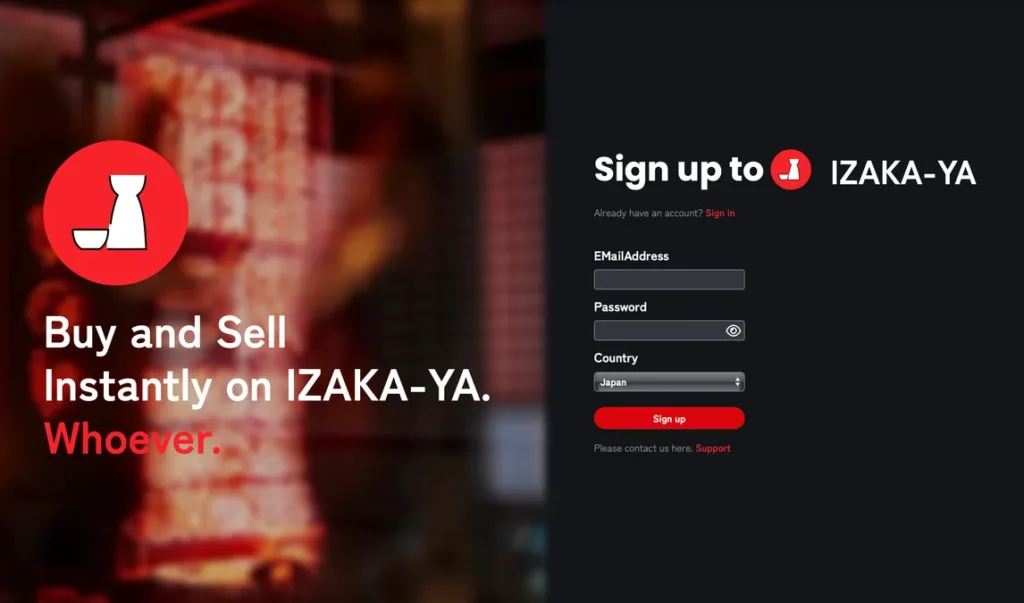
First, navigate to the signup page to create your secure account.
-
Enter Details: Input your preferred EMailAddress and create a secure Password.
-
Select Country: Choose your country of residence from the dropdown menu (e.g., Thailand).
-
Submit: Click the red Sign up button to continue.
Step 2: Email Authentication
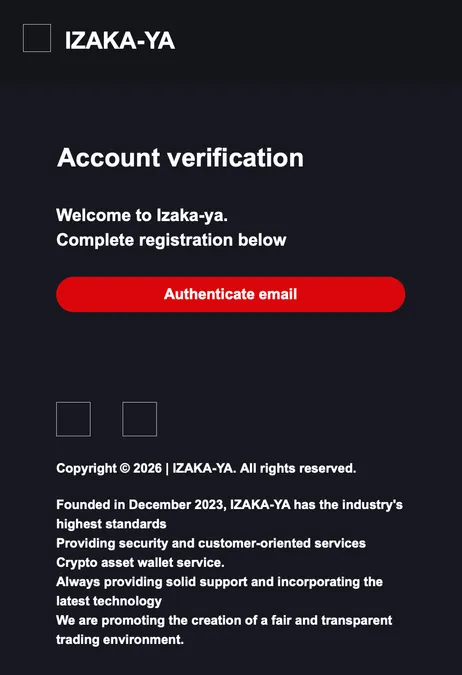
Once you submit the signup form, check your email inbox for an account verification message.
-
Verify Account: Open the official email from IZAKA-YA and click the prominent red Authenticate email button to finalize your registration.
Step 3: Choose Your Crypto Asset for Lending
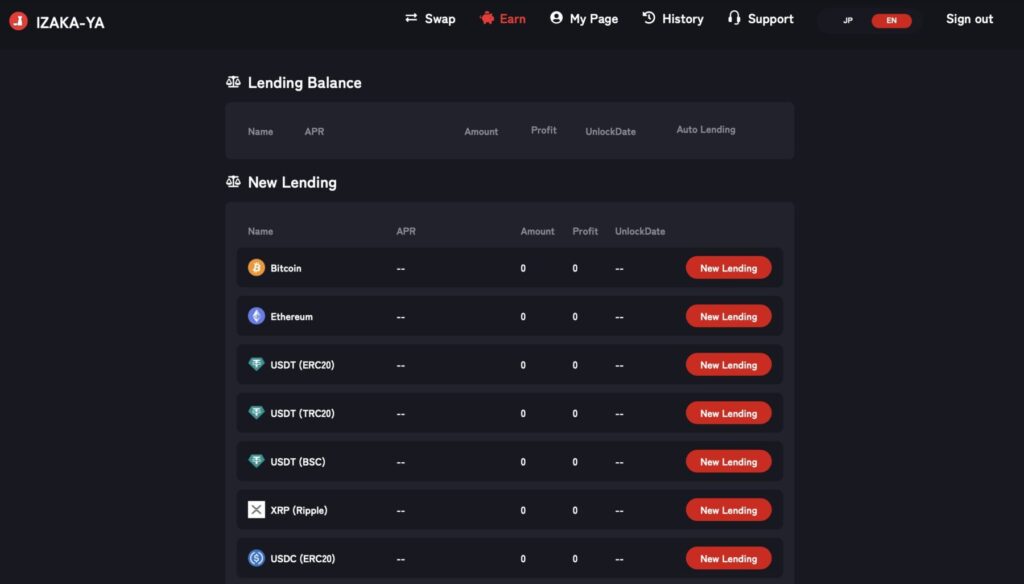
After completing registration, you will log in to your dashboard. To look at your investment options, make sure you click Earn in the top navigation menu.
-
Explore Options: Scroll through the New Lending list to see supported assets like Bitcoin, Ethereum, USDT (across ERC20, TRC20, and BSC networks), XRP, or USDC.
-
Initiate Lending: Find the asset you want to lock up and click the corresponding red New Lending button on the right.
Step 4: Configure Your Lending Subscription
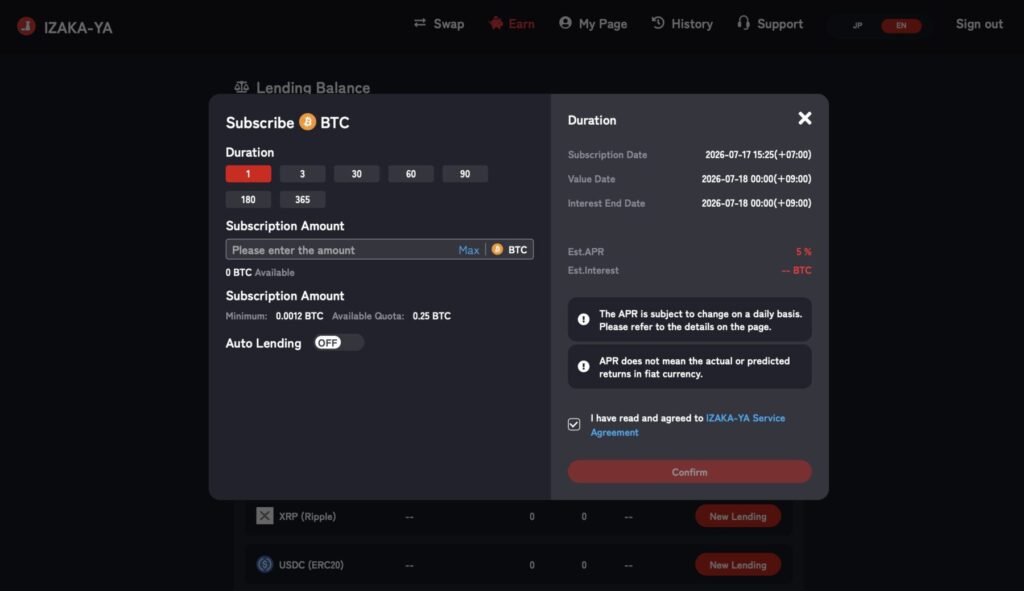
Clicking “New Lending” will bring up a detailed “Subscribe” pop-up window where you can customize your lending strategy.
-
Set Duration: Select how many days you want to lock up your funds.
-
Enter Amount: Input the specific amount of crypto you want to lend. Take note of the listed minimum subscription limit and your available quota.
-
Toggle Auto Lending: If you want your assets to roll over automatically at the end of the term, toggle the Auto Lending switch to ON.
-
Agree & Confirm: Read the critical risk disclosures regarding daily APR updates and fiat currency calculations. Check the box to agree to the IZAKA-YA Service Agreement and click the red Confirm button to successfully deploy your assets.
Frequently Asked Questions (FAQs)
Yes. Even if your personal computer is heavily infected with malware, your hardware wallet remains safe. The physical device isolates the private keys and performs all the cryptographic signing internally.
Absolutely. Many advanced users split their portfolio across multiple devices to eliminate a single point of failure.
Your cryptocurrency lives on the blockchain, not on the company servers. If Ledger or Trezor were to shut down tomorrow, your funds would be perfectly safe.
Yes. When you withdraw cryptocurrency from an exchange to your hardware wallet, you must pay a standard network transaction fee to the blockchain miners or validators.
Yes. If you lose your recovery phrase, fall victim to a phishing scam, or send funds to the wrong address, your assets may still be lost. A hardware wallet greatly improves security, but safe habits remain essential.