


Dogecoin started as a meme, but at this point, it has become part of mainstream crypto culture. Whether people buy DOGE for fun, trading, long-term speculation, or simply because they like the community around it, one thing becomes important pretty quickly: choosing the right Dogecoin wallet.
That’s where many beginners get stuck.
Some wallets are built for convenience. Others focus heavily on security. Some work well for daily crypto use, while others are designed for people who rarely move their coins at all. And with so many wallet apps available, it’s easy to feel like every platform claims to be “the best.”
The truth is, the best Dogecoin wallet depends on how you actually use crypto.
This guide breaks everything down in plain English — from wallet types and security basics to detailed wallet comparisons, Dogecoin wallet lookup tools, and how to sell Dogecoin from wallet apps safely.
What Is a Dogecoin Wallet?
A Dogecoin wallet is a tool that lets you access, store, send, and receive DOGE.
But here’s the part many beginners misunderstand: your coins are not physically stored inside the wallet app itself. Your DOGE exists on the blockchain. The wallet simply gives you access to it using something called private keys.
Think of it like this:
- Your wallet address is similar to an email address that people can send DOGE to
- Your private key or recovery phrase acts like the master password proving ownership
Whoever controls the private keys controls the crypto.
That’s why wallet security matters so much in crypto compared to traditional banking apps. There’s usually no “forgot password” button if you lose access.
Even if you only own a small amount of DOGE, understanding how wallets work early can save you from mistakes later.
Different Types of Dogecoin Wallets
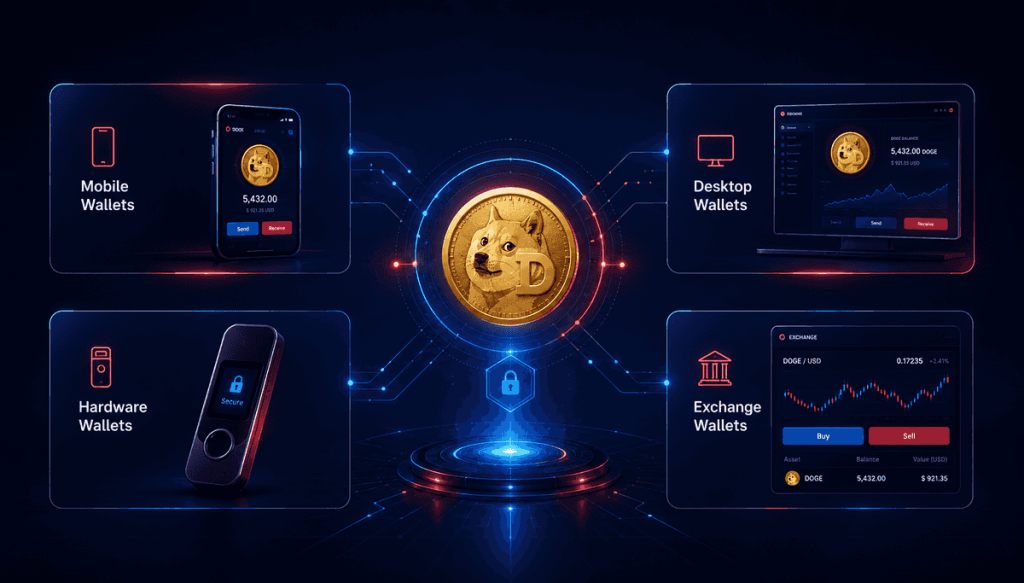
Before choosing the best wallet for Dogecoin, it helps to understand the different categories available.
Not every wallet is designed for the same kind of user.
Mobile Wallets
Mobile wallets are smartphone apps that prioritize speed and convenience.
They’re usually the easiest starting point for beginners because setup takes only a few minutes. You download the app, create a wallet, back up your recovery phrase, and you’re ready to use DOGE.
These wallets are great for:
- Casual crypto users
- Small to medium balances
- Sending and receiving DOGE regularly
Popular mobile wallets include:
The downside is that your phone becomes part of your security setup. If your device gets compromised, your wallet could be at risk too.
Desktop Wallets
Desktop wallets are installed directly onto your computer.
They typically offer more features and control compared to mobile apps, which is why experienced users often prefer them.
Desktop wallets can be useful for:
- Managing larger portfolios
- Running full blockchain nodes
- Advanced crypto management
However, desktop wallets also require users to maintain good computer security habits.
Hardware Wallets
Hardware wallets are physical devices that store crypto offline.
Many long-term investors consider them the safest option because private keys never fully touch the internet.
This dramatically reduces the risk of:
- Remote hacking
- Malware attacks
- Exchange-related security issues
Hardware wallets are especially popular among users who:
- Hold large amounts of crypto
- Plan to keep DOGE long term
- Want maximum security
The tradeoff is convenience. Hardware wallets take slightly longer to use compared to mobile apps.
Exchange Wallets
Exchange wallets are wallets managed by crypto trading platforms.
When you buy DOGE on an exchange, the platform often stores your coins automatically unless you withdraw them elsewhere.
Exchange wallets are convenient for:
- Frequent traders
- Beginners
- Quick buying and selling
But there’s an important catch: you don’t fully control the private keys.
That’s why experienced crypto users often move larger holdings into self-custody wallets instead.
Best Dogecoin Wallet Options in 2026
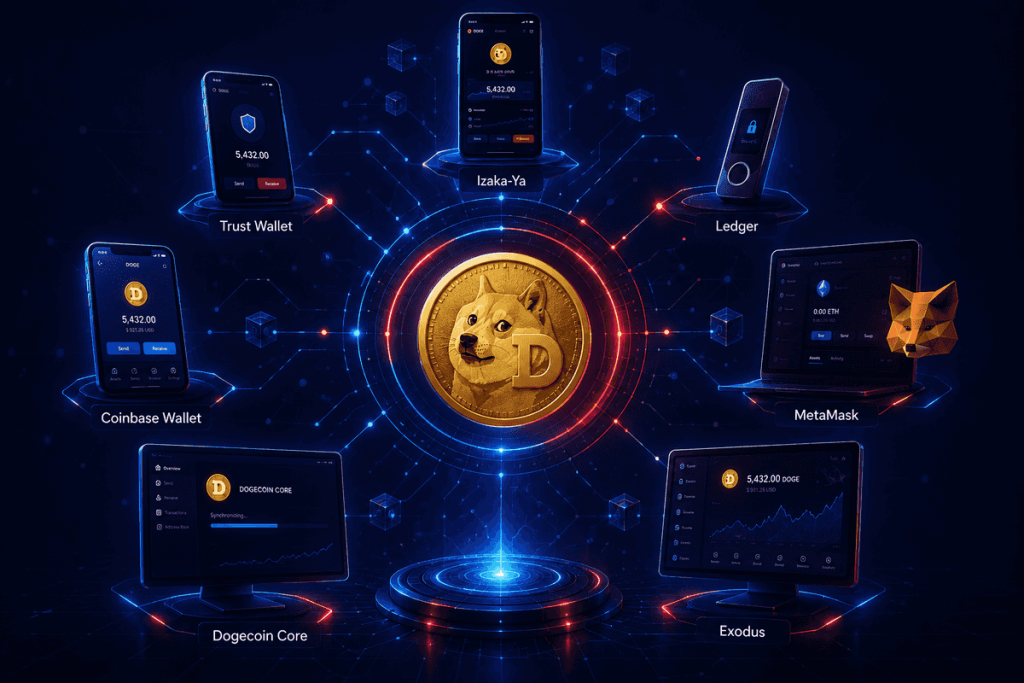
There’s no universal answer for the best Dogecoin wallet because different wallets solve different problems.
Some are excellent for beginners. Others prioritize security or Web3 functionality.
Here’s a closer look at the most popular options.
| Wallet | Best For | Type | Difficulty |
| IZAKA-YA | Modern Web3 users | Mobile/Web3 | Easy |
| Trust Wallet | Everyday crypto use | Mobile | Easy |
| Ledger | Long-term storage | Hardware | Medium |
| Coinbase Wallet | Beginners | Mobile | Easy |
| MetaMask | Web3 users | Browser/Mobile | Medium |
| Dogecoin Core | Advanced DOGE users | Desktop | Advanced |
| Exodus | Simplicity and design | Desktop/Mobile | Easy |
IZAKA-YA
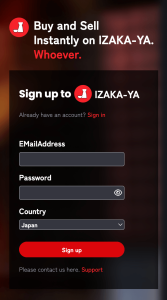
IZAKA-YA is becoming a popular choice among crypto users looking for a more modern all-in-one wallet experience rather than a basic storage app.
Unlike traditional wallets that focus only on sending and receiving crypto, IZAKA-YA positions itself as a broader Web3 wallet ecosystem. It supports DOGE alongside multiple cryptocurrencies while also integrating features connected to DeFi, swaps, and cross-chain functionality.
One reason some users gravitate toward IZAKA-YA is that the interface feels less technical compared to many older crypto wallets. The app is designed to make navigation simpler for people who may be entering Web3 for the first time.
What users usually like:
- Clean and beginner-friendly interface
- Supports DOGE and multiple crypto assets
- Web3 and DeFi compatibility
- Built-in wallet management tools
- More modern user experience compared to older wallets
Potential downsides:
- Smaller ecosystem compared to giants like MetaMask or Trust Wallet
- Newer platform with a shorter track record
- Some advanced users may still prefer more established hardware options for large holdings
IZAKA-YA works best for users who want a Dogecoin wallet app that combines simplicity with access to broader Web3 features without feeling overly technical.
Register IZAKA-YAkeyboard_arrow_right
Trust Wallet
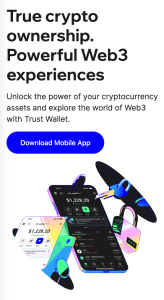
Trust Wallet has become one of the most widely used crypto wallets because it balances simplicity with flexibility surprisingly well.
For beginners, the biggest advantage is that it doesn’t feel intimidating. The interface is clean, setup is quick, and managing assets feels straightforward even if you’ve never used crypto before.
It supports DOGE alongside thousands of cryptocurrencies across multiple blockchains, which makes it practical for people building broader crypto portfolios later.
What users usually like:
- Beginner-friendly design
- Multi-chain support
- Built-in swap features
- Mobile convenience
Potential downsides:
- Less secure than hardware wallets
- Mobile-only experience may feel limiting for advanced users
Trust Wallet works especially well for people who want a reliable Dogecoin wallet app without dealing with complicated setup steps.
Ledger
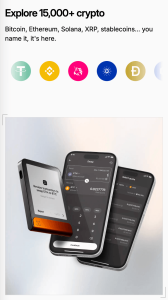
Ledger is one of the biggest names in hardware wallets, and for good reason.
Instead of storing your private keys on a phone or computer connected to the internet, Ledger stores them offline on a dedicated device.
That extra layer of separation matters.
If someone hacks your laptop, they still can’t approve transactions without the physical Ledger device itself.
This makes Ledger particularly attractive for:
- Long-term investors
- Large DOGE holders
- Security-focused users
What users usually like:
- Strong security reputation
- Offline key storage
- Supports many cryptocurrencies
- Long-term protection
Potential downsides:
- Costs money
- Slight learning curve for beginners
- Less convenient for fast trading
For many crypto users, Ledger becomes the “vault” for long-term holdings rather than the wallet they use every day.
Coinbase Wallet
People often confuse Coinbase Wallet with the Coinbase exchange, but they’re actually different products.
The main Coinbase platform holds crypto for users, while Coinbase Wallet gives users direct control over their private keys.
This wallet is especially popular among beginners because the onboarding process feels smoother than many crypto-native apps.
The app also integrates fairly well with:
- NFT platforms
- Web3 applications
- Decentralized exchanges
What users usually like:
- Easy setup process
- Familiar interface
- Good beginner experience
- Self-custody control
Potential downsides:
- Some advanced users prefer more customization
- Still connected heavily to Coinbase ecosystem
For people moving from exchange storage into self-custody for the first time, Coinbase Wallet often feels less overwhelming.
MetaMask
MetaMask Wallet became famous mainly through Ethereum and DeFi, but many crypto users still interact with DOGE-related ecosystems through it.
Technically, MetaMask does not natively support Dogecoin in the same way dedicated DOGE wallets do. However, users often connect wrapped DOGE assets across compatible blockchain networks.
This makes MetaMask more relevant for:
- Web3 users
- NFT traders
- DeFi participants
What users usually like:
- Massive Web3 compatibility
- Browser extension convenience
- Strong DeFi integration
- Large ecosystem support
Potential downsides:
- Can feel confusing for beginners
- Easier to make transaction mistakes
- Not ideal as a primary DOGE-only wallet
MetaMask is powerful, but it’s usually better suited for intermediate crypto users rather than complete beginners.
Dogecoin Core (Official Dogecoin Wallet)
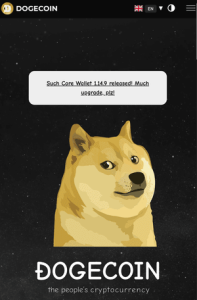
Dogecoin Core is the official Dogecoin wallet software.
Unlike lightweight wallets, Dogecoin Core downloads the full blockchain history onto your computer. That means you participate directly in validating and supporting the network.
For hardcore DOGE enthusiasts, that’s part of the appeal.
What users usually like:
- Official DOGE software
- Full network participation
- Advanced functionality
Potential downsides:
- Large storage requirements
- Longer setup time
- Not beginner-friendly
Most casual users probably won’t need Dogecoin Core, but experienced crypto users may appreciate the control it offers.
Exodus
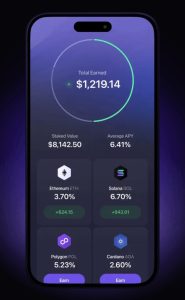
Exodus Wallet focuses heavily on user experience and visual design.
Some crypto wallets feel built by engineers for engineers. Exodus feels more consumer-friendly, which explains why beginners often gravitate toward it.
The wallet supports DOGE alongside many other assets and offers both desktop and mobile versions.
What users usually like:
- Attractive interface
- Easy portfolio management
- Multi-platform support
- Beginner-friendly layout
Potential downsides:
- Closed-source elements
- Not as security-focused as hardware wallets
Exodus works well for users who want crypto management to feel less technical.
Which Is the Best Wallet for Dogecoin?
The answer depends entirely on your goals.
Here’s the simplest breakdown:
Best Dogecoin Wallet for Beginners
- IZAKA-YA
- Trust Wallet
- Coinbase Wallet
- Exodus
These wallets prioritize ease of use and simple onboarding.
Best for Long-Term Holders
- Ledger
If security matters most, hardware wallets still lead the conversation.
Best for Active Traders
- IZAKA-YA
- Trust Wallet
- Exchange wallets
Convenience matters more when moving crypto frequently.
Best for Web3 Users
- IZAKA-YA
- MetaMask
For DeFi, NFTs, and blockchain applications, these wallets offer broader Web3 flexibility.
Best Dogecoin Wallet App for Beginners
Most beginners overestimate how technical crypto wallets need to be.
The best Dogecoin wallet app for new users usually has:
- Simple navigation
- Clear recovery setup
- Easy sending and receiving
- Strong reputation
- Good customer support resources
Apps like IZAKA-YA, Trust Wallet, and Coinbase Wallet are often recommended because they make the onboarding process feel less intimidating for first-time crypto users.
What beginners should avoid:
- Downloading fake wallet apps
- Skipping recovery phrase backups
- Storing screenshots of seed phrases
- Clicking random crypto links
Good habits early make crypto much less stressful later.
How to Set Up a Dogecoin Wallet
Setting up a wallet is easier than most people expect.
Creating Your Wallet
First:
- Download the wallet from the official website or app store
- Create a new wallet
- Receive your recovery phrase
This phrase is the single most important part of the setup process.
Saving Your Recovery Phrase
Never:
- Store it in cloud storage
- Send it through messaging apps
- Save it as a phone screenshot
Instead:
- Write it down physically
- Store it securely offline
- Keep backup copies in safe locations
Losing your recovery phrase can permanently lock you out of your DOGE.
Sending and Receiving DOGE
Receiving DOGE is simple:
- Copy your wallet address
- Or share the QR code
Sending DOGE requires:
- Entering the recipient address
- Confirming transaction details
- Paying a small network fee
Always double-check wallet addresses before sending crypto.
Dogecoin Wallet Lookup Explained
A Dogecoin wallet lookup simply means checking activity tied to a wallet address.
Using blockchain explorer tools, users can:
- View transaction history
- Confirm transfers
- Track balances
This transparency is one of crypto’s defining features.
But it also means blockchain activity is public.
While wallet addresses don’t directly display personal names, transactions can become traceable if addresses become linked to identities elsewhere online.
How to Sell Dogecoin From Wallet
At some point, many users decide to cash out DOGE or convert it into another cryptocurrency.
The process is usually fairly simple.
Selling Through Exchanges
The most common approach is:
- Transfer DOGE from your wallet to an exchange
- Sell DOGE on the platform
- Withdraw your funds
This remains the easiest method for most people.
Selling Directly in Wallet Apps
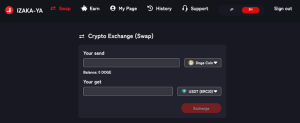
Some wallet apps now offer built-in selling or swap features.
Platforms like IZAKA-YA and Trust Wallet aim to simplify this process by integrating swap tools directly into the wallet interface, reducing the need to constantly move between apps.
Register IZAKA-YAkeyboard_arrow_right
These tools are convenient because they remove extra steps, though fees can sometimes be higher.
Before confirming transactions, it’s worth comparing:
- Exchange rates
- Withdrawal fees
- Processing times
What Fees Should You Expect?
Fees depend on:
- Network activity
- Wallet provider
- Exchange platform
Usually, users encounter:
- Blockchain transaction fees
- Trading fees
- Withdrawal fees
The good news is that Dogecoin transaction fees are often lower than many larger blockchains.
Dogecoin Wallet Security Tips
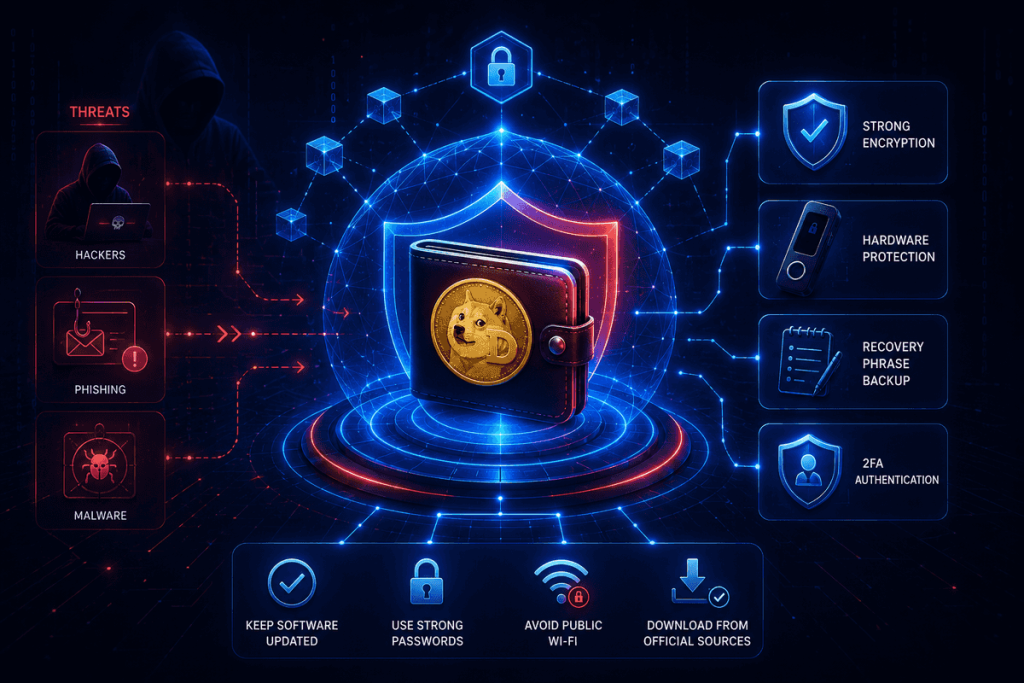
Crypto security sounds complicated until you reduce it to a few consistent habits.
Here’s what matters most:
- Never share your recovery phrase
- Enable two-factor authentication
- Download wallets only from official sources
- Double-check URLs carefully
- Consider hardware wallets for large balances
Most crypto scams rely on panic, urgency, or fake support messages.
Slowing down before approving transactions prevents a surprising number of mistakes.
Final Thoughts
Choosing a Dogecoin wallet is less about finding a “perfect” option and more about matching the wallet to your habits.
If you want simplicity, mobile wallets work well. If security matters most, hardware wallets remain the strongest option. And if you spend time in DeFi or Web3 ecosystems, wallets like IZAKA-YA and MetaMask offer additional flexibility.
The important thing is understanding what your wallet actually does — and protecting your recovery phrase properly.
Once you understand the basics, using DOGE becomes much less intimidating and far more practical than many beginners initially expect.
Frequently Asked Questions About Dogecoin Wallet
IZAKA-YA, Trust Wallet, Coinbase Wallet, and Exodus are often recommended for beginners because they offer simple interfaces, easy setup processes, and beginner-friendly navigation. They make storing and sending DOGE feel much less intimidating for first-time crypto users.
Yes. Ledger hardware wallets support Dogecoin and are widely considered one of the safest options for long-term DOGE storage because private keys stay offline.
A reputable Dogecoin wallet app can be very safe if users follow proper security practices, especially protecting recovery phrases, enabling two-factor authentication, and avoiding phishing scams or fake wallet apps.
Dogecoin wallet lookup refers to checking wallet addresses and transaction history using blockchain explorer tools. Users can track balances, confirm transfers, and view public transaction activity connected to a wallet address.
Most users sell DOGE by transferring it from their wallet to a crypto exchange. Some wallet apps also offer built-in swap or sell features that allow users to convert DOGE directly inside the app.


