


TRC20 wallet is a term you’ll see often if you send, receive, or store USDT on the Tron network. It matters because not all USDT uses the same blockchain, and choosing the wrong wallet or network can lead to failed transfers, unnecessary fees, or funds ending up somewhere you didn’t expect.
For a lot of crypto users, Tron has become one of the easiest ways to move stablecoins around. Fees are usually low, transfers are fast, and USDT TRC20 is widely supported by exchanges and wallet apps. That’s why people searching for a TRC20 USDT wallet are often trying to solve a practical problem: they want a simple, safe way to hold or transfer USDT without paying more than they need to.
In this guide, we’ll break down what a TRC20 wallet actually is, how a TRC20 wallet address works, why USDT Tron is so widely used, and what to look for if you’re comparing the best TRC20 wallet options today.
What Is a TRC20 Wallet?
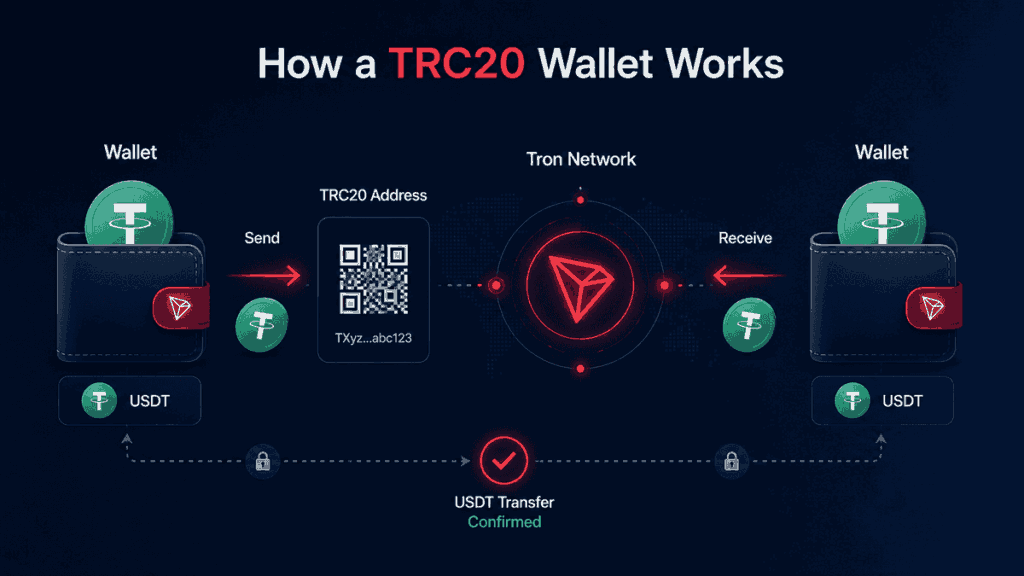
A TRC20 wallet is a crypto wallet that supports tokens built on the “Tron blockchain” using the TRC20 token standard. In plain terms, it’s the kind of wallet you need if you want to hold or transfer USDT TRC20, which is the Tron-based version of Tether.
That’s the part that trips people up at first: USDT exists on multiple blockchains, not just one. So even though the token name is still USDT, the network behind it changes how it works, where you can send it, and which wallet can hold it.
If a wallet supports Tron and TRC20 tokens, it can usually be used to:
- receive USDT TRC20
- send USDT to another Tron wallet
- store TRX and other Tron-based tokens
- view your Tron transaction history
What is TRC20?
TRC20 is a token standard used on the Tron blockchain. You can think of it as a set of rules that tells wallets, exchanges, and apps how a Tron-based token should behave.
If that sounds abstract, here’s the simpler version: TRC20 is the format that allows tokens like USDT to run on Tron.
That’s why you’ll often see withdrawal options such as:
- USDT (TRC20)
- USDT (ERC20)
- USDT (BEP20)
They’re all versions of USDT, but each one belongs to a different blockchain network.
What is a TRC20 wallet used for?
Most people use a TRC20 wallet for one specific reason: moving USDT on Tron.
That could mean:
- withdrawing USDT from an exchange
- sending money to another person
- storing stablecoins outside a trading platform
- moving funds between wallets with lower fees
So while a TRC20 wallet can support other Tron-based tokens too, its biggest real-world use case is still USDT TRC20.
Why TRC20 Matters for USDT Users
There’s a reason TRC20 comes up so often in conversations about stablecoins. It isn’t just a technical label — it directly affects how much you pay, how quickly your transfer arrives, and which wallet or exchange can receive it.
For people who move USDT regularly, those details matter a lot more than the token standard itself.
Lower fees than some other networks
One of the biggest reasons users choose USDT TRC20 is “cost”. Compared with Ethereum-based USDT, Tron transfers are often much cheaper. If you send stablecoins often, that difference adds up quickly.
Faster and simpler transfers
Tron is also popular because transfers are generally fast and widely supported. For users who move funds between exchanges, send payments overseas, or just don’t want to wait around for confirmations, that convenience makes a difference.
A practical network for everyday transfers
TRC20 tends to appeal to users who care less about blockchain theory and more about getting from point A to point B without friction. In that sense, USDT Tron has become a practical tool rather than a niche crypto product.
What Is a TRC20 Wallet Address?
A TRC20 wallet address is the public address used to receive Tron-based assets, including USDT TRC20.
If someone wants to send you Tron-based USDT, this is the address you’ll give them. The same applies if you’re withdrawing from an exchange into your wallet.
How to recognize a TRC20 wallet address
A Tron wallet address usually starts with T. That’s one of the easiest ways to tell it apart from an Ethereum address, which usually starts with 0x.
For example:
- TRC20 / Tron address → typically starts with T
- ERC20 / Ethereum address → typically starts with 0x
That distinction is important because the address format usually gives you a clue about which network you’re dealing with.
Why the network matters as much as the address
Copying the right address is only half the job. You also need to choose the correct network when sending funds.
For example, if you’re withdrawing USDT from an exchange, you’ll often see several options:
- TRC20
- ERC20
- BEP20
- sometimes others, depending on the platform
If you paste a Tron address but accidentally choose the wrong withdrawal network, your transfer can be delayed, misrouted, or in some cases lost. That’s why checking both the address and the network is a habit worth building early.
TRC20 vs ERC20 vs BEP20: What’s the Difference?
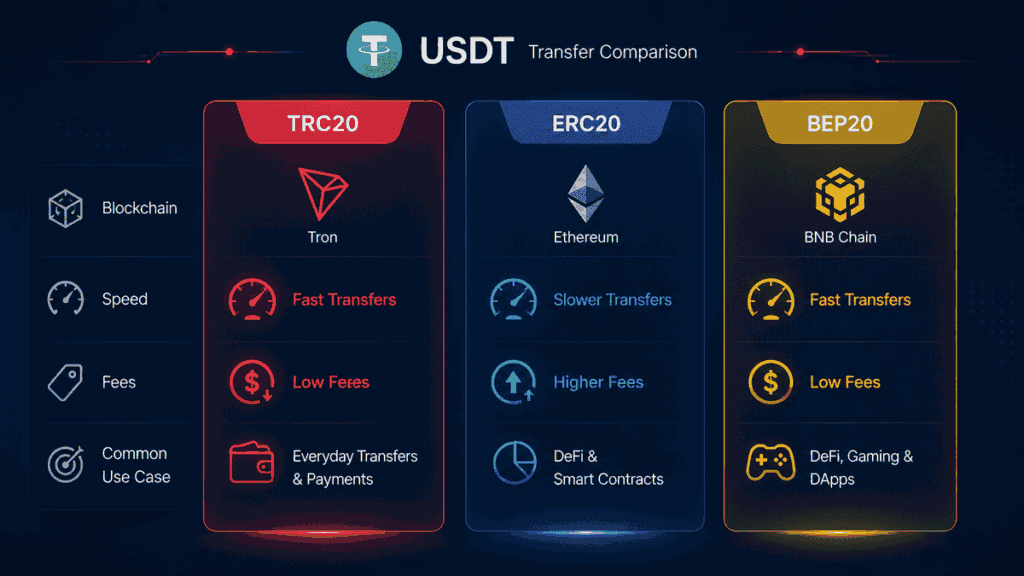
This is where a lot of confusion starts. People assume USDT is just USDT, but in practice, it can exist on several blockchains at once.
The token name stays the same. The network does not.
TRC20 vs ERC20
ERC20 is the token standard used on “Ethereum”. TRC20 is used on “Tron”.
Both can represent USDT, but they are not interchangeable during transfers.
Feature
TRC20
ERC20
Blockchain
Tron
Ethereum
Common use case
Low-cost USDT transfers
Ethereum ecosystem transfers
Typical fees
Usually lower
Often higher
Address format
Starts with T
Starts with 0x
If someone sends USDT ERC20 to a wallet or platform that only expects USDT TRC20, you can run into problems.
TRC20 vs BEP20
BEP20 is the token standard used on “BNB Smart Chain“. Like ERC20 and TRC20, it’s simply another network format for tokens.
So if you’re moving USDT, the actual question isn’t just “Do you support USDT?” It’s “Which version of USDT do you support?”
That’s an important distinction because it affects:
- the wallet you can use
- the address format
- the fees you pay
- whether the transfer arrives correctly
Types of TRC20 Wallets
Not every TRC20 wallet is designed for the same kind of user. Some are better for quick transfers and everyday use, while others make more sense if security is your top priority.
Mobile wallet app
A TRC20 USDT wallet app is often the easiest option for beginners. It’s convenient, quick to set up, and practical if you want to send or receive USDT from your phone.
It’s usually a good fit if you:
- transfer USDT regularly
- want a simple interface
- need quick access while traveling or trading
Desktop wallet
Desktop wallets can feel easier to manage if you mostly handle crypto from a laptop or PC. They also give you more room to review addresses and transactions carefully, which some users prefer.
Web wallet
Web wallets are accessible through a browser and can be convenient for quick access. That said, they usually require more caution because browser-based access can expose users to phishing links, fake sites, or weaker security habits.
Hardware wallet
If you plan to hold a larger amount of USDT for a long time, a hardware wallet is often the strongest option from a security perspective. It stores your private keys offline, which reduces the risk of online attacks.
Best TRC20 Wallet Options to Consider
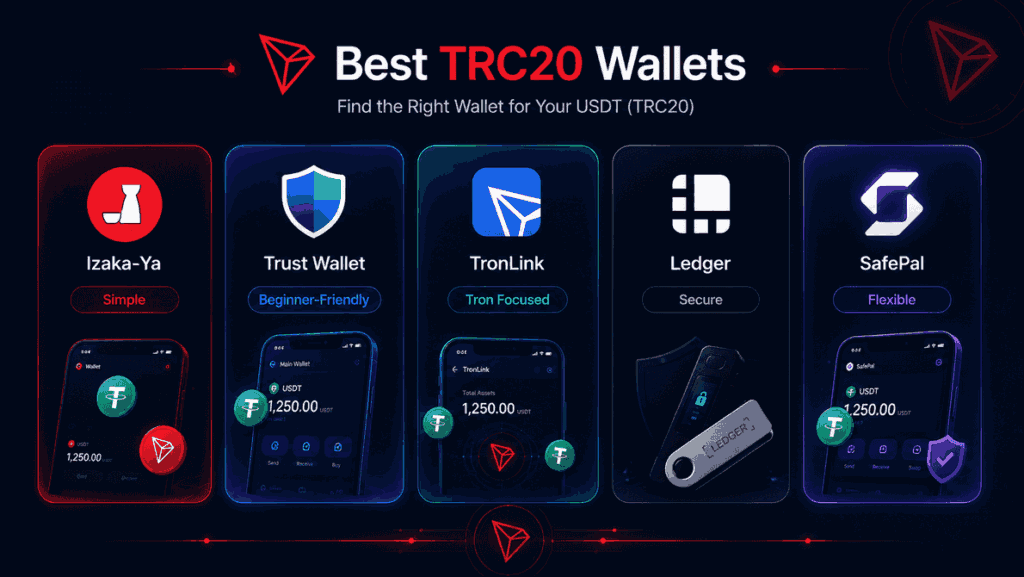
There’s no single wallet that works best for everyone. The right choice depends on how you use crypto, whether you mainly hold USDT or move it around often, and how much simplicity you want from the wallet itself.
Some users want a Tron-native wallet with more advanced features, while others just want something straightforward that lets them store and send USDT TRC20 without overthinking it. That’s why it helps to compare a few different types of wallets rather than looking for one universal “winner.”
1. Izaka-Ya

If ease of use is a priority, Izaka-Ya can make sense as a simple option for users who mainly want a wallet for holding and managing USDT on Tron without dealing with a cluttered interface. It’s the kind of wallet that suits people who prefer a cleaner setup and don’t need every advanced feature under the sun.
For beginners or casual users, that simplicity can actually be a plus. A wallet that feels intuitive is often easier to use correctly, especially when you’re sending stablecoins across specific networks like TRC20.
Register IZAKA-YAkeyboard_arrow_right
2. Trust Wallet
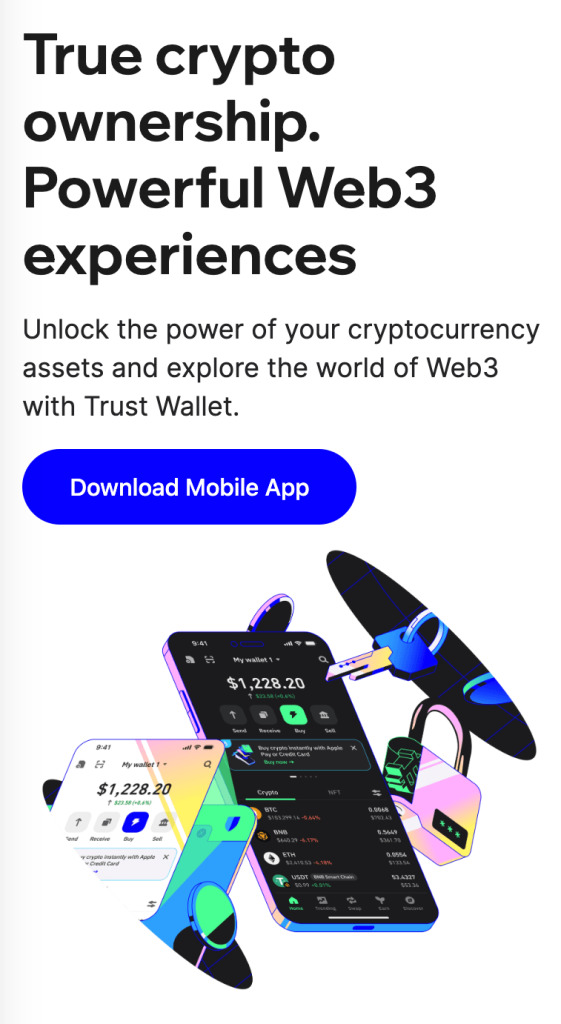
Trust Wallet is one of the more beginner-friendly options for users who want a mobile wallet that supports multiple blockchains, including Tron-based assets.
It’s often chosen because it offers:
- a simple mobile interface
- support for Tron and many other networks
- an easy way to send, receive, and store USDT
It’s a practical choice if you want one wallet for more than just Tron.
3. TronLink
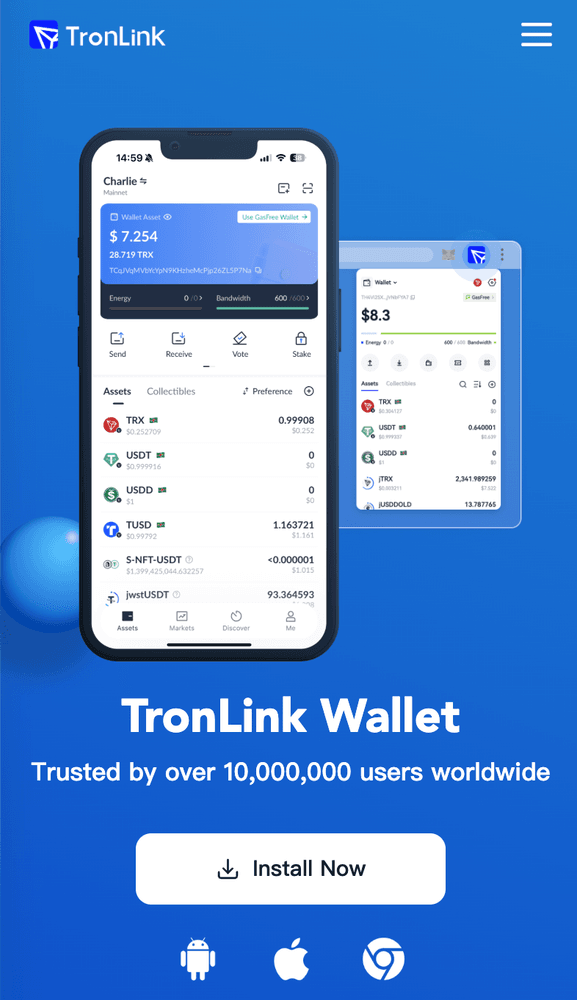
TronLink is one of the most Tron-focused wallet options available, so it’s a natural fit for users who spend most of their time on the Tron network.
It may be a better fit if you want:
- a wallet built specifically around Tron
- direct support for TRX and TRC20 tokens
- a more network-native experience
If your main goal is managing USDT Tron rather than juggling several blockchains, TronLink is one of the more obvious choices.
4. Ledger
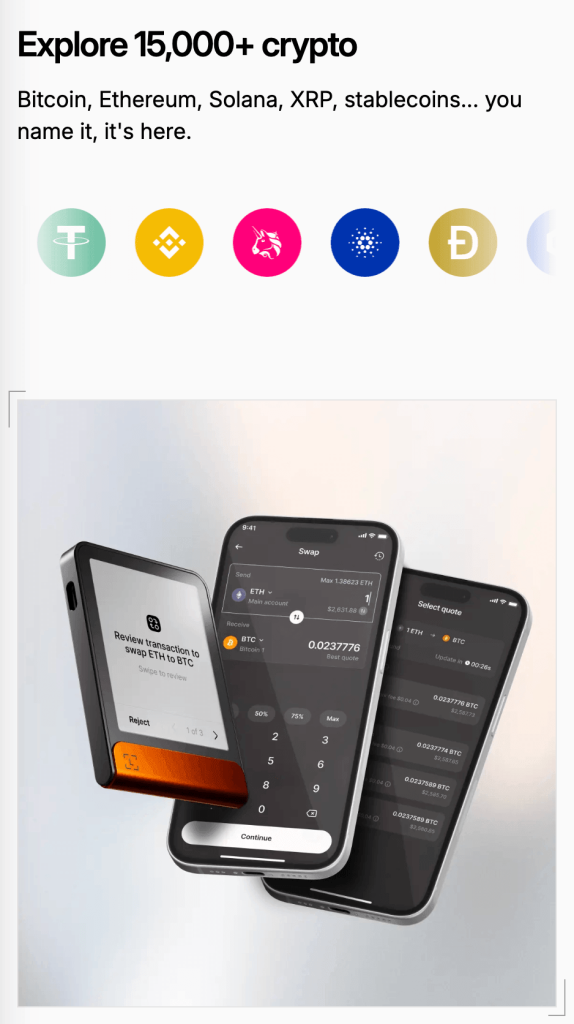
Ledger wallet is better suited to users who care more about long-term security than day-to-day convenience. Because it’s a hardware wallet, it’s usually a stronger fit for storing larger balances than for making frequent transfers.
5. SafePal
SafePal is another option worth looking at if you want something between a simple mobile wallet and a more security-focused setup. It’s often used by people who want flexibility without moving straight into a fully hardware-first approach.
Quick comparison of TRC20 wallet options
Wallet
Best For
Main Strength
Possible Trade-Off
Izaka-Ya
Users who want a simple wallet experience
Clean and easy to use for everyday USDT management
May not be the best fit for users who want advanced wallet tools
Trust Wallet
Beginners and multi-chain users
Easy setup and broad network support
Less ideal for cold storage
TronLink
Tron-focused users
Strong Tron and TRC20 support
Less useful if you mainly use many chains
Ledger
Long-term holders
High security and offline storage
Less convenient for quick transfers
SafePal
Users who want a balance of convenience and security
Flexible setup with broader wallet options
Experience depends on how you plan to use it
The main thing is to choose a wallet that matches your habits. If you mostly want a TRC20 wallet for USDT transfers and don’t need a complicated setup, a simpler wallet can be the better option. If you’re holding a larger balance or using multiple chains every week, it may be worth choosing a wallet with stronger security features or broader ecosystem support.
How to Choose the Best TRC20 Wallet for Your Needs
Once you know the wallet options, the next question is simpler: which one actually makes sense for you?
If you’re new to crypto
Prioritize clarity over features. A wallet with a clean interface, clear backup instructions, and obvious network labels will save you more trouble than a wallet packed with tools you don’t use.
If you send USDT often
A mobile-first wallet may be the most practical choice. You’ll probably care about speed, convenience, and how easy it is to check addresses before sending.
If you’re storing a larger amount
Security matters more than convenience. In that case, a hardware wallet or a more cautious self-custody setup is usually worth the extra effort.
If you use more than one blockchain
Choose a wallet that supports multiple networks clearly. Many users don’t just hold USDT TRC20 — they also use Ethereum, BNB Smart Chain, or Bitcoin. A multi-chain wallet can make that much easier to manage.
A quick checklist before choosing
Before downloading any wallet, check:
- does it support Tron and TRC20 tokens
- can it receive and send USDT TRC20
- is the wallet easy to back up and recover
- does it have a strong reputation
- is it convenient for the way you actually use crypto
That last point matters more than people think. A “good” wallet that doesn’t fit your habits can still be the wrong one.
How to Set Up a TRC20 Wallet
Setting up a TRC20 wallet is usually pretty simple once you know what to look for. To make it more concrete, let’s use Izaka-Ya as an example of how the process typically works for a wallet that supports USDT TRC20.
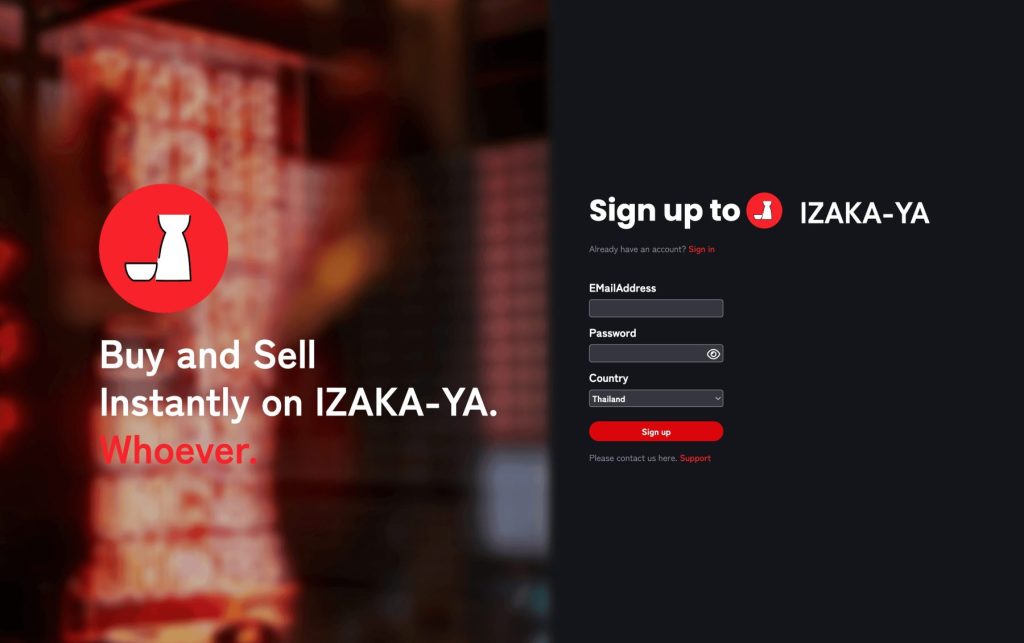
Step 1: Create your Izaka-Ya wallet
Start by downloading Izaka-Ya and signing up for an account. Once you’re in, you’ll be able to access the wallet dashboard and supported assets.
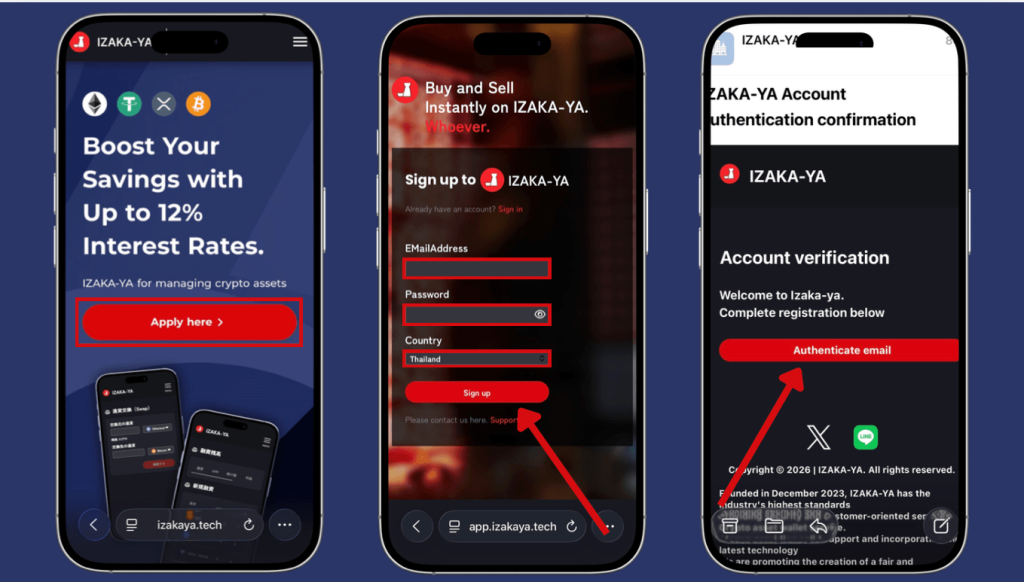
Step 2: Set up your security settings
Before making any transactions, it’s worth securing the account properly. That usually means verifying your email, setting a password, and enabling 2FA so the wallet is better protected from unauthorized access.
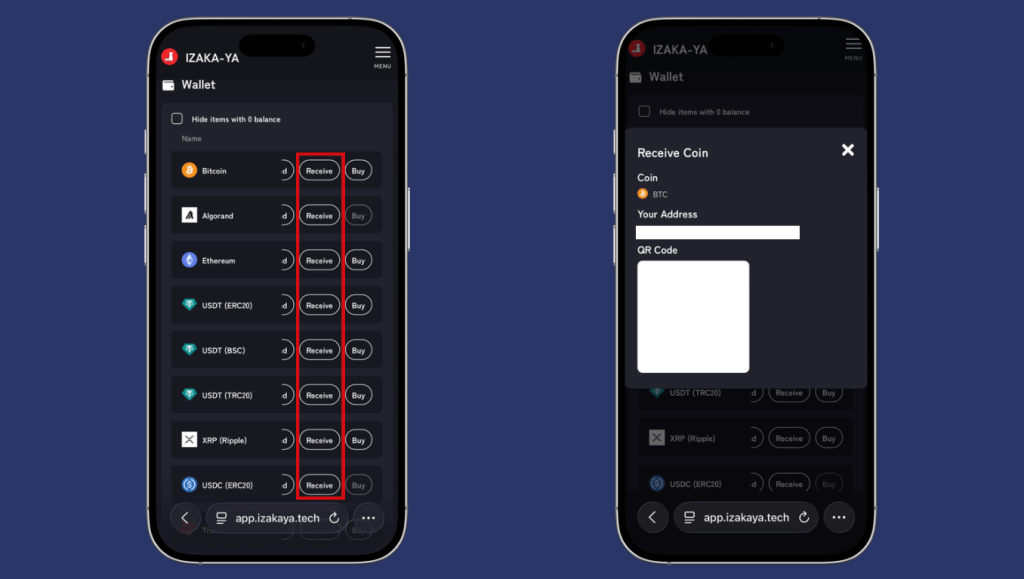
Step 3: Go to “My Page” and find USDT (TRC20)
Inside the wallet, click “My Page” and scroll until you find USDT (TRC20). This is where you can access the Tron-based version of USDT and manage your balance.
Step 4: Choose the transaction you want to make
From there, select the type of transaction you need:
- Send if you want to transfer USDT out of the wallet
- Receive if you want to deposit USDT into your wallet
- Buy if you want to purchase USDT directly
If you choose Send, Izaka-Ya may also separate it into:
- Internal Send for transfers within the platform
- External Send for transfers to another wallet or exchange
Step 5: Enter the wallet address and amount
If you’re sending USDT, enter the TRC20 wallet address carefully and add the amount you want to transfer. Izaka-Ya will show the transaction fee clearly before you confirm, which makes it easier to review the total cost upfront.
Step 6: Review the details and confirm the transaction
Before completing the transaction, double-check that the wallet address, network, and amount are correct. Then click Send, Receive, or Buy, depending on the action you’re taking.
Even with a simple wallet flow, it’s still important to make sure you’re using the TRC20 network whenever you’re moving USDT on Tron. That one detail matters more than anything else.
Register IZAKA-YAkeyboard_arrow_right
Common Mistakes to Avoid With a TRC20 Wallet
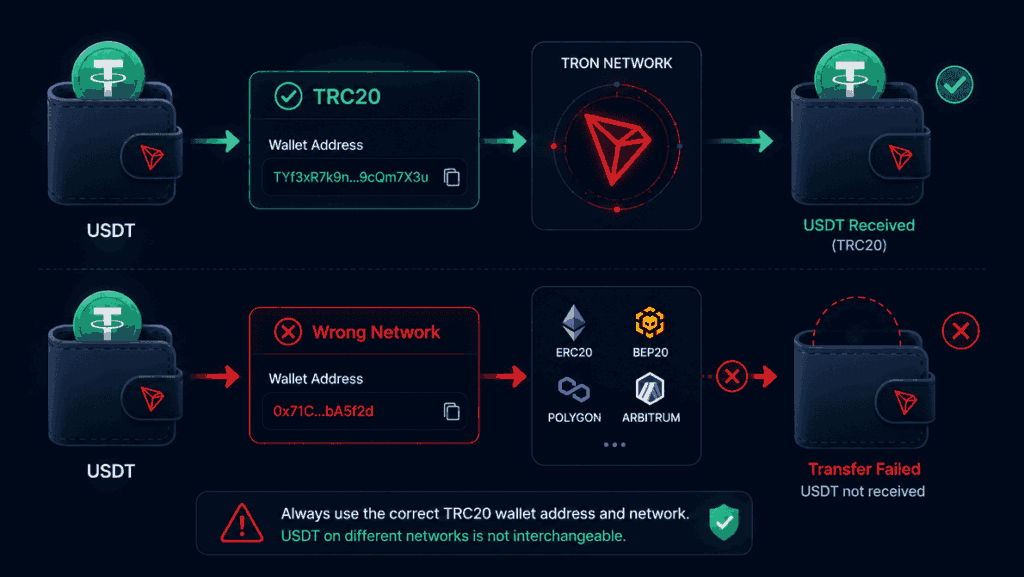
Most TRC20 wallet problems come down to user error rather than the wallet itself. The most common mistakes are choosing the wrong network, downloading a fake app, or failing to back up your recovery phrase.
Sending USDT on the wrong network
This is the mistake that causes the most trouble. USDT TRC20, ERC20, and BEP20 may all be USDT, but they run on different blockchains. If the network doesn’t match the wallet address, your funds may not arrive properly.
Using a fake wallet app
Only download wallets from the official website or a verified app store listing. Fake crypto apps are still a common scam route.
Not backing up your recovery phrase
If you lose access to your device without a recovery phrase, you may lose access to the wallet permanently. That’s why backing it up properly matters from day one.
Final Thoughts
A TRC20 wallet is ultimately a practical tool. It gives you a way to store and move USDT on Tron, which is exactly why it has become so widely used across exchanges, wallet apps, and everyday crypto transfers.
The biggest thing to understand isn’t the jargon — it’s the network. Once you know that USDT TRC20 is different from ERC20 or BEP20 versions of USDT, choosing the right wallet becomes much easier. From there, it’s mostly about picking a wallet that matches how you use crypto, whether that means convenience, long-term storage, or a mix of both.
If you want a simple rule to remember, it’s this: choose a wallet that supports Tron properly, back it up carefully, and never send funds without checking the network one more time.
Frequently Asked Questions
Usually yes. Tron network fees are often paid in TRX, so you may need a small amount in your wallet before sending USDT TRC20. Yes, as long as the exchange supports TRC20 deposits and gives you a Tron deposit address. No. TRC20 is a token standard on Tron, and USDT is just one of the tokens that uses it. Sometimes, but not always. Recovery depends on the platform and whether that network is supported. Yes, especially if you want a low-fee way to store or send USDT on Tron. Just make sure the wallet clearly supports TRC20.