


A TRON wallet is one of the first things you’ll need if you plan to store TRX, manage TRC20 tokens, or use applications built on the TRON network. With dozens of wallets available today, choosing the right one can be surprisingly difficult.
Some wallets focus on simplicity, while others prioritize security, staking, or support for multiple cryptocurrencies. The best option ultimately depends on how you use your crypto and which features matter most to you.
In this guide, we’ll compare the best TRON wallets in 2026, including software wallets, hardware wallets, and beginner-friendly options that support both TRX and TRC20 tokens.
What Is a TRON Wallet?
A TRON wallet is an application or device that allows you to access and manage assets on the TRON blockchain. This includes TRX as well as TRC20 tokens such as USDT on the TRON network.
With a TRON wallet, you can:
- Store TRX and TRC20 tokens
- Send and receive transactions
- Stake TRX
- Connect to decentralized applications (dApps)
- Track your portfolio
Most users choose between software wallets for convenience and hardware wallets for maximum security.
Best TRON Wallets in 2026
Not every crypto wallet is built for the same purpose. Some are ideal for everyday use, while others are designed to keep large holdings secure. Here are the top options worth considering.
Izaka-Ya — Best TRON Wallet for All-in-One Crypto Management
For users who want more than a basic wallet, Izaka-Ya offers a broader crypto experience that combines asset management, trading tools, and wallet functionality in a single platform. It supports TRON and TRC20 tokens while providing access to features that go beyond simple storage.
Rather than juggling multiple apps, users can manage their crypto activities from one place, making it a convenient option for both newcomers and experienced traders.
Pros
- Supports TRX and TRC20 tokens
- All-in-one crypto platform
- Beginner-friendly interface
- Suitable for managing multiple assets
- Additional trading and portfolio tools
Cons
- More features than casual users may need
- Not a dedicated TRON-focused wallet like TronLink
Register IZAKA-YAkeyboard_arrow_right
TronLink — Best for Dedicated TRON Users
TronLink is often the first wallet recommended to people who actively use the TRON network. Since it was built specifically for TRON, it offers excellent compatibility with staking platforms, decentralized applications, and TRC20 tokens.
For users who spend most of their time within the TRON ecosystem, it’s one of the most practical choices available.
Pros
- Built specifically for TRON
- Supports TRX and TRC20 tokens
- Available on mobile and browser
- Easy dApp connectivity
Cons
- Less useful for non-TRON assets
- Interface can feel basic compared to some competitors
Trust Wallet — Best TRON Wallet for Beginners

Trust Wallet has become one of the most popular crypto wallets because it’s simple to use and supports a huge number of cryptocurrencies.
Even if TRX is only part of your portfolio, Trust Wallet makes it easy to manage everything in one place. The setup process is straightforward, and the app remains beginner-friendly without sacrificing important features.
Pros
- Easy to use
- Supports many blockchains
- Built-in staking features
- Strong mobile experience
Cons
- No desktop application
- Advanced users may want more customization
Ledger — Best Hardware Wallet for TRON

If security is your top priority, Ledger remains one of the best hardware wallet TRON users can buy.
Unlike software wallets, Ledger keeps your private keys offline. That means hackers cannot access your funds through malware or online attacks unless they physically obtain the device and recovery phrase.
For investors holding substantial amounts of TRX, this extra protection is often worth the cost.
Pros
- Industry-leading security
- Offline key storage
- Supports thousands of cryptocurrencies
- Trusted by long-term investors
Cons
- Requires purchasing a device
- Less convenient for daily transactions
SafePal — Best Budget Hardware Wallet
SafePal offers many of the benefits of a hardware wallet at a lower price point than premium alternatives.
Its hardware wallet integrates with the SafePal mobile app, making it a good option for users who want stronger security without spending too much.
Pros
- Affordable hardware wallet
- Supports TRX and TRC20 tokens
- Mobile app integration
- User-friendly setup
Cons
- Smaller ecosystem than Ledger
- Some advanced features require additional learning
Exodus — Best for Multi-Crypto Portfolios
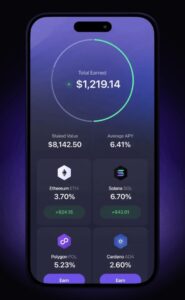
Exodus is a good fit for users who hold more than just TRX.
The wallet combines an attractive design with support for hundreds of digital assets. Everything from portfolio tracking to asset management feels polished and beginner-friendly.
If you prefer managing multiple cryptocurrencies from a single dashboard, Exodus is worth considering.
Pros
- Clean and intuitive design
- Desktop and mobile support
- Supports many cryptocurrencies
- Built-in portfolio tracking
Cons
- Not as TRON-focused as TronLink
- Fewer advanced security options
Best TRON Wallet Options: Quick Comparison
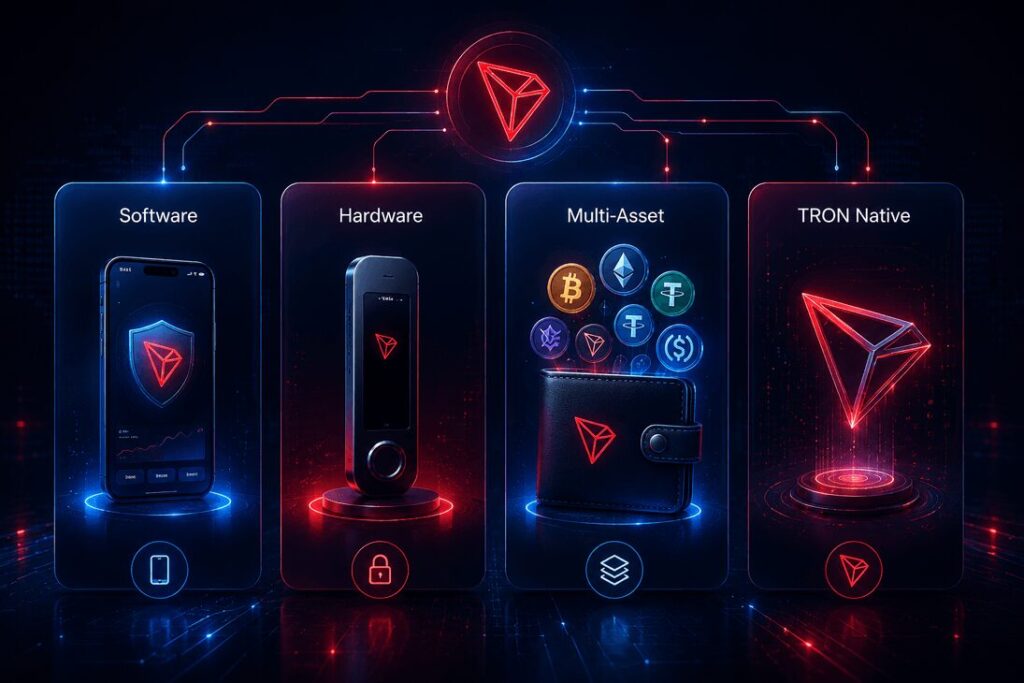
| Wallet | Type | Best For |
| Izaka-Ya | Software | All-in-one crypto management |
| TronLink | Software | Active TRON users |
| Trust Wallet | Software | Beginners |
| Ledger | Hardware | Maximum security |
| SafePal | Hardware | Budget-conscious users |
| Exodus | Software | Multi-asset holders |
Instead of chasing the wallet with the longest feature list, focus on the one that matches your goals.
Buying, Receiving, and Sending TRON: A Quick Example
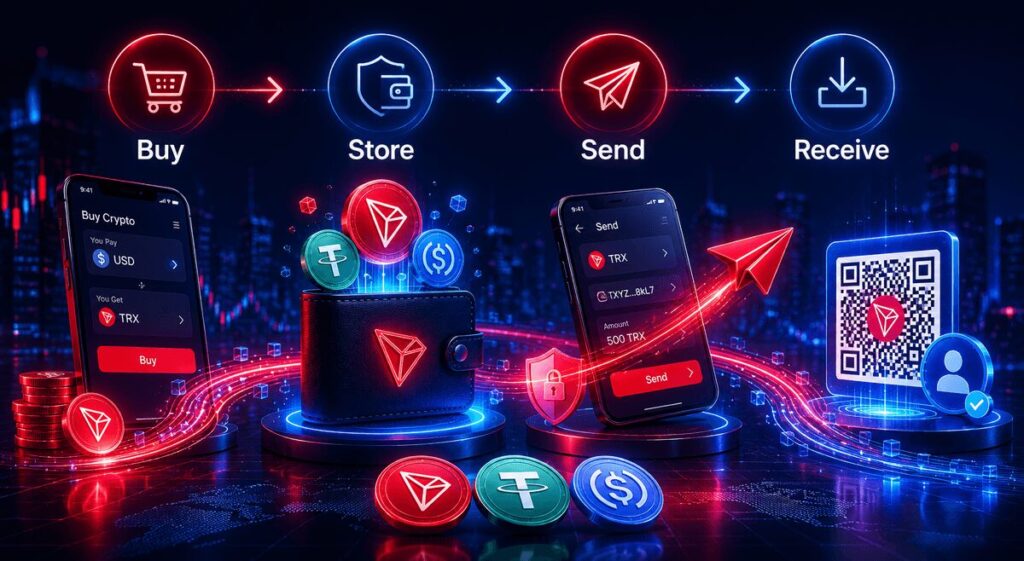
Choosing a wallet is only part of the process. Once your account is set up, you’ll need to know how to buy, receive, and transfer assets safely.
Most modern wallets and crypto platforms follow a similar workflow, whether you’re managing TRX or popular stablecoins such as USDT and USDC.
Buying TRON
The easiest way to get started is to purchase TRX directly through a supported crypto platform.
For example, platforms like Izaka-Ya allow users to buy TRX and other digital assets from a single dashboard, making it easy to build and manage a portfolio without switching between multiple applications.
The process typically involves:
1. Creating and verifying an account
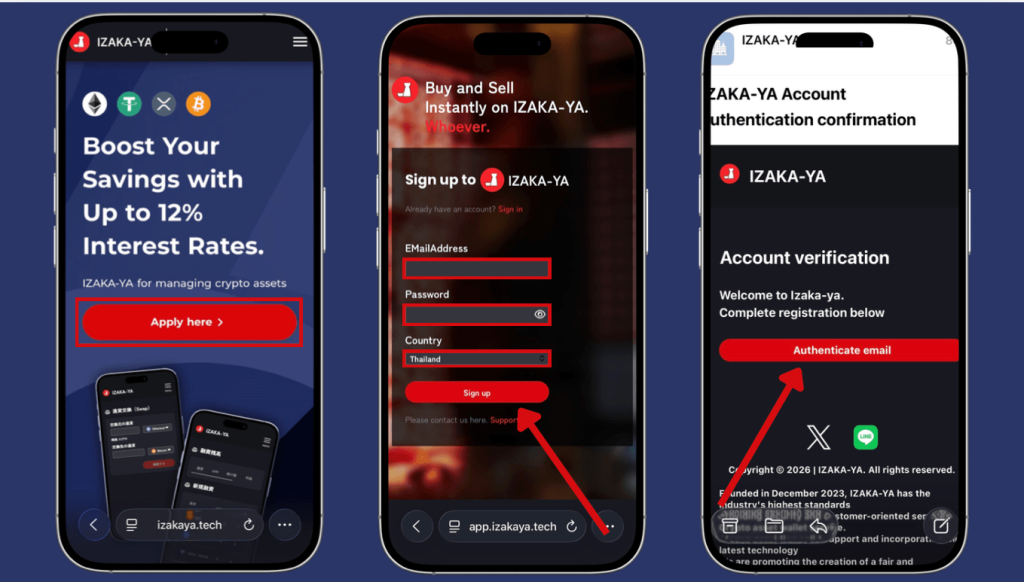
2. Going to “My Page”
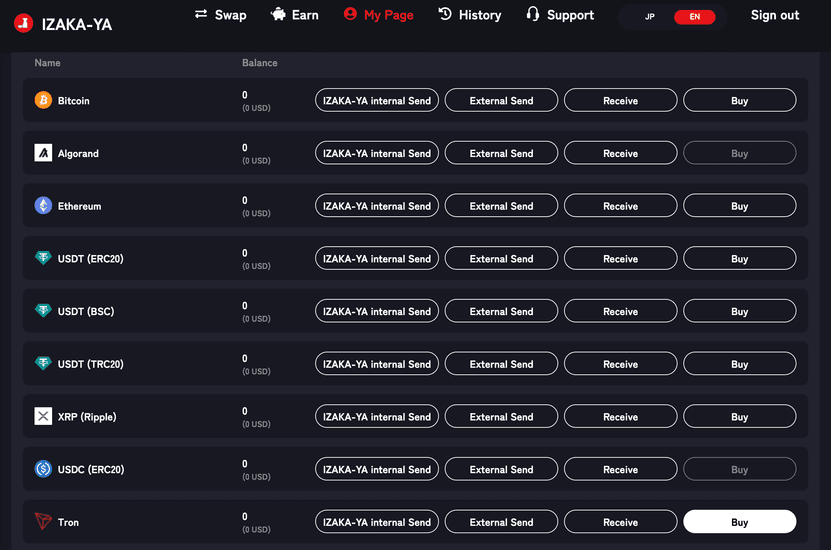
3. Finding TRON in the list of available assets and selecting “Buy”
4. Choosing the fiat currency you’d like to use, then entering the amount of TRON you wish to purchase
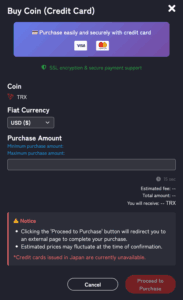
5. Reviewing the transaction details and clicking “Proceed to Purchase” to confirm
6. Once the purchase is complete, you can view the transaction in the “History” page
Receiving TRX, USDT, or USDC
Receiving crypto is straightforward and only takes a few steps.
1. Go to “My Page”
2. Locate TRON or any coins in the list of supported assets
3. Click “Receive”
4. Your wallet address and QR code will be generated automatically
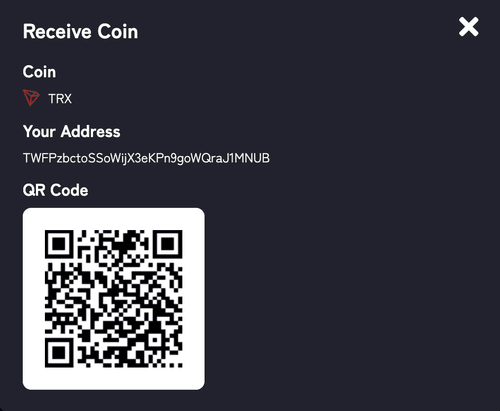
5. Share either option with the sender
6. Once the transaction is confirmed, the assets will be credited to your account
Whether you’re receiving TRX, USDT, or USDC, always verify that the sender is using the correct blockchain network before initiating the transfer.
Sending TRX, USDT, or USDC
Sending crypto is just as straightforward, whether you’re transferring funds to another Izaka-Ya user or an external wallet.
- Navigate to “My Page”
- Find the asset you would like to send
- Choose either “IZAKA-YA Internal Send” or “External Send”
- Enter the required details and confirm the transaction
IZAKA-YA Internal Send
If you’re sending funds to another Izaka-Ya user, select “IZAKA-YA Internal Send” and provide:
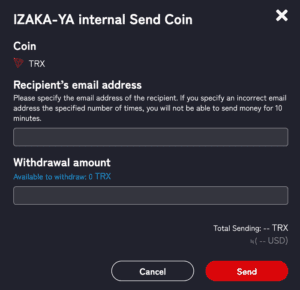
- Recipient’s email address
- Withdrawal amount
Be sure to enter the correct email address. If an incorrect email address is entered multiple times, sending functions may be temporarily restricted for up to 10 minutes.
External Send
If you’re transferring assets to another wallet or exchange, select “External Send” and provide:
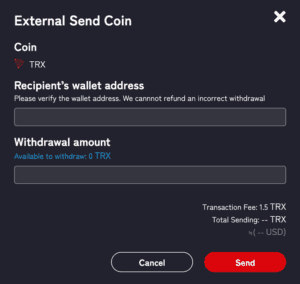
- Recipient’s wallet address
- Withdrawal amount
Before confirming the transaction, carefully verify the wallet address. Cryptocurrency transactions cannot usually be reversed, and funds sent to the wrong address may not be recoverable.
Once the transaction has been submitted, you can monitor its status from the “History” page.
Register IZAKA-YAkeyboard_arrow_right
Before You Send
A few simple checks can help avoid costly mistakes:
- Verify the recipient address carefully
- Confirm the correct blockchain network
- Send a small test transaction for large transfers
- Double-check the asset you’re sending
- Keep your wallet recovery information secure
Following these steps can help ensure smooth transactions, whether you’re moving TRX, USDT, or USDC.
Understanding TRC20 Wallet Support
Many people searching for a TRON wallet are actually looking for a TRC20 wallet that supports TRC20 tokens.
TRC20 is the token standard used on the TRON blockchain. Popular assets such as USDT (TRC20) rely on this standard.
Fortunately, all of the wallets listed above support TRX alongside major TRC20 tokens, allowing you to manage everything from a single account.
Before transferring funds, always verify that the receiving wallet supports the specific token you’re sending.
Basic Security Tips
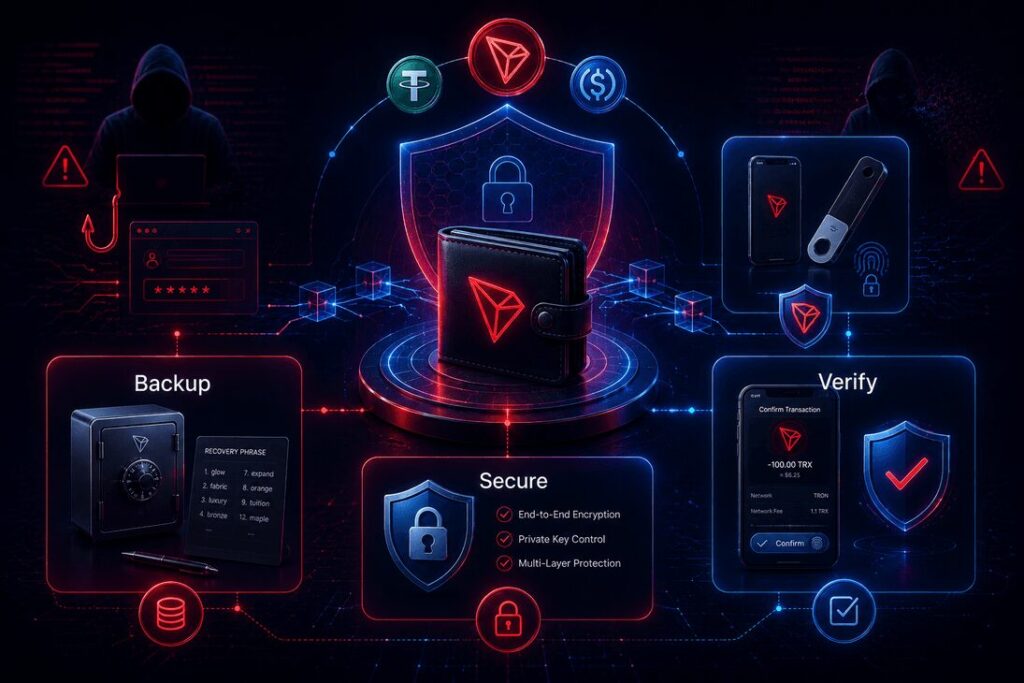
Regardless of which wallet you choose, a few simple habits can help protect your assets.
- Store your recovery phrase offline
- Never share your private keys
- Double-check wallet addresses before sending funds
- Keep wallet software updated
- Use a hardware wallet for larger holdings
- Be cautious of phishing websites and fake apps
Most wallet-related losses happen because of user mistakes rather than wallet failures.
Final Thoughts
The best TRON wallet isn’t necessarily the most expensive or feature-packed option. It comes down to how you plan to use your assets.
For active TRON users, TronLink remains one of the strongest choices. Trust Wallet is excellent for beginners, while Ledger continues to be the leading hardware wallet for long-term security. SafePal offers a more affordable hardware alternative, and Exodus works well for people managing diverse crypto portfolios.
Whichever wallet you choose, make security a priority from day one. A reliable wallet combined with good security habits will help keep your TRX and TRC20 tokens safe for years to come.
Frequently Asked Questions
Hardware wallets such as Ledger are generally considered the safest option because private keys remain offline.
Yes. Most modern TRON wallets support both TRX and TRC20 tokens, including USDT on the TRON network.
Not necessarily. Software wallets work well for everyday use, while hardware wallets are typically recommended for larger holdings and long-term storage.
Most software wallets are free to download and use. Hardware wallets require purchasing a physical device.
Not exactly, but they’re closely related. A TRC20 Wallet is designed to store TRC20 tokens such as USDT and typically also supports TRX, since both operate on the TRON blockchain.