



Solflare is one of the most popular wallets in the Solana ecosystem, offering a simple way to store, send, receive, stake, and manage SOL, SPL tokens, and NFTs. Whether you’re new to crypto or already exploring Solana-based applications, it provides an easy-to-use platform while giving you full control over your assets.
Whether you’re looking for a secure place to store SOL or planning to explore Solana’s growing ecosystem of dApps, this guide will help you understand what Solflare offers and decide whether it’s the right wallet for you.
What Is Solflare?
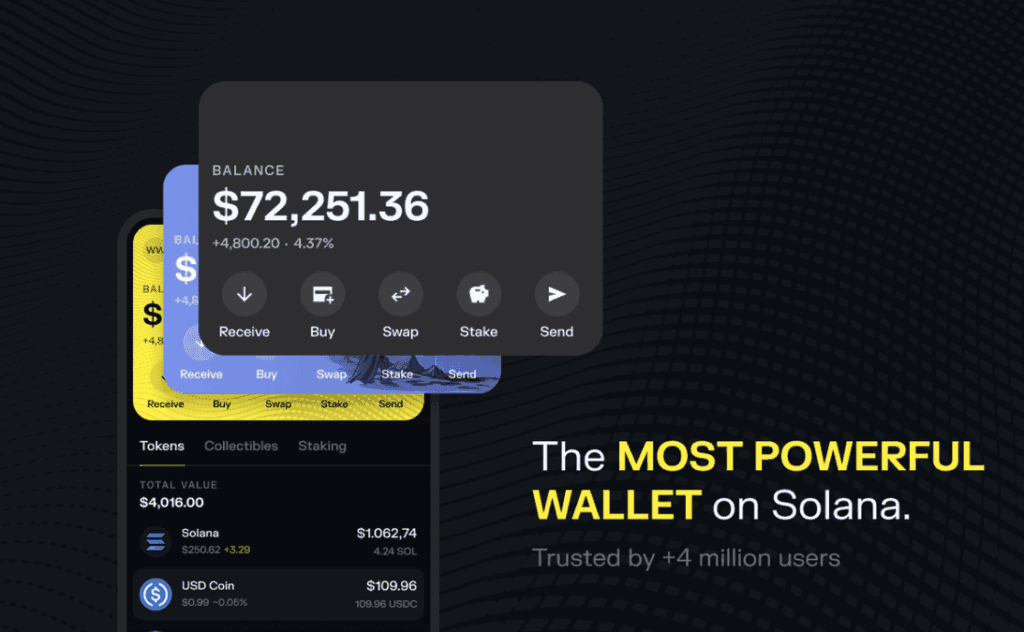
Solflare is a self-custody crypto wallet built specifically for the Solana blockchain. Developed by Baking Bad, it was one of the first wallets created for Solana and has grown into one of the ecosystem’s most widely used options.
Unlike exchange wallets, Solflare gives you complete control over your private keys and digital assets. It supports SOL, SPL tokens, NFTs, staking, token swaps, and decentralized applications (dApps), making it a versatile choice for both beginners and experienced users.
One of Solflare’s biggest advantages is its availability across multiple platforms. You can access it through a web browser, mobile app, or the Solflare wallet extension, allowing you to manage your portfolio from almost anywhere. It also integrates with Ledger hardware wallets for users who want an extra layer of protection.
Another reason Solflare has become so popular is its deep integration with the Solana ecosystem. If you’re looking for a Solflare wallet for Solana, it offers native network support, fast transactions, and seamless access to DeFi protocols, NFT marketplaces, and other Web3 applications.
Key Features of Solflare Wallet
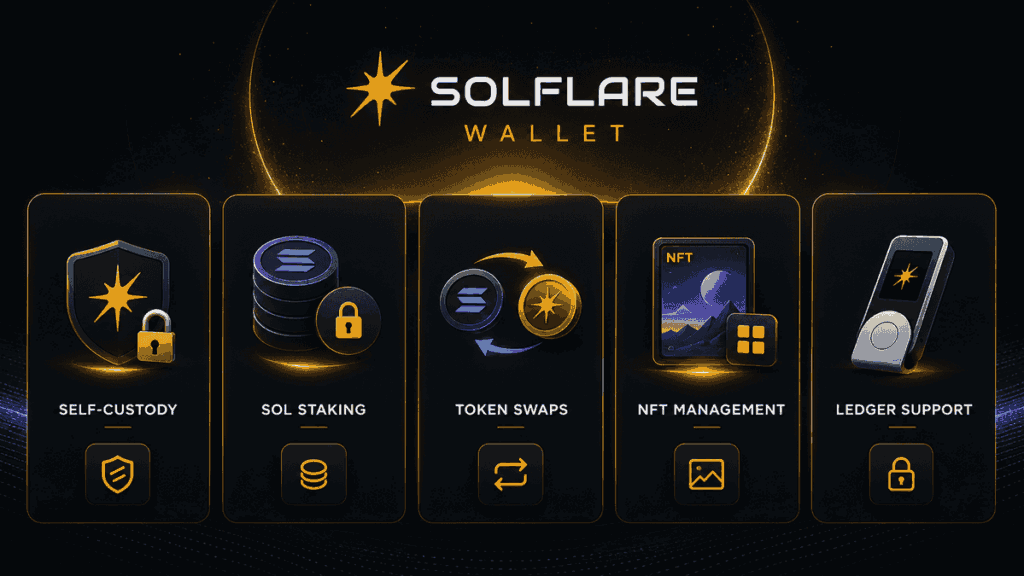
One of the reasons Solflare has become a go-to wallet for Solana users is that it offers much more than basic crypto storage. From staking and token swaps to NFT management and hardware wallet support, it brings together the features most people need in one place.
Self-Custody With Full Asset Control
Solflare is a self-custody wallet, meaning you keep control of your private keys rather than trusting a third party to hold your funds. Your wallet is secured by a recovery phrase that only you can access, giving you complete ownership of your assets.
While this provides greater privacy and independence, it also means you’re responsible for storing your recovery phrase safely. If it’s lost or exposed, no one can recover your wallet for you.
Built for the Solana Ecosystem
Unlike multi-chain wallets that support dozens of blockchains, Solflare was created specifically for Solana. That focus allows it to offer a smooth experience when managing SOL, SPL tokens, NFTs, and other assets on the network.
It also connects seamlessly with many Solana dApps, making it easy to explore DeFi platforms, NFT marketplaces, and other Web3 services without leaving your wallet.
Native SOL Staking
If you plan to hold SOL for the long term, staking is one of Solflare’s standout features. You can delegate your SOL to a validator directly from the wallet and earn staking rewards without moving your funds to an exchange.
The interface is beginner-friendly, making it easy to compare validators and start staking in just a few steps.
Built-In Token Swaps
Solflare includes a built-in swap feature that lets you exchange supported Solana tokens without using a separate decentralized exchange. This makes portfolio management more convenient, especially for users who frequently rebalance their holdings.
Available on Web, Mobile, and Browser Extension
You can use Solflare in the way that suits you best. It’s available as:
- A web wallet accessible from your browser
- A mobile app for iOS and Android
- A Solflare wallet extension for Chrome and other Chromium-based browsers
The browser extension is particularly useful if you regularly connect to decentralized applications, as it allows you to approve transactions with just a few clicks.
Ledger Hardware Wallet Support
For users who prioritize security, Solflare integrates with Ledger hardware wallets. This keeps your private keys offline while still allowing you to interact with the Solana ecosystem through the familiar Solflare interface.
It’s a practical option for long-term investors who want stronger protection without sacrificing convenience.
How to Set Up a Solflare Wallet
Getting started with Solflare only takes a few minutes. Whether you’re using the web version, mobile app, or browser extension, the setup process is straightforward and doesn’t require any technical knowledge.
Step 1: Download Solflare
Start by downloading Solflare from the official website or your device’s app store. If you prefer using a desktop browser, you can also install the Solflare wallet extension for quick access to Solana dApps and everyday transactions.
Always double-check that you’re downloading the official version to avoid fake apps or phishing websites.
Step 2: Create a New Wallet
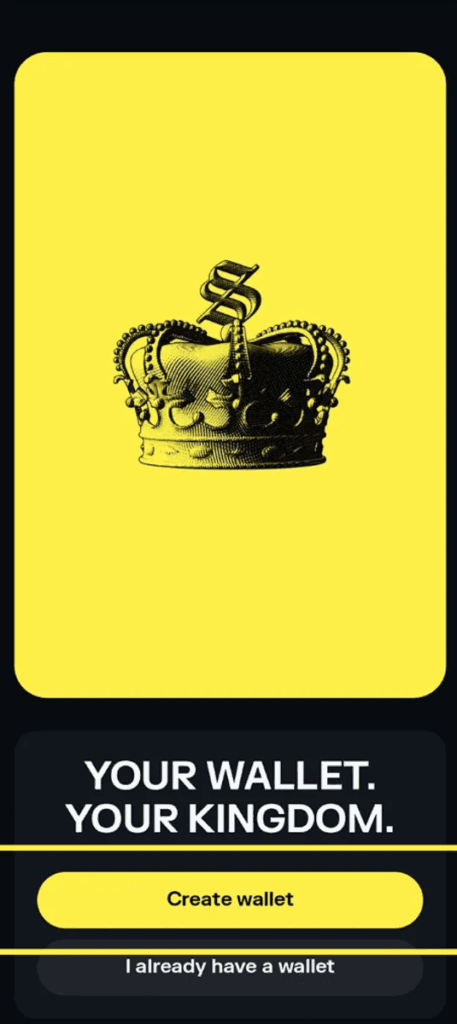
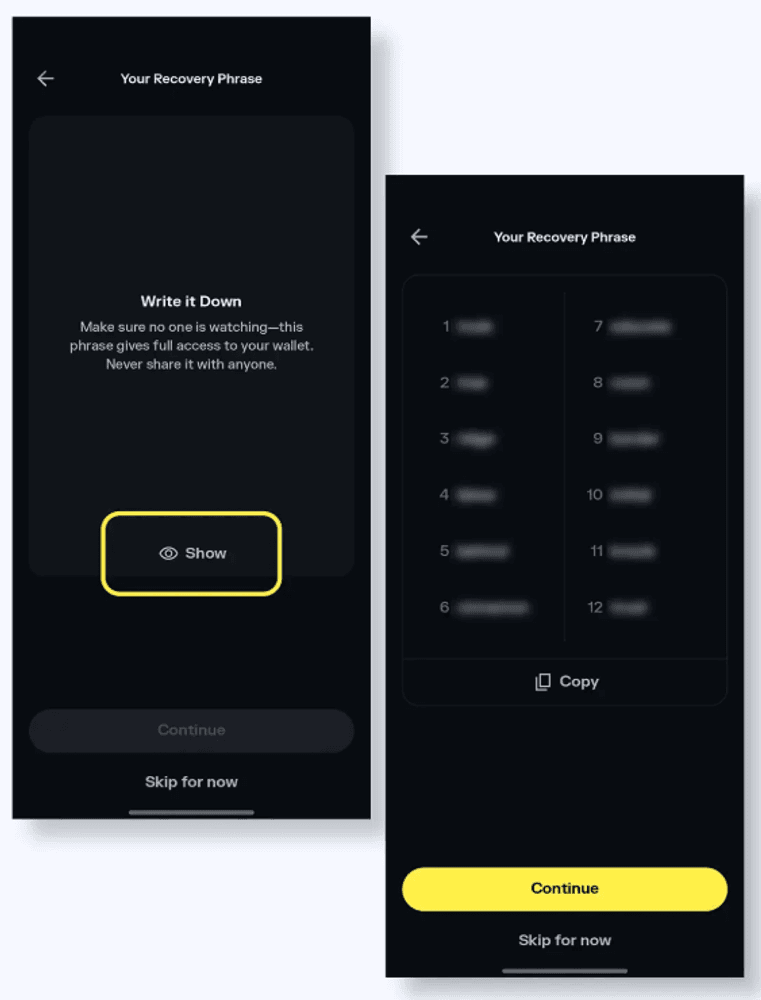
Open the app and choose Create New Wallet. Solflare will generate a recovery phrase, sometimes called a seed phrase, that serves as the master key to your wallet.
Write the phrase down and store it somewhere secure. Avoid saving it in cloud storage, messaging apps, or screenshots, as anyone with access to the phrase can control your funds.
Step 3: Fund Your Wallet
Once your wallet is ready, you can receive SOL or other supported SPL tokens by copying your wallet address and transferring funds from an exchange or another wallet.
If you’re new to Solana, it’s a good idea to keep a small amount of SOL in your wallet to cover network transaction fees.
Step 4: Start Exploring the Solana Ecosystem
With funds in your wallet, you’re ready to use Solflare’s core features. Depending on your goals, you can:
- Send and receive SOL and SPL tokens
- Stake SOL to earn rewards
- Swap supported tokens
- Store and manage NFTs
- Connect to Solana DeFi platforms and other Web3 applications
Everything is clearly organized, so even first-time users shouldn’t have much trouble finding their way around.
| Platform | Best For |
| Web Wallet | Managing assets from any desktop browser |
| Mobile App | Everyday transactions on the go |
| Browser Extension | Connecting to Solana dApps and approving transactions quickly |
Once your wallet is set up, you’re ready to start exploring everything Solflare has to offer.
What Can You Do With Solflare Wallet?
Once your wallet is set up, Solflare becomes much more than a place to store crypto. It acts as a gateway to the Solana ecosystem, letting you manage your assets, earn staking rewards, and interact with Web3 applications from a single interface.
Send and Receive Crypto
Solflare makes it easy to transfer SOL and supported SPL tokens. Whether you’re moving funds from an exchange, sending crypto to another wallet, or receiving payments, transactions can usually be completed within seconds thanks to Solana’s high-speed network.
Stake SOL
If you’re planning to hold SOL for the long term, staking is one of Solflare’s biggest advantages. You can delegate your tokens to a validator directly from the wallet and earn staking rewards while continuing to hold your assets.
The wallet also provides useful information about validators, helping you make a more informed choice before staking.
Swap Tokens Without Leaving Your Wallet
Instead of transferring funds to a separate exchange, Solflare allows you to swap supported Solana-based tokens directly within the wallet. This can save time and make it easier to manage your portfolio, especially if you trade between different assets regularly.
Store and Manage NFTs
For NFT collectors, Solflare includes a built-in gallery where you can view and organize your digital collectibles. Whether you’ve purchased NFTs from a marketplace or received them from another wallet, you can manage everything in one place without additional software.
Connect to Solana dApps
One of Solflare’s strongest features is its ability to connect with decentralized applications across the Solana ecosystem. With just a few clicks, you can access:
- Decentralized exchanges (DEXs)
- Lending and borrowing platforms
- Liquid staking protocols
- NFT marketplaces
- Blockchain games
- Other Web3 applications
This makes Solflare a practical choice for users who want more than basic wallet functionality.
At a Glance: What Solflare Can Do
| Feature | What It Lets You Do |
| Send & Receive | Transfer SOL and SPL tokens |
| Staking | Earn rewards by staking SOL |
| Token Swaps | Exchange supported tokens within the wallet |
| NFT Management | Store and view NFT collections |
| dApp Connectivity | Access DeFi, NFTs, and Web3 services |
| Ledger Support | Add an extra layer of security for your assets |
Whether you’re simply holding SOL or actively exploring the Solana ecosystem, Solflare offers the tools needed to manage your assets without relying on multiple apps or platforms.
Solflare Wallet Extension: Why Most Users Prefer It
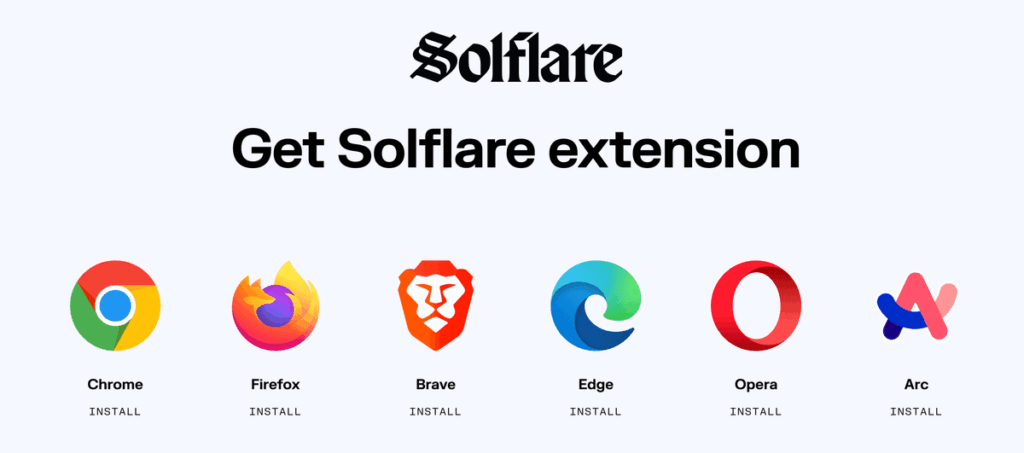
If you regularly use Solana-based applications, installing the Solflare wallet extension is one of the easiest ways to improve your experience. Rather than copying wallet addresses between tabs or relying on a mobile device, the extension lets you connect to supported websites and approve transactions directly from your browser.
Setup is quick. After installing the extension, you can either create a new wallet or import an existing one using your recovery phrase. Within a few minutes, you’ll be able to access your assets and start using Solana’s growing ecosystem of DeFi platforms, NFT marketplaces, and other Web3 applications.
One of the biggest advantages of the extension is convenience. Whenever you visit a supported dApp, Solflare can securely prompt you to connect your wallet and confirm transactions without leaving the page. This makes everyday tasks—such as swapping tokens, staking SOL, minting NFTs, or participating in decentralized finance—much faster than manually entering wallet details each time.
The extension also supports Ledger hardware wallets, giving long-term investors the option to keep their private keys offline while still enjoying a smooth Web3 experience.
Web Wallet vs Solflare Wallet Extension
Although both versions give you access to the same wallet, they’re designed for different situations.
| Feature | Web Wallet | Solflare Wallet Extension |
| Check balances and manage assets | ✅ | ✅ |
| Connect to Solana dApps | Limited | ✅ |
| Approve Web3 transactions | ❌ | ✅ |
| Manage staking | ✅ | ✅ |
| Ledger hardware wallet support | ✅ | ✅ |
If your primary goal is simply checking your portfolio or sending crypto, the web wallet works well. However, if you plan to spend time exploring the Solana ecosystem, the Solflare wallet extension offers a more seamless way to interact with decentralized applications while keeping your assets under your control.
Is Solflare Wallet Safe?
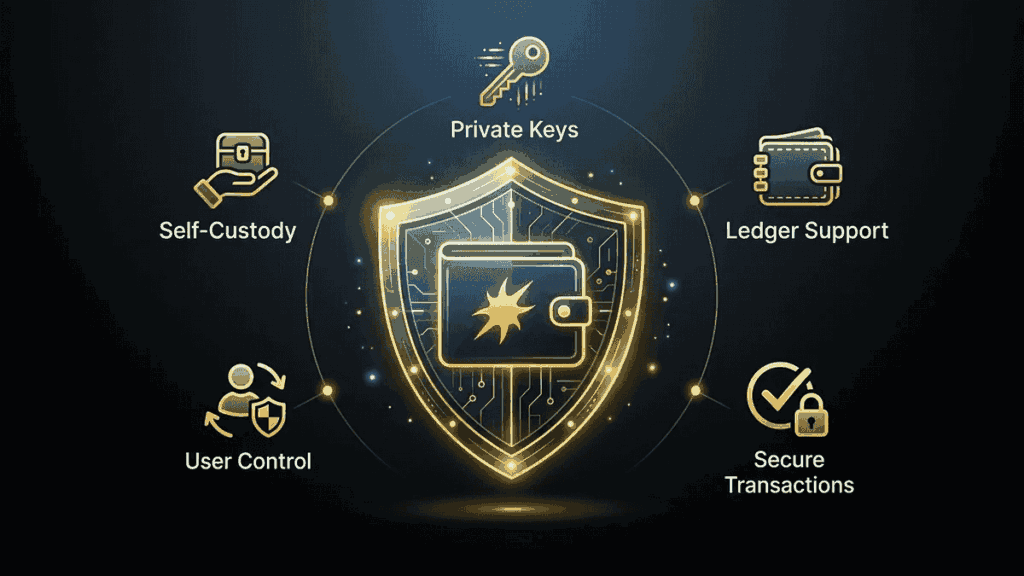
One of the first questions many new users ask is, is Solflare wallet safe? In most cases, yes. Solflare has earned a strong reputation within the Solana ecosystem and includes several features designed to help keep your assets secure.
As a self-custody wallet, Solflare gives you full control over your private keys instead of storing them on a centralized platform. While this offers greater control, it also means you’re responsible for protecting your recovery phrase.
Some of Solflare’s key security features include:
- Self-custody: You control your private keys and digital assets.
- Ledger integration: Connect a Ledger hardware wallet to keep your private keys offline.
- Biometric authentication: Add an extra layer of protection on supported mobile devices.
- Transaction previews: Review transaction details before approving them.
Even with these protections, your security ultimately depends on how you use the wallet. To reduce the risk of scams:
- Only download Solflare from official sources.
- Never share your recovery phrase with anyone.
- Double-check website URLs before connecting your wallet.
- Be cautious of phishing emails, fake apps, and unsolicited messages.
If you follow these basic security practices, Solflare is considered a safe and reliable wallet for storing, staking, and managing assets on the Solana network.
Solflare vs Phantom: Which Wallet Is Better?
If you’re choosing a wallet for the Solana ecosystem, chances are you’ve also come across Phantom. Both are well-established, non-custodial wallets that support SOL, SPL tokens, NFTs, and decentralized applications, making either one a solid choice for most users.
When comparing Solflare vs Phantom, the best choice depends on how you plan to use your wallet. Phantom is often praised for its clean interface and beginner-friendly design, while Solflare stands out for its native staking tools and deeper integration with the Solana ecosystem.
| Feature | Solflare | Phantom |
| Self-custody | ✅ | ✅ |
| SOL & SPL token support | ✅ | ✅ |
| NFT support | ✅ | ✅ |
| Native SOL staking | ✅ | ✅ |
| Browser extension | ✅ | ✅ |
| Mobile app | ✅ | ✅ |
| Ledger hardware wallet support | ✅ | ✅ |
| Best suited for | Long-term SOL holders, stakers, and active Solana users | Beginners, NFT collectors, and everyday crypto users |
Ultimately, neither wallet is objectively better—they simply cater to slightly different audiences. If you plan to stake SOL, use DeFi protocols, and spend most of your time within the Solana ecosystem, Solflare is an excellent choice. On the other hand, if you want a wallet with a polished interface that’s easy to pick up, Phantom may feel more approachable.
For many users, the decision comes down to personal preference. Both wallets are actively maintained, widely trusted, and offer the core features needed to manage assets securely on Solana.
Pros and Cons of Solflare
Like any crypto wallet, Solflare has its strengths and trade-offs. While it’s one of the most feature-rich wallets in the Solana ecosystem, it’s important to understand where it excels and where it may not be the best fit.
Pros
- Built specifically for Solana: Designed to work seamlessly with SOL, SPL tokens, NFTs, and Solana-based dApps.
- Easy-to-use interface: Clean navigation makes it accessible for both beginners and experienced users.
- Native staking support: Stake SOL directly from the wallet without relying on a centralized exchange.
- Available across multiple platforms: Access your wallet on the web, mobile devices, or through the browser extension.
- Ledger compatibility: Connect a Ledger hardware wallet for an extra layer of security.
- Self-custody: You remain in control of your private keys and digital assets at all times.
Cons
- Limited blockchain support: Solflare is primarily focused on Solana, so it’s not ideal if you regularly use multiple blockchain networks.
- Recovery phrase responsibility: As with any self-custody wallet, losing your recovery phrase could result in permanent loss of access to your funds.
- Learning curve for Web3 beginners: While the wallet is easy to navigate, features like staking and DeFi may still feel unfamiliar to first-time crypto users.
Overall, Solflare strikes a good balance between simplicity and functionality. It offers the essential tools most Solana users need while remaining approachable enough for beginners who are ready to move beyond keeping their assets on an exchange.
Who Should Use Solflare?
Solflare is designed for a wide range of users, from complete beginners to experienced crypto investors. While anyone can use the wallet, it’s especially well suited for people who spend most of their time within the Solana ecosystem.
You may find Solflare a good fit if you:
- Want full control of your crypto instead of leaving it on a centralized exchange.
- Hold SOL for the long term and want to earn staking rewards directly from your wallet.
- Use Solana dApps for DeFi, token swaps, or other Web3 activities.
- Collect or trade NFTs on the Solana blockchain.
- Prefer a wallet that works across desktop and mobile while offering support for Ledger hardware wallets.
On the other hand, if you primarily use assets on multiple blockchains, you may prefer a wallet with broader multi-chain support. Solflare is built with Solana in mind, and that’s where it delivers the best experience.
For anyone looking for a secure, feature-rich wallet dedicated to the Solana ecosystem, Solflare remains one of the strongest options available. It combines ease of use with the tools needed to manage, stake, and grow your crypto—all while keeping you in control of your assets.
Final Thoughts
If you’re planning to explore the Solana ecosystem, Solflare is a wallet that’s well worth considering. It combines a clean, beginner-friendly interface with advanced features like staking, NFT management, and seamless access to Solana dApps, making it suitable whether you’re just getting started or already active in Web3.
What really sets Solflare apart is how naturally everything fits together. Whether you’re staking SOL, managing NFTs, or connecting to DeFi apps, the experience feels smooth without becoming overwhelming. Combined with self-custody and Ledger support, it gives you both flexibility and control over your assets.
Ultimately, the best wallet is the one that fits how you use crypto. If Solana is your primary blockchain, Solflare offers a reliable and secure way to manage your assets while keeping ownership firmly in your hands.
Frequently Asked Questions About Solflare
Yes. In addition to SOL, Solflare supports SPL tokens issued on the Solana blockchain. However, it is primarily designed for Solana assets rather than a wide range of blockchains.
Yes. As long as you have your recovery phrase, you can restore your wallet on another supported device. Without it, your wallet cannot be recovered.
You’ll need a small amount of SOL to pay network transaction fees when sending tokens, swapping assets, or interacting with decentralized applications on the Solana network.
Yes. Solflare integrates with Ledger hardware wallets, allowing you to manage your assets while keeping your private keys offline for added security.
Creating and using a Solflare wallet is free. However, you’ll still need to pay Solana network fees for transactions, and some third-party services may charge additional fees.
Yes. Solflare can connect with decentralized applications on the Solana network, allowing users to participate in activities such as token swaps, staking, and Yield Farming through supported DeFi platforms. Users should always research the risks before providing liquidity or interacting with smart contracts.