


As the Sui ecosystem keeps growing, more people are looking for an easy and secure way to store their SUI tokens. And there are now dozens of Sui wallts — some built specifically for the ecosystem, others coming from major crypto brands like Binance and Trust Wallet. Some are perfect for beginners, while others are better suited for active traders, NFT collectors, or DeFi users.
If you’re new to crypto, the good news is that getting started is much easier than it used to be.
This guide walks through the best Sui wallet options available right now, explains the differences between them, and shows how to create a Sui wallet safely — even if it’s your first time using crypto.
What Is a Sui Wallet?
A Sui wallet is a crypto wallet that lets you store, send, receive, and manage assets on the Sui blockchain.
Think of it as your gateway into the Sui ecosystem.
With a Sui wallet, you can:
- Store SUI tokens
- Send and receive crypto
- Connect to Sui-based dApps
- Stake SUI for rewards
- Buy and manage NFTs
- Access DeFi platforms and Web3 apps
Some wallets are built only for Sui, while others support multiple blockchains in one app.
That’s why choosing the right wallet depends on how you actually plan to use crypto.
Why More People Are Using Sui
Sui has attracted attention because the network focuses heavily on speed, scalability, and low transaction costs.
That combination has made it popular for:
As more projects launch on Sui, wallets have become one of the easiest ways for users to explore the ecosystem without needing deep technical knowledge.
Best Sui Wallet Options in 2026
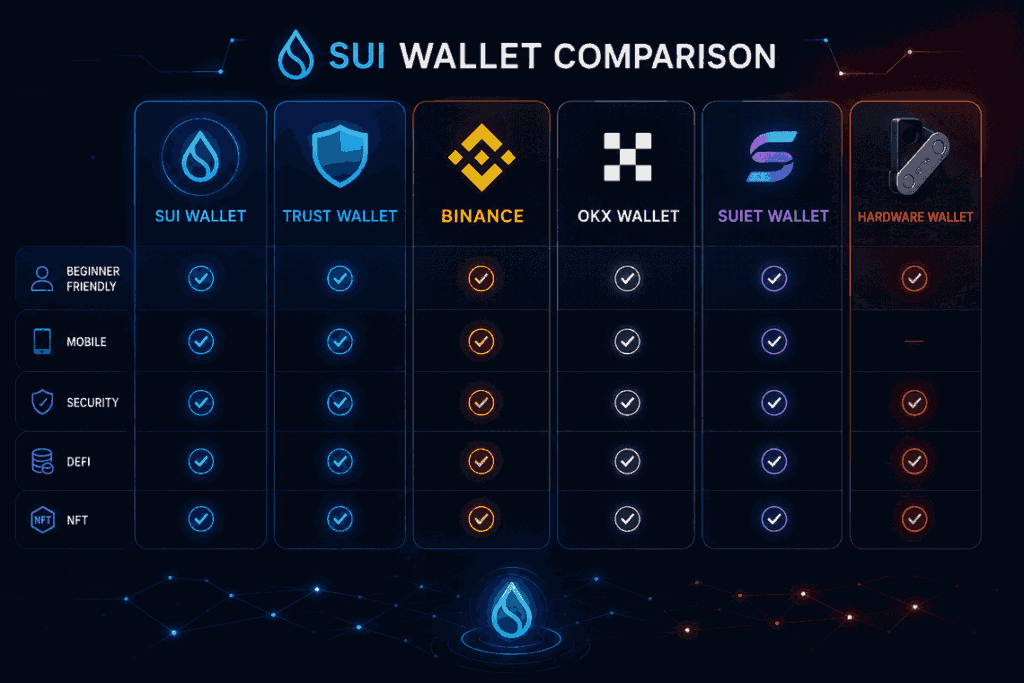
Not all wallets are designed the same way.
Some focus on convenience. Others prioritize security. And some are mainly built for active crypto users who constantly trade, stake, or interact with decentralized apps.
Here are some of the most popular wallets that support Sui right now.
1. Sui Wallet
The official Sui Wallet is still one of the easiest starting points for beginners.
The interface feels clean and lightweight, and setup only takes a few minutes. It supports staking, NFTs, token transfers, and direct access to dApps inside the Sui ecosystem.
For someone completely new to Sui, this is usually the simplest option.
Best for
Beginners and everyday Sui users
Pros
- Easy to set up
- Official ecosystem support
- Smooth dApp connectivity
- Beginner-friendly layout
Cons
- Fewer advanced trading tools than larger multi-chain wallets
2. Trust Wallet

Trust Wallet has become one of the best crypto wallets globally, mainly because it supports a huge number of assets and blockchains in one place.
For users who already hold multiple cryptocurrencies, adding Sui support inside an app they already know feels much more convenient than downloading another wallet.
It also works well for mobile users who want:
- NFT support
- dApp access
- Token swaps
- Simple portfolio management
Best for
Users who want one wallet for multiple blockchains
Pros
- Very beginner-friendly
- Popular mobile app
- Supports many crypto assets
- Built-in Web3 browser
Cons
- Advanced users may prefer more specialized tools
3. Binance Wallet
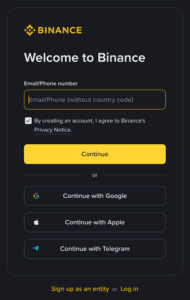
A lot of users first buy SUI through Binance, so naturally many also store it there.
For beginners, keeping assets inside Binance can feel easier because:
- There’s no recovery phrase to manage
- Buying and selling is straightforward
- Transfers happen quickly inside the platform
That said, exchange wallets work differently from self-custody wallets.
When you keep crypto on an exchange, the platform technically controls the wallet keys on your behalf.
Best for
New crypto users and active traders
Pros
- Extremely convenient
- Easy buying and selling
- Beginner-friendly interface
- Strong liquidity for trading
Cons
- You don’t fully control the private keys
- Less decentralized than self-custody wallets
For many people, Binance works well as a starting point before moving funds into a personal wallet later.
4. Suiet Wallet
Suiet Wallet is especially popular among users who spend a lot of time inside the Sui ecosystem itself.
It’s fast, lightweight, and works well with many Sui-native apps and NFT marketplaces.
Compared to broader wallets like Trust Wallet, Suiet feels more tailored specifically for Sui users.
Best for
NFT collectors and DeFi users
Pros
- Great ecosystem compatibility
- Fast browser extension
- Smooth NFT experience
Cons
- Slightly more technical for beginners
5. OKX Wallet
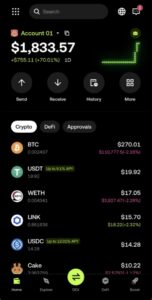
OKX has quietly built one of the better multi-chain Web3 wallets on the market.
The wallet supports Sui alongside many other ecosystems, and it’s become popular among users who actively explore DeFi platforms and decentralized apps.
One thing people like about OKX Wallet is that it balances simplicity with more advanced functionality.
Best for
Users interested in DeFi and Web3 exploration
Pros
- Supports many blockchains
- Good dApp integration
- Clean interface
- Strong mobile experience
Cons
- Some features may feel overwhelming for total beginners
6. Hardware Wallets
If you plan to hold SUI long term, hardware wallets are worth considering.
A hardware wallet stores your private keys offline instead of keeping them connected to the internet all the time.
That makes them much harder to compromise through malware or phishing attacks.
Popular hardware wallet brands include:
Best for
Long-term investors and higher-value portfolios
Main advantage
Much stronger security protection
Which Sui Wallet Is Best Overall?
There isn’t one perfect answer because different users want different things.
But generally:
| User Type | Good Wallet Option |
| Complete beginner | Sui Wallet |
| Mobile user | Trust Wallet |
| Active trader | Binance |
| DeFi explorer | OKX Wallet |
| NFT collector | Suiet Wallet |
| Long-term holder | Ledger hardware wallet |
For most beginners, the easiest path is starting simple and upgrading later as they become more comfortable with crypto.
Sui Wallet Mobile Apps: What to Look For
A lot of people now manage crypto entirely from their phones, so choosing the right Sui wallet mobile app matters more than ever.
A good mobile wallet should feel simple without sacrificing security.
Here are a few features worth checking before downloading one.
| Feature | Why It Matters |
| Biometric login | Adds extra account security |
| Recovery phrase backup | Helps recover lost wallets |
| NFT support | Useful for collectors |
| dApp browser | Connects to Web3 apps |
| Multi-chain support | Keeps assets in one place |
| Staking support | Earn rewards directly inside the wallet |
For beginners, mobile wallets usually provide the smoothest experience overall.
How to Create a Sui Wallet
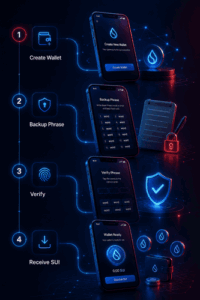
Creating a Sui wallet is actually much easier than most people expect.
You can usually finish the setup process in under 10 minutes.
Step 1: Choose Your Wallet
Start by deciding what type of wallet you want.
If you’re brand new, good beginner options include:
- Sui Wallet
- Trust Wallet
- Binance
- OKX Wallet
If security matters most, you can later connect a hardware wallet too.
Step 2: Download the Official App
Always use official sources.
Fake wallet apps and phishing websites are still one of the biggest risks in crypto, especially for beginners.
Double-check:
- The app publisher
- Website URLs
- App reviews
- Official social media links
Step 3: Create Your Wallet
Open the app and select:
“Create New Wallet”
The wallet will then generate:
- A wallet address
- A recovery phrase
This recovery phrase is extremely important.
Step 4: Save Your Recovery Phrase Properly
Never share your recovery phrase with anyone.
And ideally, don’t store it in screenshots or cloud storage either.
A safer option is writing it down offline and keeping it somewhere secure.
If someone gets access to that phrase, they can fully control your crypto.
Step 5: Add SUI Tokens
Once your wallet is ready, you can transfer SUI into it from:
- Binance
- OKX
- Another wallet
- A decentralized platform
Before sending crypto, always double-check the wallet address carefully.
Common Security Mistakes to Avoid
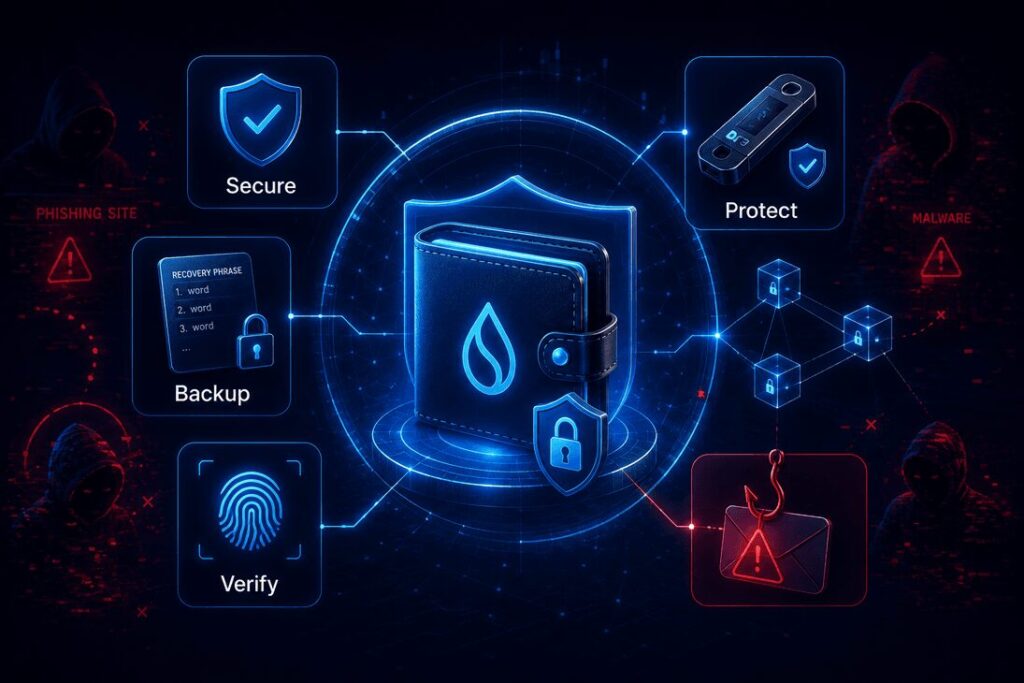
Even the best Sui wallet can’t fully protect users from careless mistakes.
Here are some of the most common problems people run into.
Saving Recovery Phrases Online
Cloud storage and screenshots are convenient — but risky.
Offline backups are much safer.
Connecting to Fake Websites
Phishing scams often copy real crypto platforms almost perfectly.
Always verify links before connecting your wallet.
Approving Random Transactions
Some wallet approvals can give apps permission to access your assets.
If you don’t understand a transaction request, don’t approve it immediately.
Ignoring Device Security
Basic phone and computer security still matters.
Use:
- Strong passwords
- Screen locks
- Two-factor authentication
- Device updates
Final Thoughts
The number of wallets supporting Sui has grown quickly, which is a good sign for the ecosystem overall.
Beginners now have far more choices than they did a year ago, whether they want a simple mobile app, a multi-chain wallet, or a hardware wallet for stronger security.
If convenience matters most, apps like Trust Wallet or Binance are easy starting points. If you want deeper access to the Sui ecosystem itself, wallets like Sui Wallet and Suiet are worth exploring.
At the end of the day, the “best” Sui wallet is the one that matches how you actually use crypto — while still keeping your assets secure.
Frequently Asked Questions About Sui Wallet Apps
Many beginners start with Sui Wallet, Trust Wallet, or Binance because they offer simple interfaces and easy setup processes.
Yes. Trust Wallet supports Sui and allows users to store, send, and manage SUI tokens directly inside the app.
Yes. Binance supports SUI trading and storage through its exchange platform.
You can create a Sui wallet by downloading a trusted wallet app, generating a new wallet, and securely saving your recovery phrase.
For maximum security, many long-term holders use hardware wallets like Ledger combined with trusted Sui-compatible wallet software.
A Sui wallet is primarily a crypto wallet designed for managing SUI tokens and interacting with the Sui blockchain. However, because Sui supports NFTs and digital assets, some Sui wallets can also function as an NFT Wallet for managing Sui-based collectibles.